Etere Story Creator
72.6.1 User Interface
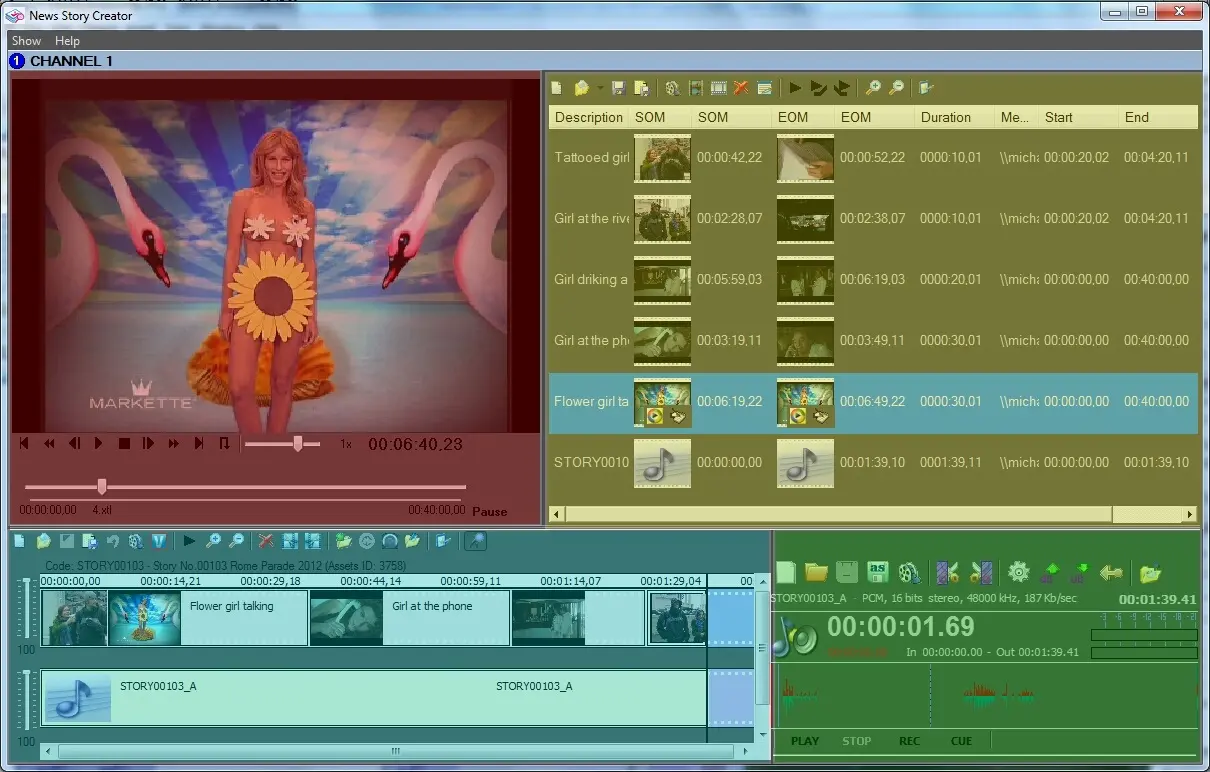
The user-interface of the Etere Story Creator module is composed by four main areas that permits an easy insertion and creation of stories:
Etere Story Creator
Preview Panel: Located in the upper left hand side, this section allows you to watch the proxy version of segments.
Segments List: Positioned in the upper right hand side, it allows you to insert/remove segments intended to be used on the editing.
Story Playlist: It is in the bottom left hand side, it offers a timeline for the editing of new sequences.
Audio Recorder: Available in the bottom right hand side, it allows to record -and also edit- audio tracks to be inserted in the segments list.
 Etere_Story_Creator