201.2.1.1 Opening an Existing Order
Once the Purchase Orders module is launched, if you wish to open an existing purchasing order for editing or just for viewing, you can use the "Search" tab to input various search criteria to view and edit purchasing orders.
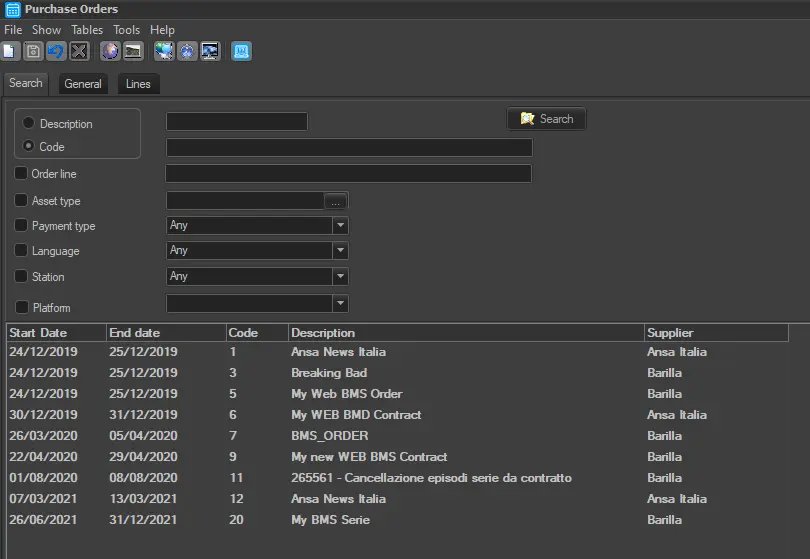
From the "Search" tab it can search by code or description, the description of a particular right (a line within an order), the type of program, the payment type, the language or the station:
Bms_search
In the search results above, the validity date of the purchase orders are displayed, along with the code and description, as well as the supplier of the contract are indicated.
Note
Depending on whether the user counts or not with the "BMS\OrdersForAllStations" right, it will be possible to retrieve and edit purchase orders related to other stations (e.g. channel 03, channel 03) different from the current one (e.g. channel 01).
 Bms_search