72.5.2.1 People
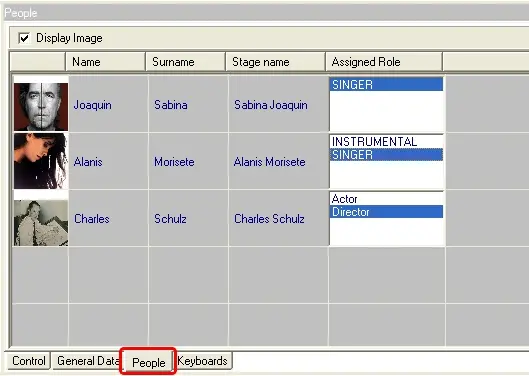
In People you can add the artists that are part of this segment. Here you can search for an Artist already present in your Artist Database, or you can create a new one (for more details about this see the 'Artist Manager' section).
People
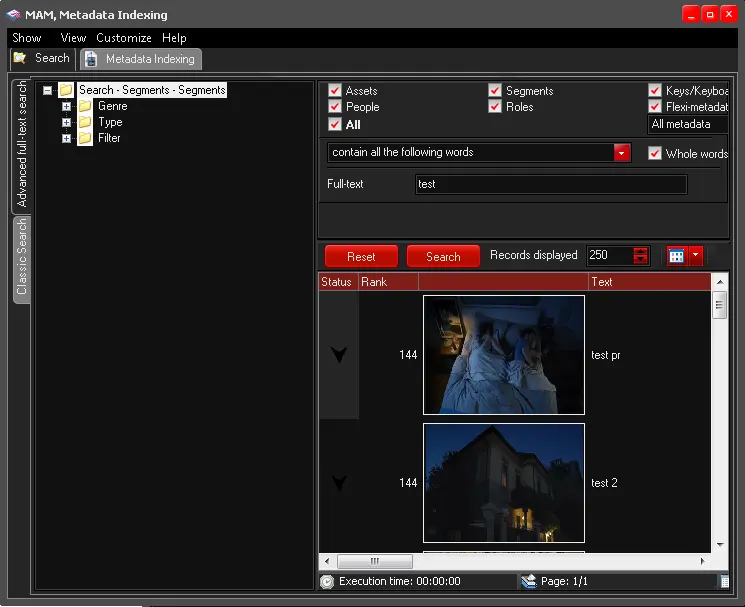
In Search tab, enter the full-text or keyword in the text-box to filter the asset metadata.
Metadata Indexing 1
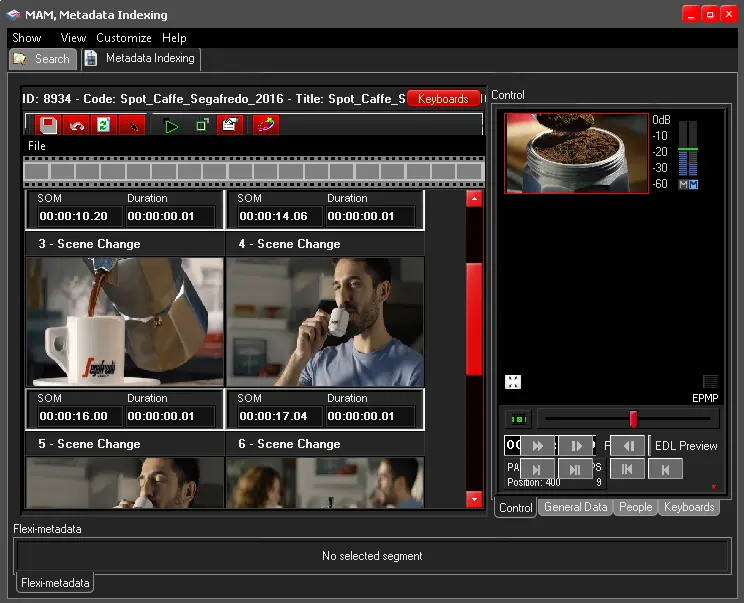
When asset is located, double-click on asset and start selecting the segments in asset to add the artist.
Metadata Indexing 2
You can use the Start Event button to set the start time of the segment, and move the player to the end of the segment and set the segment end time using the End Event button.
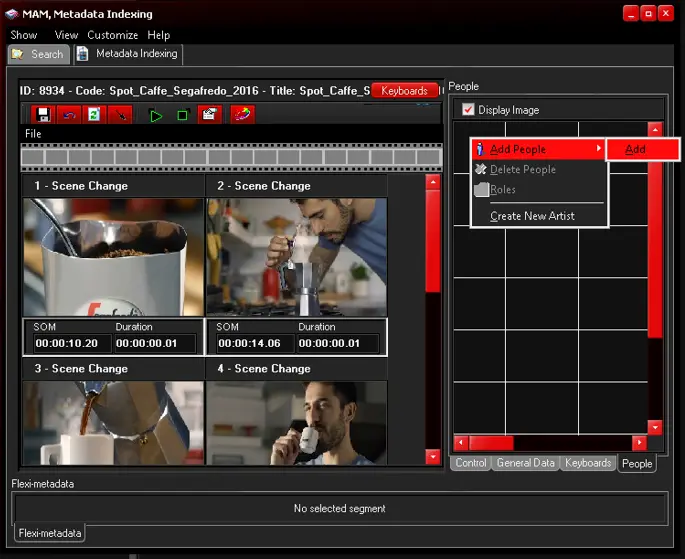
Once segments are selected, click the View function in menu bar and select People to launch the dialogue.
Next, right-click on People dialogue and select “Add People > Add” to display all artists in the database.
Metadata Indexing 3
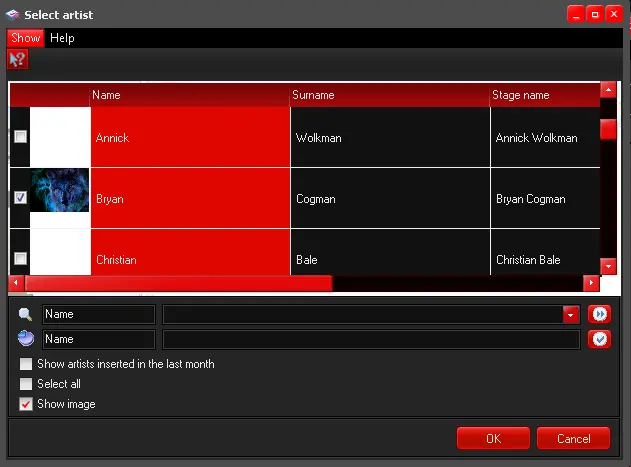
In the Select Artist dialogue, select the artist by putting a tick beside the thumbnail and click <OK> to confirm the selection.
Metadata Indexing 4
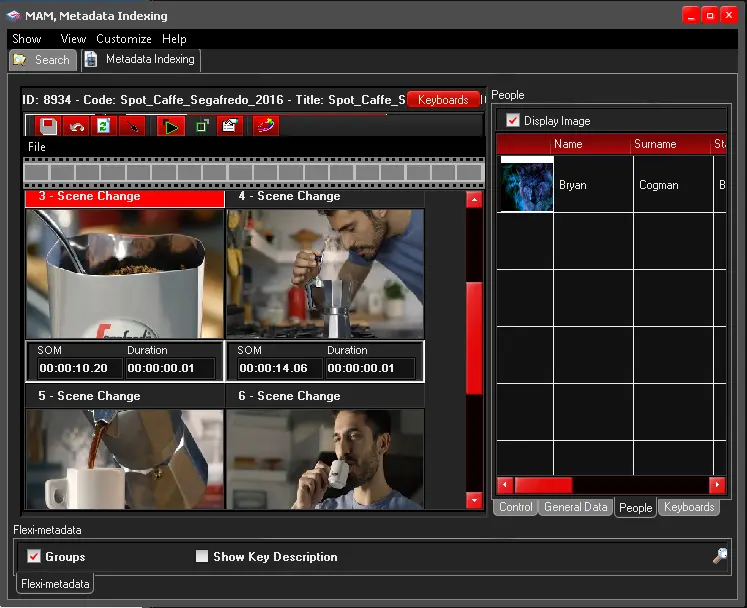
The selected artist would be added to People dialogue in the right panel.
Metadata Indexing 5
Adding more than one role to each artist
You can do this, just by accessing the list of roles located on the left and setting those roles that can be assigned to this artist on the right.
 People
 Metadata_Indexing_1
 Metadata_Indexing_2
 Metadata_Indexing_3
 Metadata_Indexing_4
 Metadata_Indexing_5