59.3.10.21 Lock
The Lock actions block the access (via T-workflow) to the files linked to an asset form by inserting a 'lock' and a 'release' action before and after the action required to block the files.
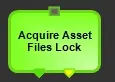
Acquire asset files Lock - a b
Acquire_asset_files_lock
Description: Acquire a "lock" (i.e. manipulation restriction) over the asset to which the T-workflow is attached.
Results:
a. Lock acquired
b. Lock rejected
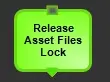
Release asset files Lock - a b
Release_asset_files_lock
Description: Releases the "lock" (i.e. manipulation restriction) over the asset to which the T-workflow is attached.
Results:
a. Lock released: Either the Lock was successfully removed, or no lock was found
NB: Etere counts with a secure mechanism that forces the release of the 'lock' each time a T-workflow is reset or ends.
Sample of use
The T-workflows below illustrate the correct use of lock & release action blocks:
lock_&_release
T-workflows 01 and 02 need to access the same file, so to avoid any conflict when processing the same file, both of them have a lock before the transcoding or copy blocks; in this way, the first T-workflow that locks the asset will make the other to wait until the asset is released.
 Acquire_asset_files_lock
 Release_asset_files_lock
 lock_&_release