84.4.4.74 CUSTOM > J-ONE
Export Scope
The J-ONE function allows exporting multiple XML files containing data related to asset's linked files. Exported files will be stored in a predefined path and will be named as the video file but with an .XML extension.
This export includes some tags based on Flexi-metadata, which if compiled, will be exported as follows:
Exported Tag - SBC (mandatory)
Required Flexi-metadata : Indentification code
Type : string
Exported Tag - Aspect Ratio
Required Flexi-metadata : 169 or 43
Type : integer
Exported Tag - Definition
Required Flexi-metadata : SD or HD
Type : string
NB: Flexi-metadata Metadata is configured in "Configuration > Settings > MAM > Flexi-metadata" and compiled from "Media Library > Flexi-metadata".
It's worth mentioning that exported files are named using the value of the "SBC" metadata, therefore, filling this metadata is required.
Export parameters
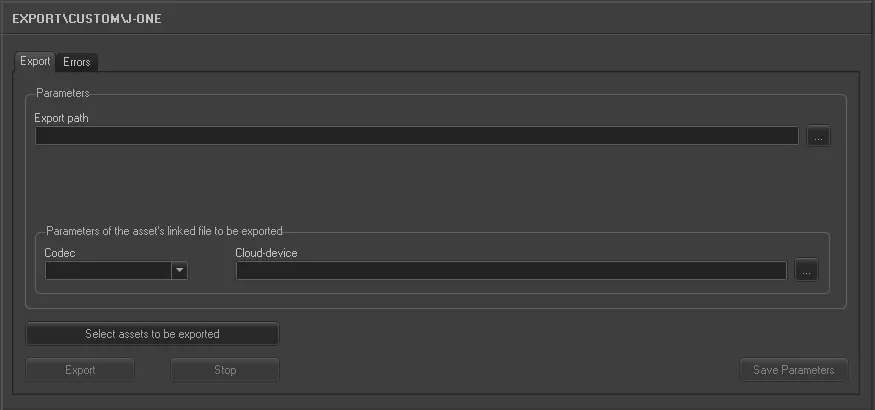
This export allows the following parameters to be set and then [saved]:
Export_custom_j_one
•Day to export: Specify the date from which data to be exported will be retrieved.
Parameters
•Export path: Indicate the path on which the exported file will be placed.
•Parameters of asset's linked file to be exported: Select the codec (e.g. MXF) and cloud-device (e.g. \\mserver\video\hires\) related to the files to be exported.
NB: In case the asset doesn't have a linked file with these characteristics, no file will be exported and a warning message will be returned.
•Select assets to be exported: Open the asset search engine to allow selecting the asset(s) for which their linked files data will be exported.
NB: Multiple assets can be selected holding the CTRL and SHIFT keys while marking assets; selections are confirmed pressing the [Enter] key.
Launch the export
Once all parameters have been correctly set, just press the <Export> button to launch the export operation.
Sample exported file
<?xml version="1.0" encoding="UTF-8"?>
<root>
<Title>Asset title</Title>dato preso da: FILMATI.DESCRIZIO
<ID>SBCXXXXX</ID> : Flexi-metadata -> "SBC"
<TCIn>10:00:00:00</TCIn> : FILMATI.INF_DIGIT + FILMATI.POS_INI
<Duration>00:22:41:20</Duration> : FILMATI.DURATA
<Comment></Comment> : Fixed ''
<FormatVideo>169</FormatVideo> : Flexi-metadata -> "Aspect Ratio" change '16:9' in '169'
<PAD_STATUS>PAD</PAD_STATUS> : fixed 'PAD'
<Client>J-ONE</Client> : fixed 'J-ONE'
<FormatHD>HD</FormatHD> : Flexi-metadata -> "Definition"
</root>
}
 5184_Export_custom_j_one