59.5.10.4 Further Considerations
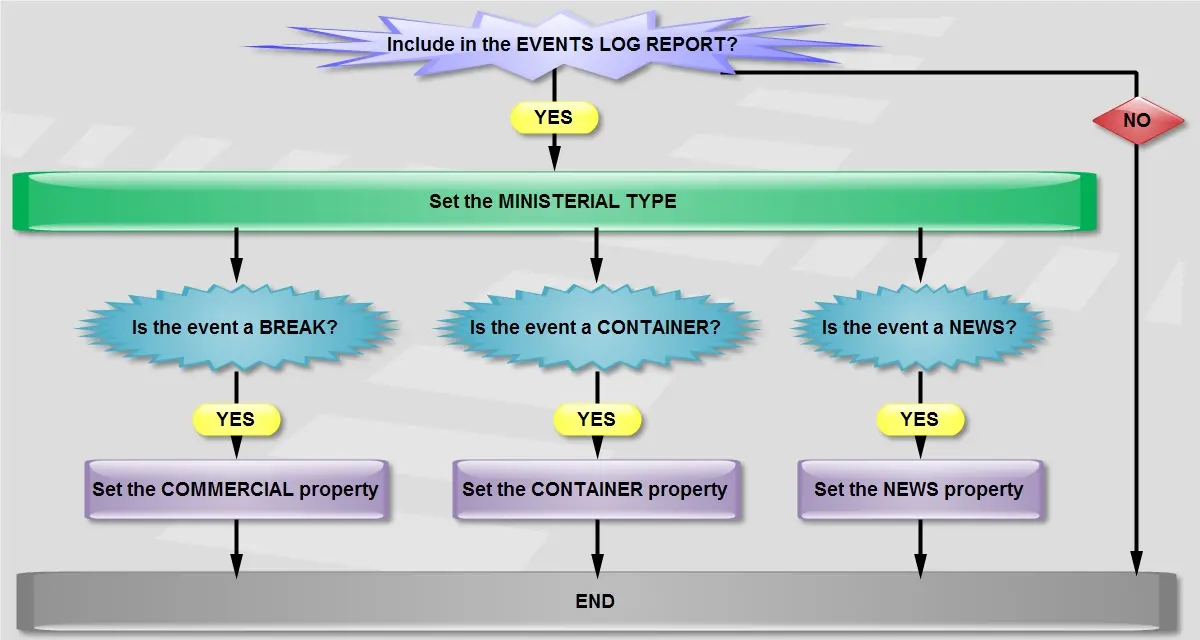
Before generating an Events Log Report, it is recommended to go through the steps described in this chapter:
Further_Considerations
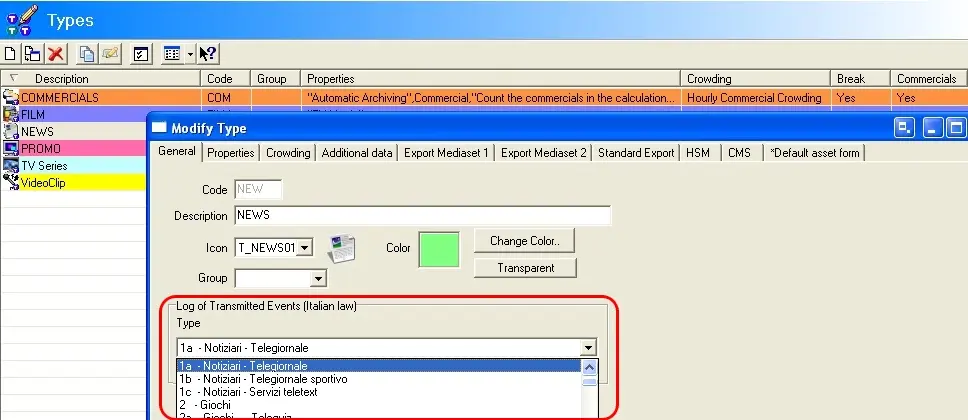
1.Enable the Event Types to be Included
The very first step on preparing the creation of an Events Log Report consist in enabling the asset types that will be included in the report, this, by assigning specific "ministerial types" under the Etere Configuration > Settings > Types > General section:
Events_Log_Report
NB: In order to correctly group events in clusters, check that the "Events Log Report" feature is active only for the container events types and not for all the contained event types.
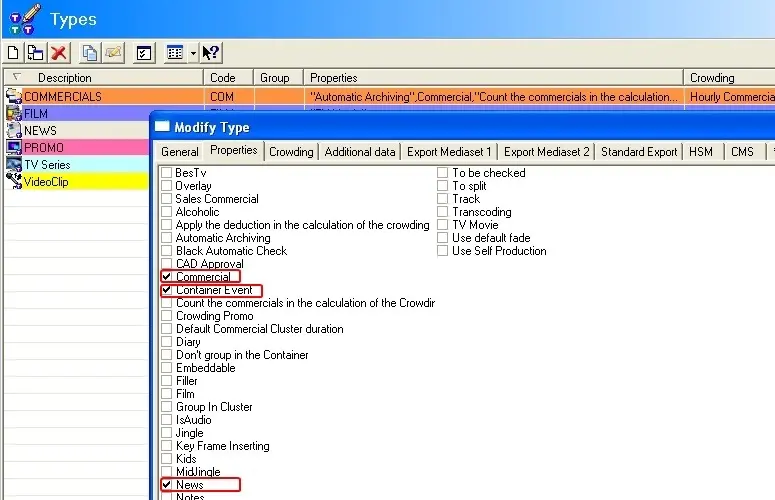
2.Set the properties for grouping events
Once the "ministerial type" has been configured, it is required to set the "properties" that will permit to group events within the report:
modify_tipe
Commercial - Consecutive events of the same type (e.g. advertisements) intended to grouped as a single cluster.
Please note that types without the "commercial" property will be considered programs and will be included in the report as single items.
Container - Event placed immediately before and after of consecutive events (e.g. music clips) intended to be grouped as a single cluster. Usually, container events have a on frame duration.
Please note that in case a contained event belongs to a type with the "commercial" property enabled, it will be displayed as a single line, thus breaking the container.
News - Self-produced informative events or P.I.A. (i.e. programmi informativi auto-prodotti) for which the station will request publishing grants.
Promotion - Promotional interruptions for programs airing on the station channel.
Overlaid - Commercial events (i.e. which "commercial" property is enabled) which should not be considered as "clustered commercials" but as "overlaid commercials" to be displayed at the end of the Event Log Report.
Please note that these events will be, however, considered for the calculation of the commercial crowding.
Please note that depending on if a "property" is set or not, events will be grouped within the broadcast playlist, that is:
•Events without a ministerial property will be displayed as a single line.
•Events with a ministerial property will be displayed as a cluster containing also other consecutive events of the same type.
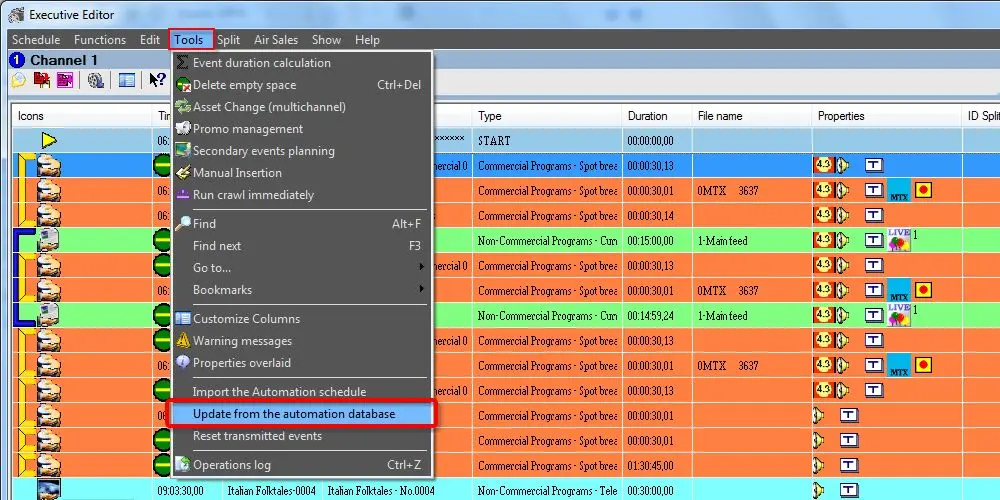
3.Update the automation playlist
Before generating the report, it is required to first update the actual times of all transmitted events, this, through the "Update from the automation database" scheduling function from Executive Editor:
Update_from_the_automation_database
 Further_Considerations
 Events_Log_Report
 modify_tipe
 Update_from_the_automation_database