59.2.43.16 Mandatory Flexi-metadata
Activating the use of mandatory fields
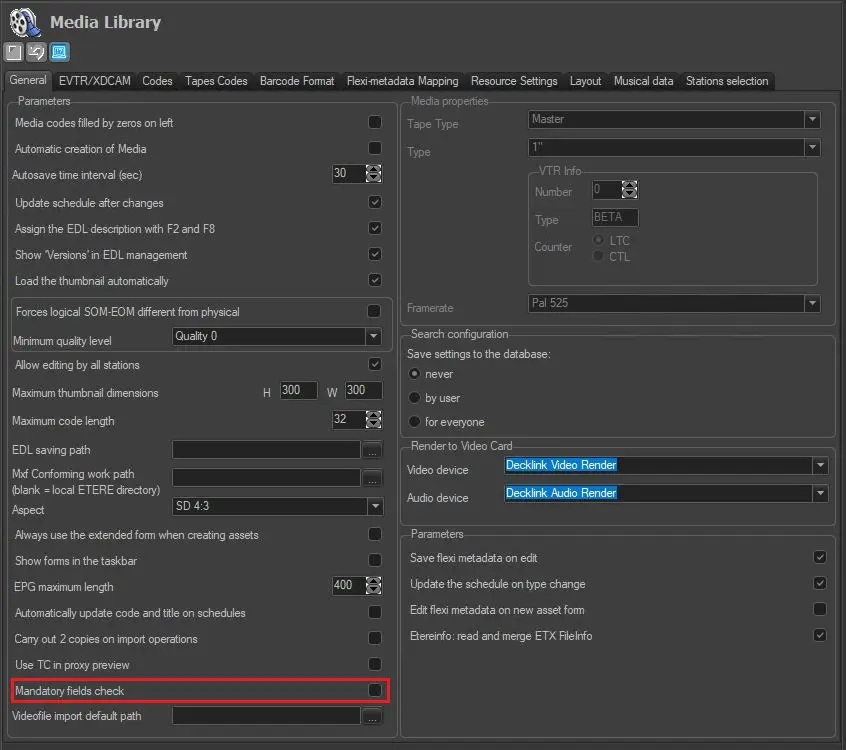
The "mandatory metadata" feature needs to be activated by enabling the "Mandatory fields check" option under the "Etere Conf. > Settings > Media Library > General" section:
Etere_Conf_-_Settings_-_Media_Library_-_General
Note: If the above option is disabled, the "toggle mandatory" function won't be available.
Setting flexi-metadata as mandatory
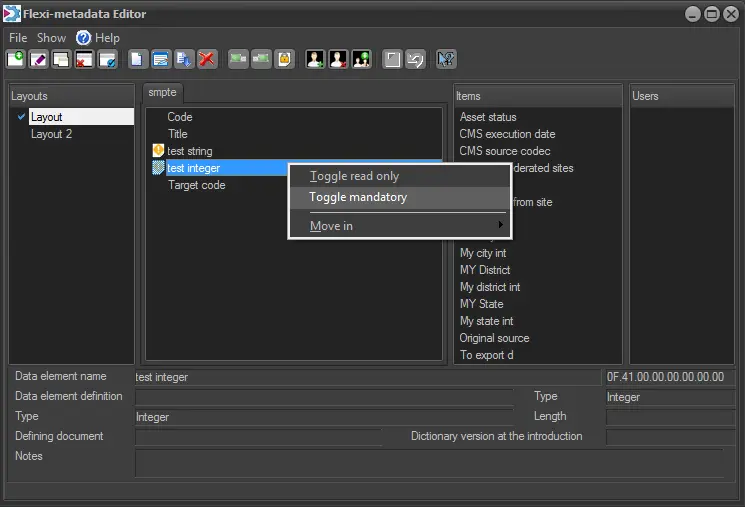
To set a certain Flexi-metadata (e.g. code) as mandatory for a layout, right-click on it and select the "Toggle mandatory" contextual option:
Mandatory_Setting
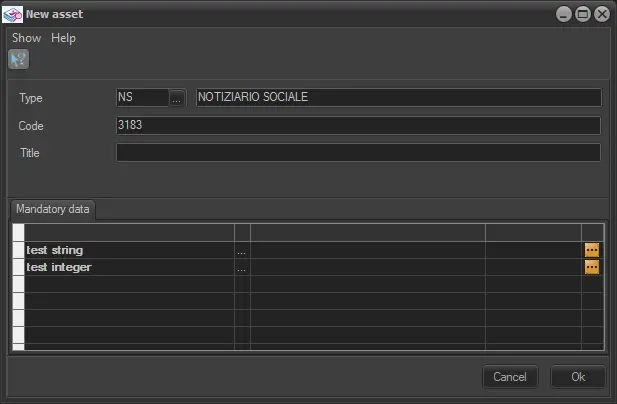
When creating an asset, only the metadata values for mandatory items need to be entered.
mandatory_items
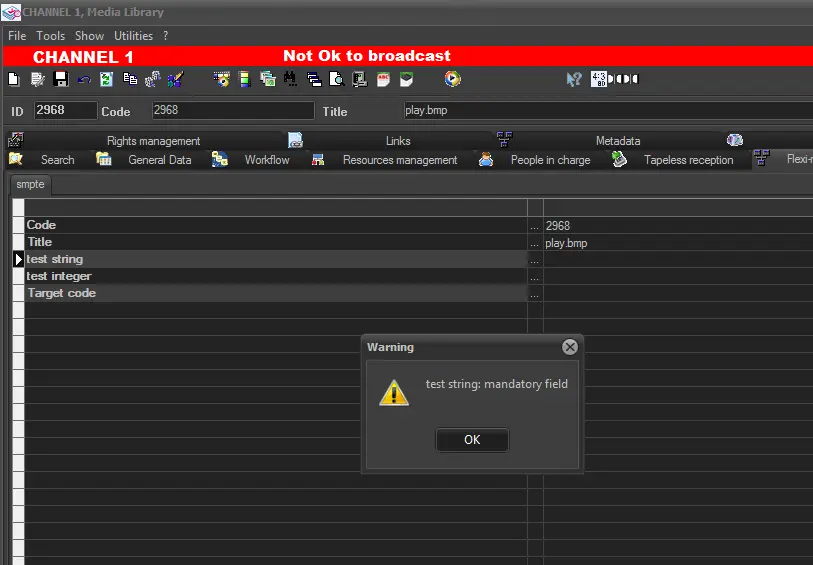
The system would check the data entry whenever the asset form is edited and saved.
check_the_data_entry
Compiling flexi-metadata
The compilation of mandatory Flexi-metadata is compulsory for the following modules:
Media Library
When creating a new asset, the user would be prompted to enter all the mandatory Flexi-metadata of the layout related to the asset type (e.g. COM).
Mandatory Flexi-metadata were also requested when saving an existing asset.
Agenda
When compiling a Flexi-metadata task, mandatory fields will be requested.
Note: moving forward, it will be possible to set a Flexi-metadata as mandatory via T-workflow, thus forcing certain metadata to be compiled to move the T-workflow forward.
 Etere_Conf_-_Settings_-_Media_Library_-_General
 Mandatory_Setting
 mandatory_items
 check_the_data_entry