68.3.1 Viewer
Viewer
This control allows monitoring a video and related audio input on the Multiviewer and optionally to convert it to an output signal. Its behaviour is defined by its properties:
• Description: allows changing the control description from the default one.
• Position and size: allows positioning and sizing of the control on the layout. The result is visible in the middle part of user interface.
• Input: this section allows selection of video and audio in input to the Multiviewer monitor. Several kind of inputs are available:
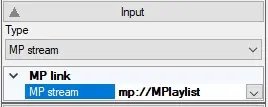
- MP stream: a local mp:// stream available on the workstation. Currently available streams are selectable from the drop down list, but a manual input of streams which will be available in the future is also possible.
MPstream
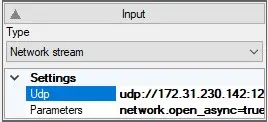
- Network stream: A network stream. Target IP and port can be set in the Udp field, stream parameters can be set in the Parameters field.
NetworkStream
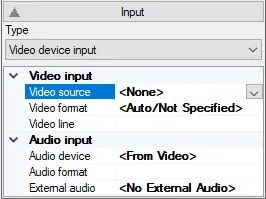
- Video device input: Several kinds of Video sources are available (SDI boards, NDI streams, webcams and other) from the Video source drop down list. The remaining parameters depend on the selected video source.
VideoDeviceInput
A particular case is that of NDI: selecting an NDI input, both NDI streams mapped to Etere IP router channels (which can be selected choosing the appropriate router channel) and NDI channels available on the network (which can be scanned setting ‘List active NDI streams’ to True) are selectable. Manual input is also possible for NDI stream which will be available in the future.
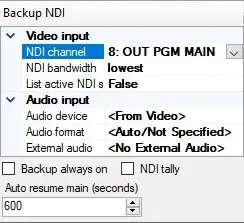
In the case of NDI is also possible to define a fault back NDI channel in the Backup NDI section:
BackupNDI
The Backup always on check allows choosing if the fault back stream is active even when not needed (checked) or will be acquired when needed with some time lag (unchecked).
The NDI tally checkbox, when checked, allows sending the information on which NDI stream (main or backup) is current to Etere automation.
In case of NDI input is lost and replaced by the fault back NDI backup stream, the Auto resume main value defines a time interval after which signal returns to the main NDI input. A value of 0 disables this feature.
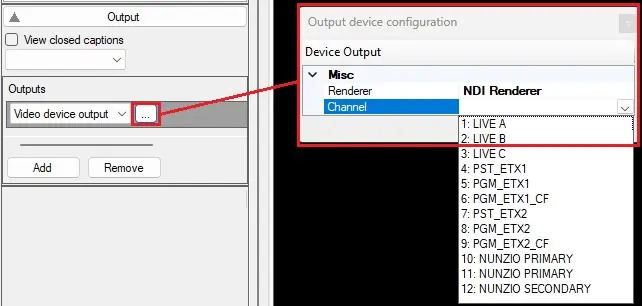
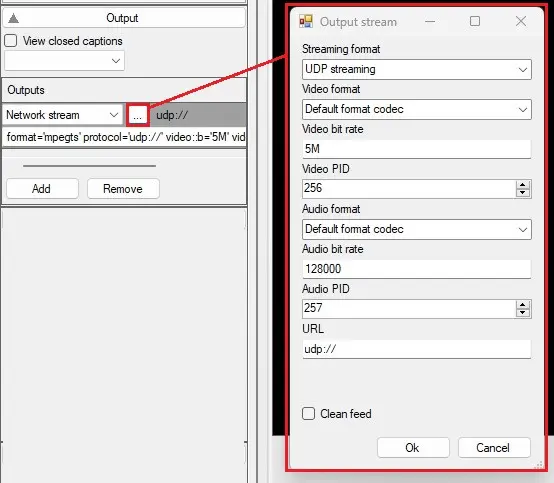
- Outputs: Clicking on the Add button, it's possible to configure multiple outputs. Network stream and video device output kinds are available. Clicking on the button beside the droplist, different properties will be shown, according to the kind of output selected.
output_networkstream
output_video
Outputs can be removed selecting the one to delete and clicking on Remove button.
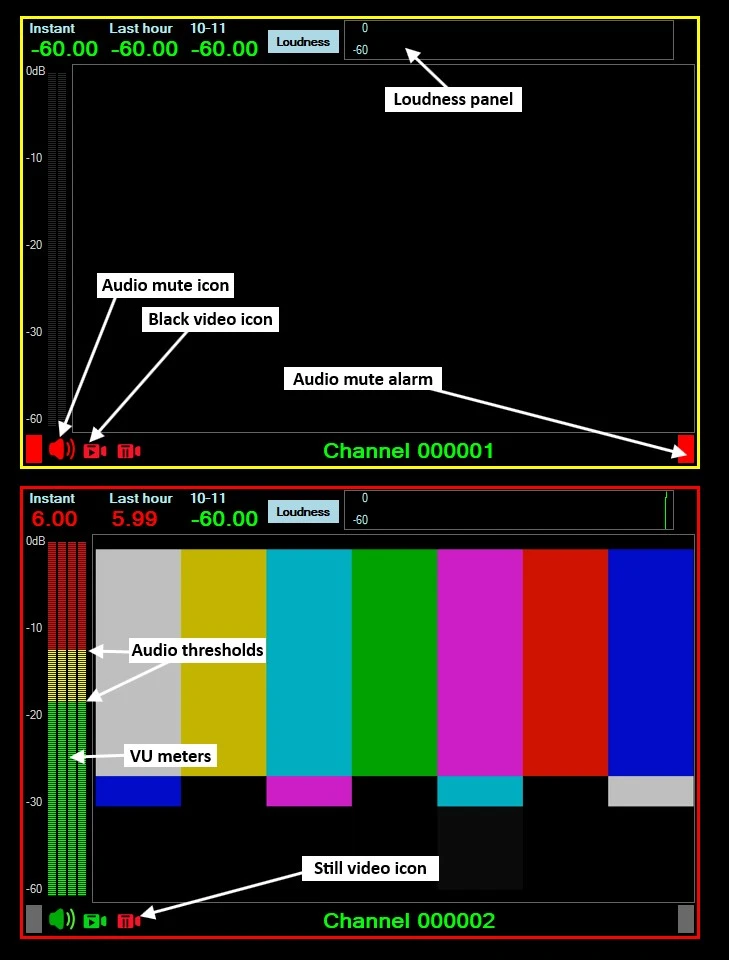
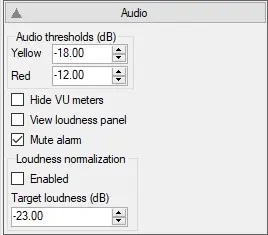
- Audio thresholds: allow definition of two audio levels which affect visualization of audio on the Multiviewer monitor VU-meters: audio below the Yellow value will be displayed by green bars, audio between Yellow and Red values will be displayed by yellow bars, audio over Red value will be displayed by red bars.
- Hide VU meters: allows showing or hiding of VU meters on Multiviewer monitor.
- View loudness panel: allows showing or hiding the loudness panel on Multiviewer monitor.
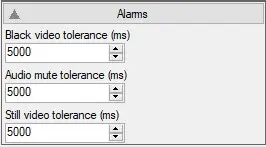
- Mute alarm: allows blinking of indicators on the bottom of Multiviewer monitor in case audio is silent for a period which is more than that defined in the Audio Mute Tolerance (see Alarms section).
- Loudness normalization: allows enabling/disabling loudness normalization at the value set in the Target loudness box.
alarms
- Black video tolerance: in case video is black for a time period over that defined, the black video alarm is activated on the Multiviewer monitor.
- Audio mute tolerance: in case audio is silent for a time period over that defined, the audio mute alarm is activated on the Multiviewer monitor.
- Still video tolerance: in case video does not change for a time period over that defined, the still video alarm is activated on the Multiviewer monitor.
 example_monitor_audio_alarms
 MPstream
 VideoDeviceInput
 NetworkStream
 BackupNDI
 output_video
 output_networkstream
 audio
audio
 alarms