59.5.8.5 Daily Runs and Secondary Events
Report Description
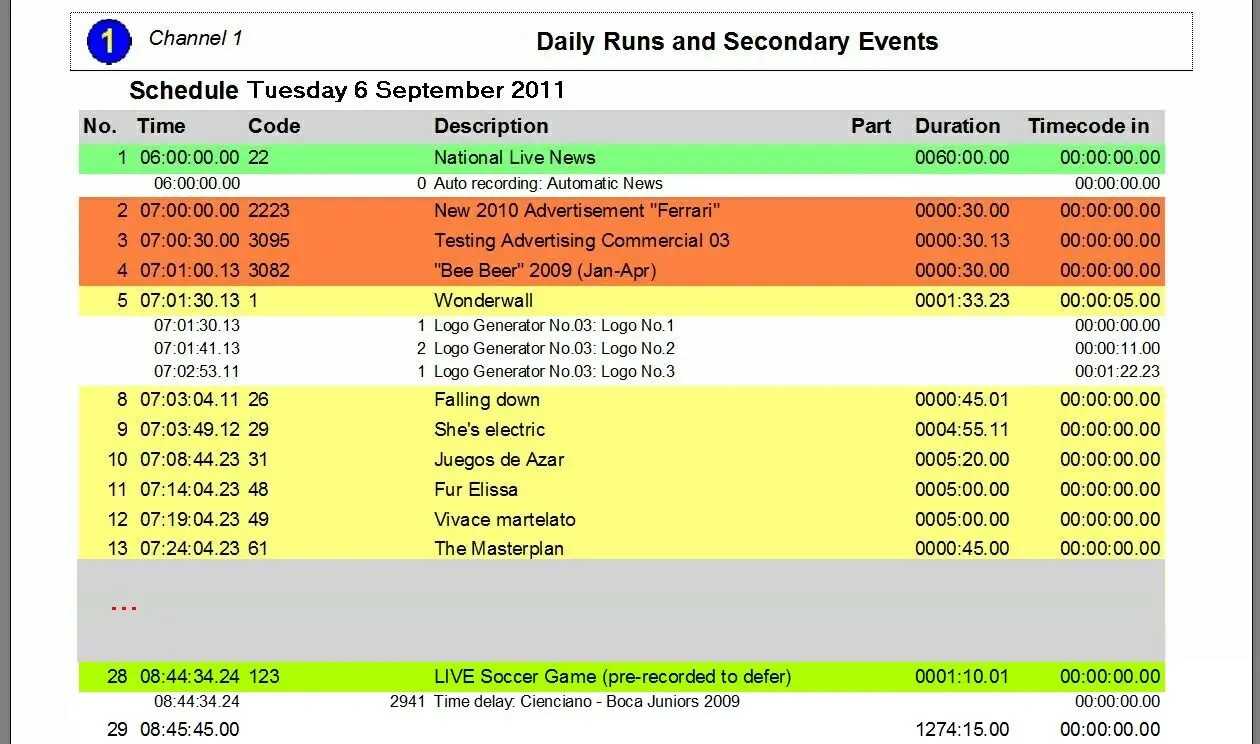
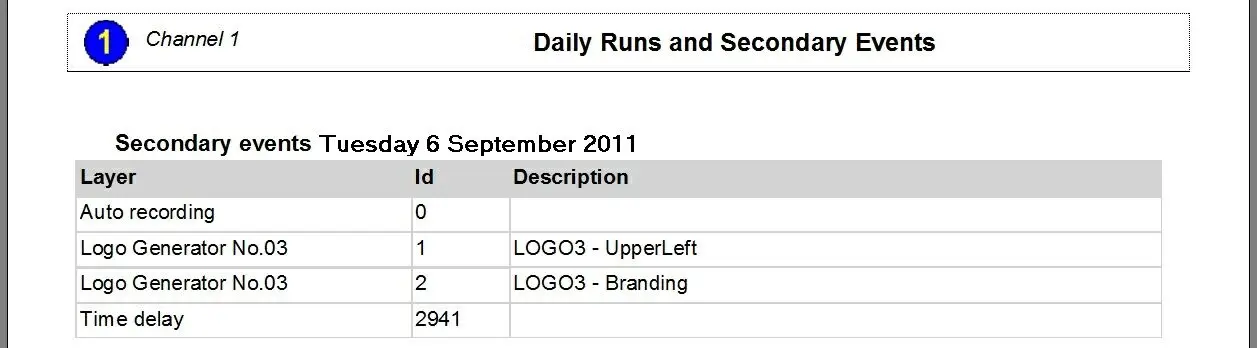
The Daily Runs and Secondary Events report allows the Daily Runs report to generate a document containing all recurrences of a selected event(s) within the television schedules of a particular period, plus all the secondary events associated with them.
This report includes the essential properties of scheduled events, including their scheduled time, event code, event description, event part, event duration (in hh:mm: ss. ff), event type, marks and others.
Report Filters
All the parameters that permit a detailed report generation have been spread across seven different tabs to allow a more manageable configuration. By default, all filters are disabled (i.e., either blank or unselected); to enable them, it is enough to configure at least one parameter inside. Available filters include:
•Asset
Search and add the asset(s) to which the report will be referred. If no asset is added, all assets present within the period will be included in the report.
•Date
Indicate the time criteria to be used for filtering events; it is possible to define any of the following methods:
- Interval: It permits to specify if the days to be included will be taken from a given custom date or one of the standard filters (i.e., 'current day', 'this week', 'next week', 'current month', 'current year', 'today's month date', 'today's year day', 'previous month', 'previous year', 'last 30 days, 'following 30 days' or 'all dates'),
- Time: Indicate if the report will include the whole day scheduling or only a specific time range.
•Object
Indicate the event type (s) that will be used to filter the events included in the report. Use the 'hide groups and system types' option to display only those types defined by the station and hide those created by default Etere.
•Schedule type
Choose among the schedule level from which the data will be retrieved; the schedules managed by Etere include:
- Real schedule: All events scheduled in the main schedule for being broadcast will be included in the report.
- Alternative schedule 1-10: Select the alternative schedule(s) that holds events on ancillary playlists (e.g. import, changed, air sales, etc).
- Trash: It will include in the report only those events initially scheduled on the selected period but then deleted (i.e. moved to trash).
- All schedules but the real one: If selected, all events scheduled on alternative schedules will be included but not on the actual schedule.
•Splits
Select the split networks on which the events to be retrieved must have been transmitted to be included in the report:
- Principal network: It's the leading network on which events are mainly scheduled,
- Secondary networks: Those split networks configured in the Etere Configuration | Settings | Air Sales | Splits section,
- All networks: If selected, the report will include the events scheduled across all the leading and split networks. In this case, the 'split' column is suggested under the properties tab to identify the network to which events belong.
•Stations
Select the station(s) from which scheduled data will be retrieved.
Report Preview
The [Settings] permits configuring the page layout of the outgoing document; once filters and settings have been set, it will be possible to select between displaying a preview using the related [Preview] button or printing the document directly using the [Report] button.
Please note that some reports permit the export of the generated document in the most common formats (pdf, CSV, doc, xls, XML, etc) just by using the [Export] button.
automation_daily_runs_and_secondary_events_preview
Daily_Runs_and_Secondary_Events
 automation_daily_runs_and_secondary_events_preview
 Daily_Runs_and_Secondary_Events