69.1.1.10 MHP1
Export Scope
The F90 - MHP1 export is oriented to the export of MHP (Multimedia Home Platform) data, it exports the MHP secondary events from the broadcast schedule.
Export Parameters
This export needs the following parameters to be configured in order to be active:
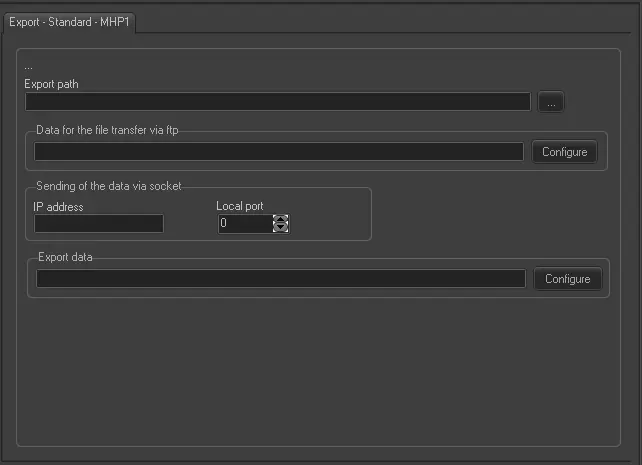
Export - Standard - MHP1
Filename - The filename of the exported file comply with the format YYYYMMDD_mhp1_xxx.xml, where 'xxx' is a progressive number that starts from 001.
Export Path (leave it blank to not export it) - Required only if you intend to save the exported file to a computer in your network.
Data for the file transfer via FTP - Click on the Configure button and define the FTP parameters as described in Configure Data File Transfer via FTP chapter.
Sending of the data via socket - Set the IP Address and Port number of the remote computer in case you need to send the file via socket.
Export Data - Click on <Configure> to open the Configure Export window to specify the days to be exported and the frequency for the export.
Scheduling related export
This export doesn't require any configuration under the Etere Scheduling module.
 Export_-_Standard_-_MHP1