84.6.1.3 Logos behaviour
It's worth mentioning that the copy function will keep the event's set logos which are configured in both stations. This behaviour is very useful, for example, when copying the entire programming of a main channel (e.g. channel1) to a shifted channel (e.g. channel1+) that features a different logo (in this case it will be enough to not configure the main logo in the shifted station under the same layer).
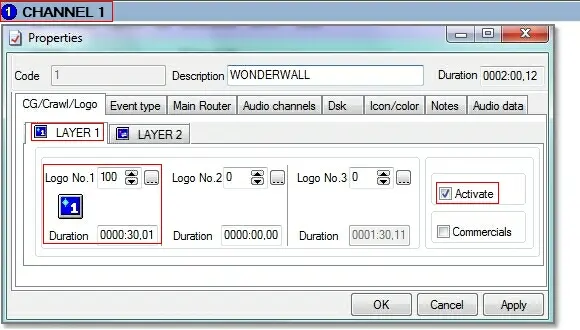
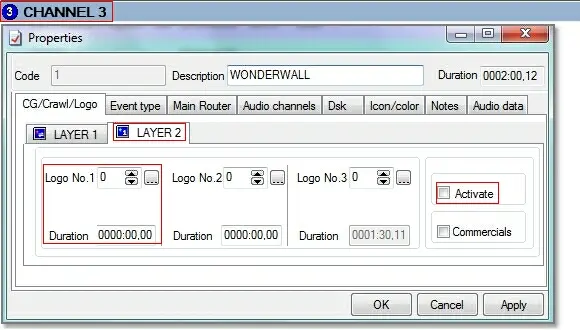
The following example clearly illustrates the behaviour taken by the system when copying events with logos:
Sched_copy_auschedule01
Sched_copy_auschedule02
On Layer 1:
•Only Logo100 and Logo200.
On Layer 2:
•No Logo will be copied.
According to the current example, the Logo No.100 (and eventually also the Logo No. 200) of the Layer1 will be maintained since it exists in the target station:
Sched_copy_auschedule10
Sched_copy_auschedule11
Moreover, in the other hand, the Logo No. 200 of the Layer2 will be removed since it doesn't exists in the target station:
Sched_copy_auschedule12
Sched_copy_auschedule13
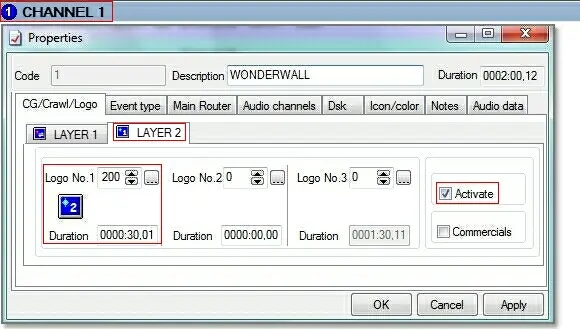 5335_Sched_copy_auschedule12
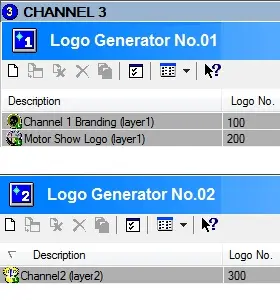 5334_Sched_copy_auschedule02
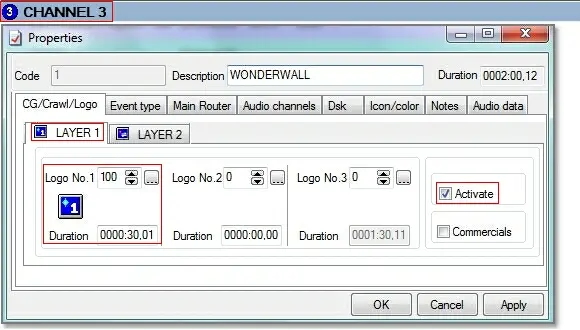 5333_Sched_copy_auschedule11
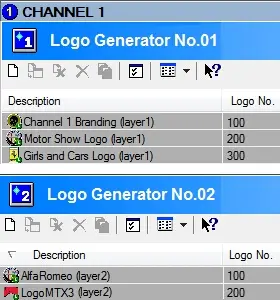 5332_Sched_copy_auschedule01
 5331_Sched_copy_auschedule10
 5330_Sched_copy_auschedule13