Advanced Search
9.2.1.1 General tab
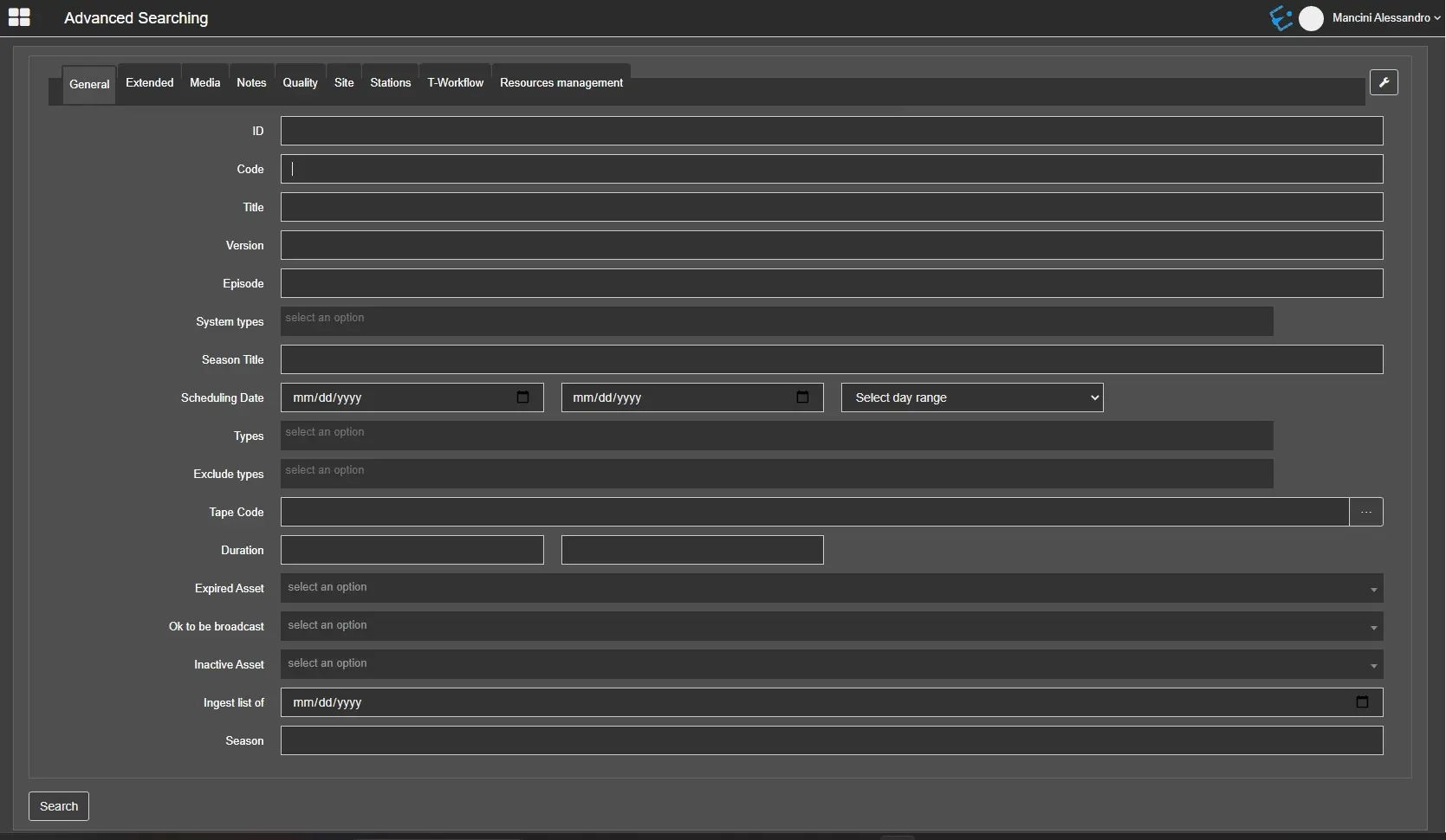
In the General tab, the following filters are available by default:
- ID: Search by asset id.;
- Code: Search by asset code;
- Title: Search by asset title;
- Version: Search a specific performance of an asset;
- Episode: Filter the search to find a specific episode of a season;
- System types: Search for assets that belong to the specified system type;
- Season title: Search for a season by its title;
- Scheduling date: Search by assets scheduled in the specified date range. The droplist allows looking for assets designed in fixed date ranges: previous week, previous 15 days, next week, following two weeks, last week-next week;
- Types: Search for assets that belong to the specified type;
- Exclude types: Exclude from the search results all the assets that belong to the specified type;
- Tape code: Search by tape code. It's possible to select the tape to search by clicking on the button beside this field;
- Duration: Search for assets which duration falls inside the timecodes specified;
- Expired asset: Choose to include expired assets in the search results or to search only expired assets;
- Ok to be broadcast: Search only for assets that are ok or not ok to be broadcasted;
- Inactive asset: Choose to include inactive assets in the search results or to search only inactive assets;
- Ingest list of Search assets included in the ingest list of a specific day;
- Season: Search for assets that belong to that season.
advsearch_general
Note: Unlike the asset search in the client version, inserting multiple values separated by a comma in advanced search fields is impossible.
 advsearch_general