New Season
9.3.2.1 General tab
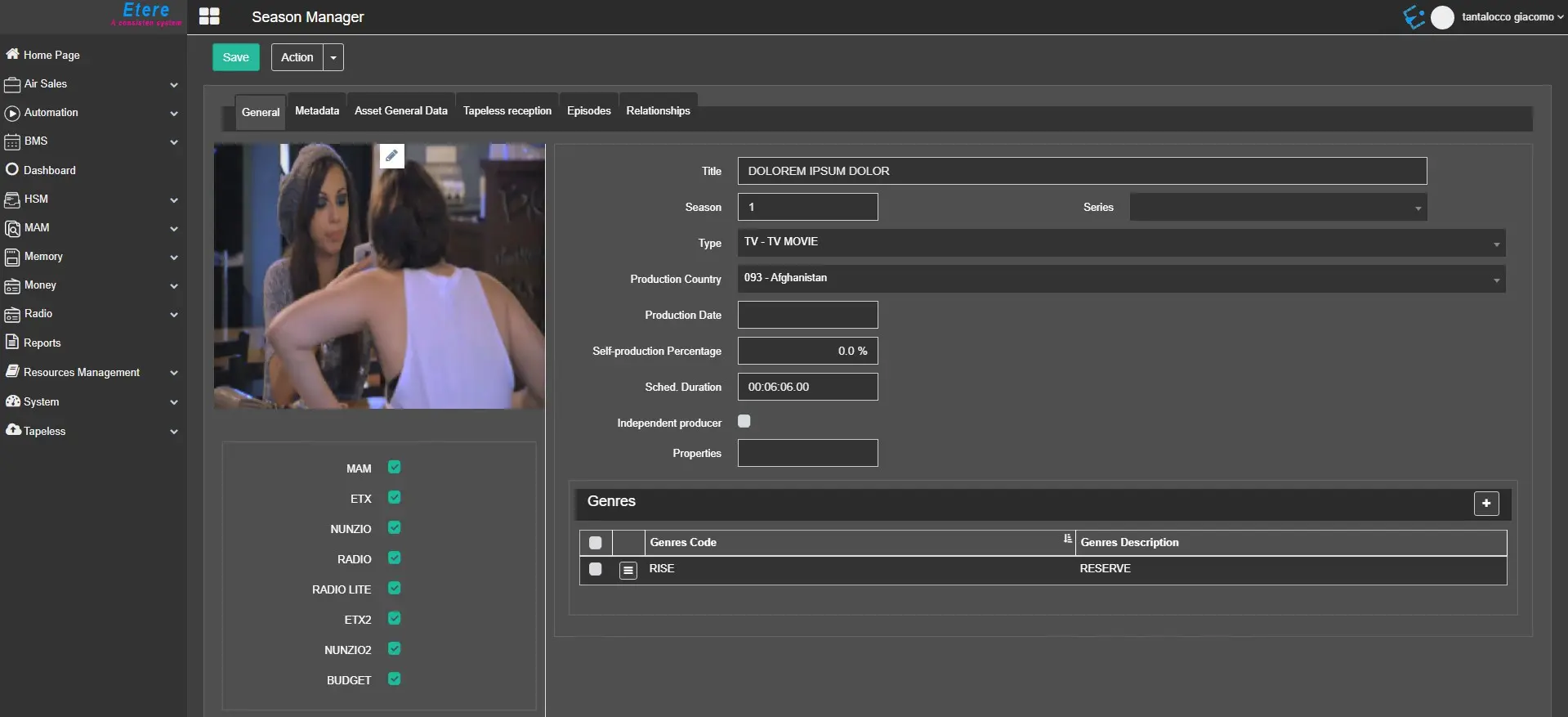
The General TAB contains all general information about the episode in the season.
season_general_tab
- Season Title: It displays the main title of the season;
- The ML button (multi-language) allows you to change the Season Title to other languages. This button is only visible if any language is selected in MultiLanguage Options.
- Season: It indicates the season number of the season episode;
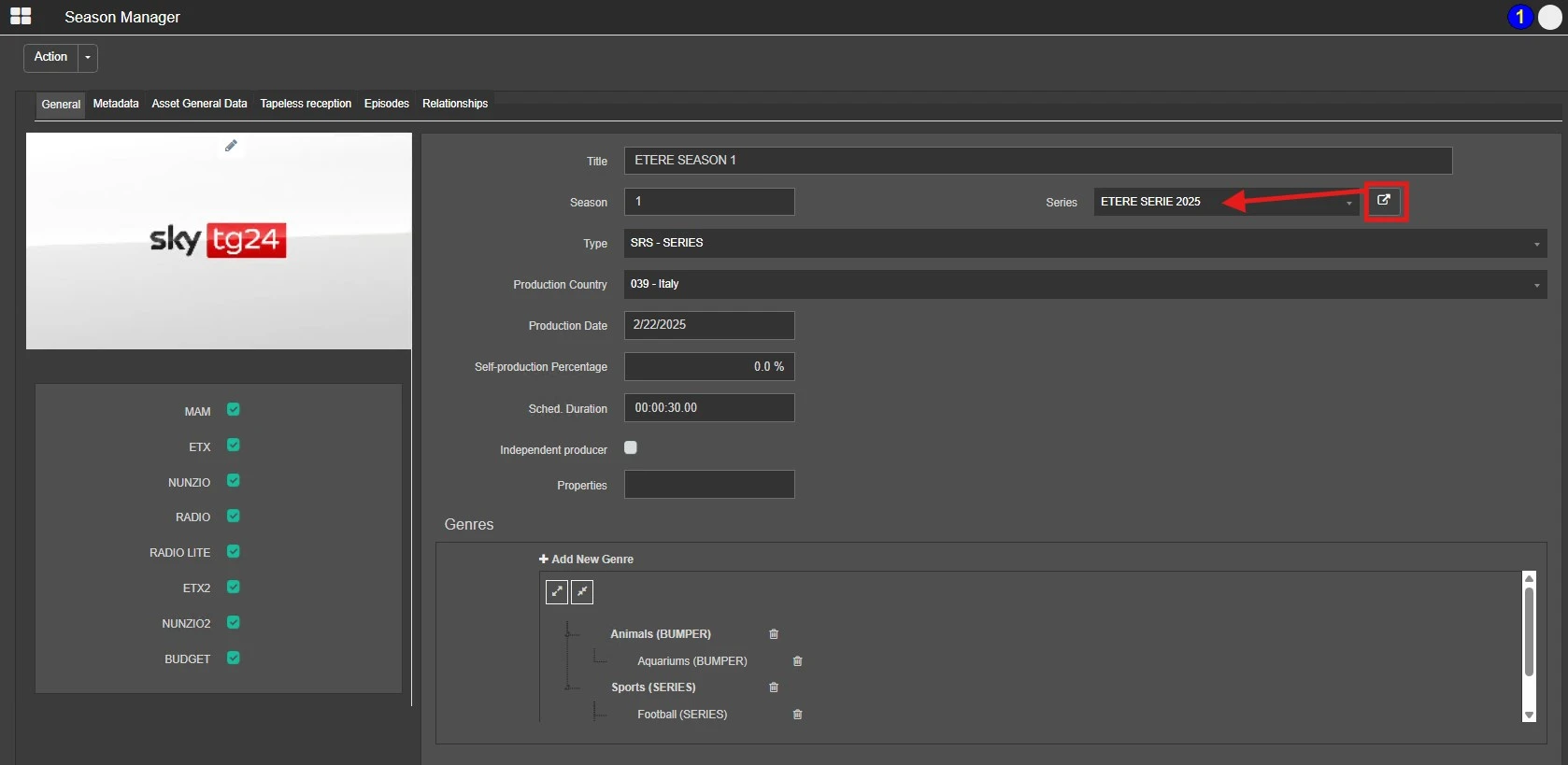
- Series: In the Season Manager, under the General tab, the SERIE field displays the title of the series linked to the current season. Next to this field, a new button called OPEN SERIE has been added. Clicking this button opens a new page loading the corresponding series details form.
- Type: It displays the asset type of the season episode, which the type must be defined in Configuration > Settings > Type Editor > Type;
- Production Country: It indicates the country where the season has been produced;
- Production Date: It refers to the season production date;
- Self-production Percentage:
- Self-produced:The percentage must be 100%;
- Co-produced:The percentage should be more significant than 0% and less than 100%;
- Other-produced:The percentage is 0%.
- Sched. Duration: Indicate the expected scheduled time of the asset; the term would be applied to all episodes;
- Independent producer:
This option determines if an independent producer has produced the season. This information is used by the Events Log Report and Statistics Report to specify under the "self-produced/other produced" column if the season has been produced "independently" by an independent producer;
- Properties: Enter a unique value to group different relevant seasons into the same catalogue; the maximum number of characters allowed is 20;
Define the production percentage of the season:
By clicking the Add Button on the Genres panel, you can insert a new Genres code to the list or click the Delete icon next to existing Genres to delete the Genres.
 season_general_tab
 Open_a_Serie_from_a_Season