15.11.1 DataMover Monitor
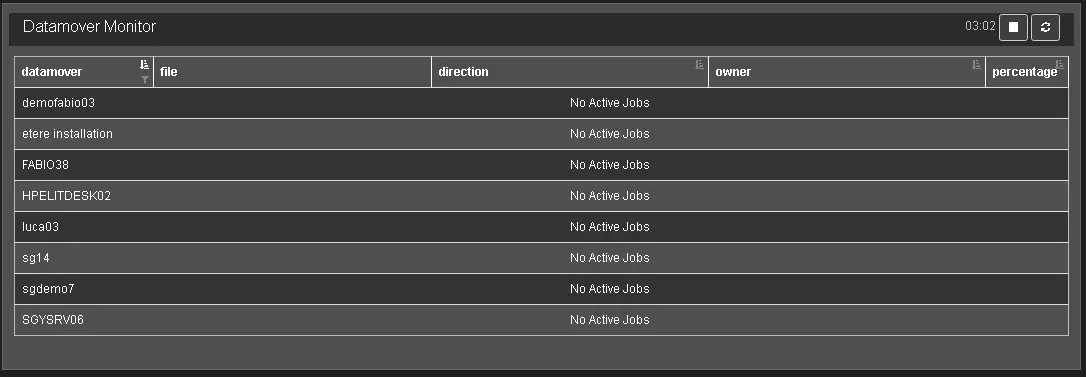
From the T-Workflow Monitor page, click on the tab "go to data mover monitor" to direct the monitoring console to monitor active DataMover actions.
DataMover Monitor
Information in the monitoring console includes:
DataMover: It displays the name of the active data mover actions;
File: The name of the file currently processed by the data mover;
Direction: The source and destination devices of the data mover process;
Owner: Name of the T-workflow that executed the data mover action;
Percentage: The progress status of the current active action;
The refresh icons at the toolbar provide updated information on the active requests:
Refresh now: this icon performs an immediate refresh to update the console
Start automatic refresh; the counter would start to count down in 5 minutes.
When clicked a second time, it stops and reset the automatic refresh, and the icon changes to (Stop), and the automatic refresh is stopped.
The icon would be changed to and ready to start the refresh in 5 minutes.
 DataMover_Monitor