70.2.7 Disk Library Configuration
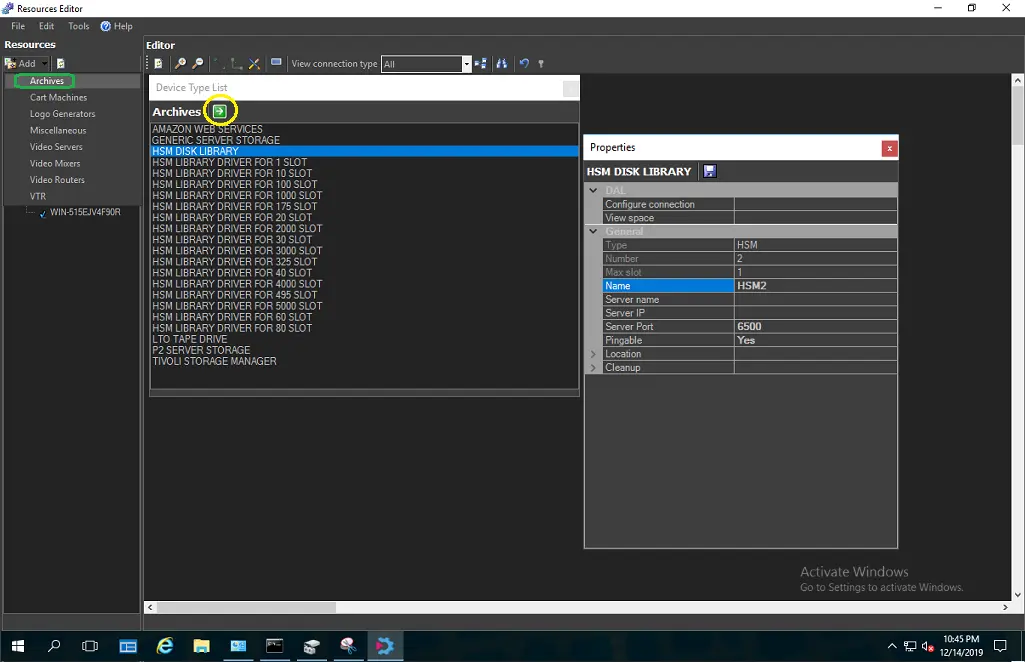
HSM Disk Library is a virtual library associated with one or more mount paths in the entire disk volume for storing data file, providing a centralized database for data retrieval. You can add HSM Disk Library resource to the resource list from Resource Editor module, simply click “Add > Archives” to display a list of available archival resources. From the list of resources, select “HSM Disk Library” and click the green arrow button to open the resource properties dialog box.
Resource 1
In the resource properties dialog box fulfill the following parameters:
•Name: Provide a name to the HSM Disk Library to identify the new resource.
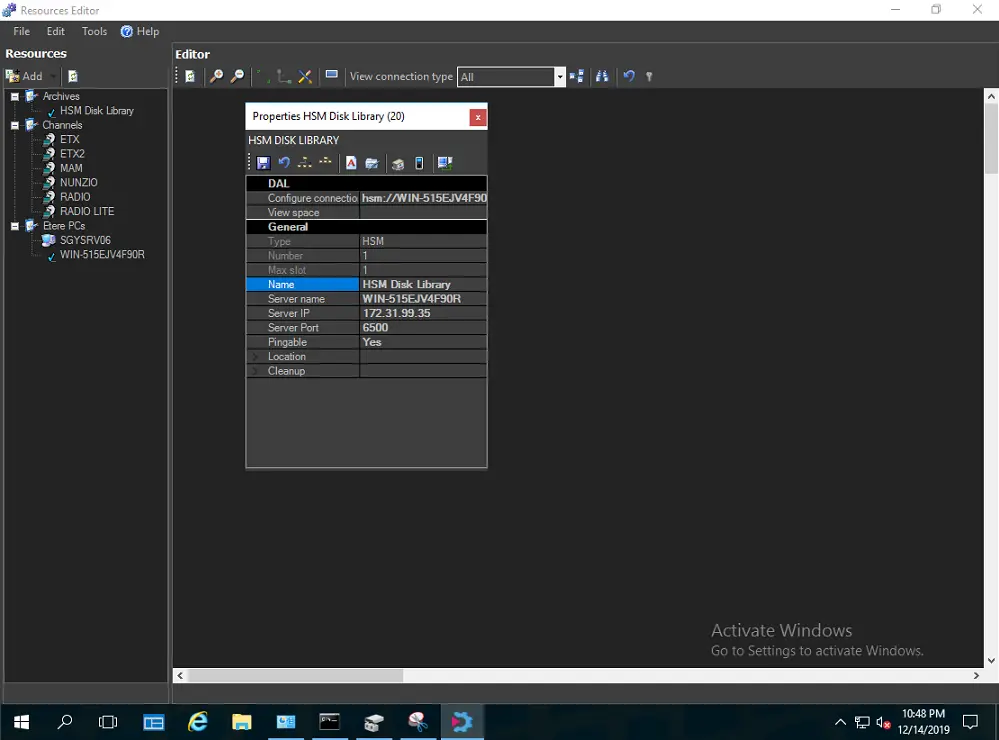
•Server name: Provide the name of the server where HSM Disk Library is associated.
•Server IP: The IP address of the server.
•Server port: Specify a port number to be used to communicate with other resources.
Resource 2
Save the properties settings and exist from dialog box. The HSM Disk Library would be displayed in Archives resource list.
 Resource_2
 Resource_1