59.12.2.6 Web and rights
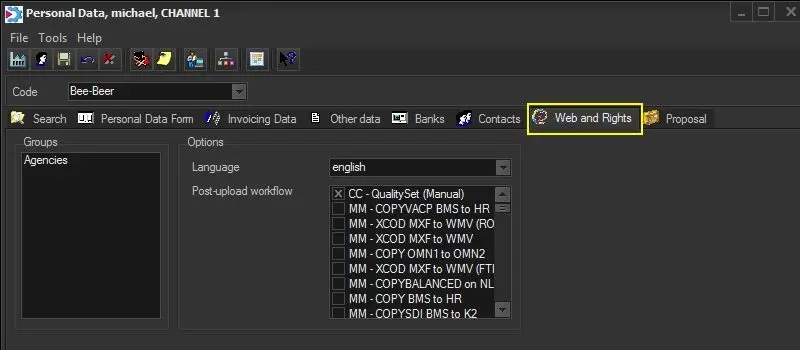
Under the Web Rights tab, it will be possible to set specific web permissions as well as a post-upload workflow.
Web_Rights_tab
Web and rights
Groups - Indicates the users-group to which the selected user belongs to, in case the user belongs to a web-group, it will automatically inherit all the rights assigned to that group.
NB: Web-users groups are preset in "Etere Configuration > Configuration editor > Users > Permissions" section (where also user-specific rights are configured per group and station).
Preferred language - Specify the language in which EtereWeb will be displayed for the current user.
Post-upload workflow - Indicate the T-workflow(s) to be launched each time the current user upload a file using EtereWeb. In case more than one T-workflow is selected, the web-user will be able (depending on its rights) to select the one to be launched after the upload.
NB: In order for default T-workflow to be triggered automatically, you might want to remove all the irrelevant T-workflows from the list of “Post-upload Workflow”, else the default T-workflows would not be triggered automatically.
 Web_Rights_tab