VOD
6.4.6 Configure
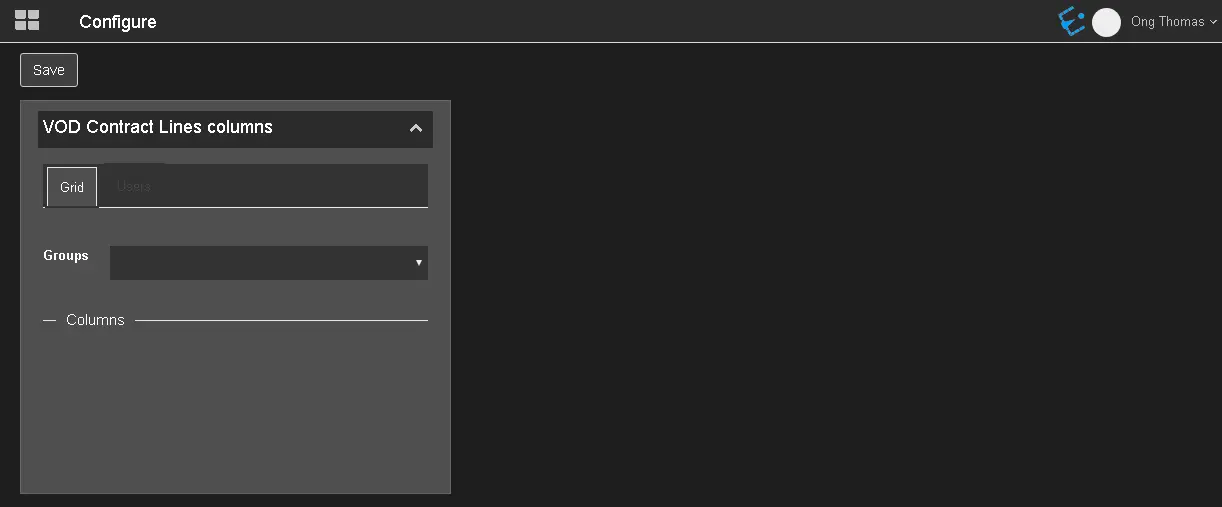
In the Configure module, it's possible to set the columns displayed in the VOD contract lines.
Configure
The configuration consists of 2 tabs:
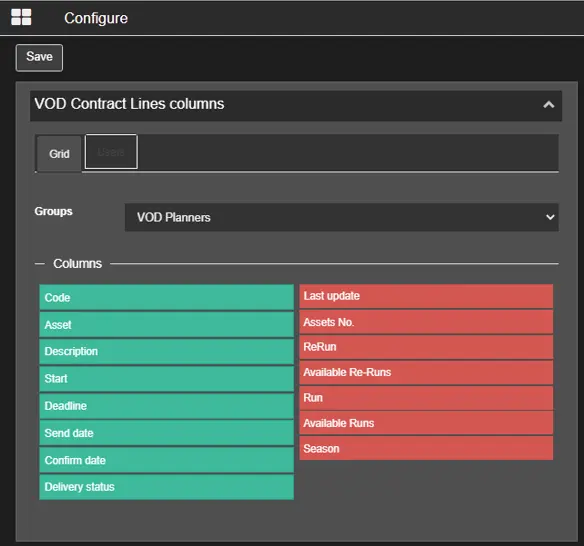
- Grid: In this tab, select an Etere user group in charge of the VOD contracts, e.g. Administrator, Everyone, VOD Planners or any user group defined in Etere. Once the user group is selected, the columns available for the selected user group will be displayed. The columns on the left, in green, are the ones enabled and displayed, while the columns on the right, in red, are not visible in the lines tab of the contracts.
In this tab it's also possible to change the position of the enabled columns, arranging them in the list with a drag & drop. The enabled columns and their position will be then reflected in the form that opens when clicking on Column settings button, in the Lines tab of the contracts.Grid
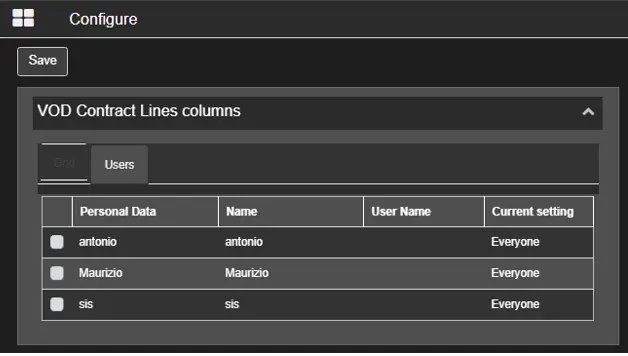
- Users: The User tab lists the users inlcuded in the above-selected group, allowing to save the columns setting for specific users only.
Users
Note: To configure a new VOD contract, you must be granted "VOD contract line columns" rights assigned as stated in the VOD chapter.
 Configure
 Grid
Grid
 Users
Users