93.2 How to use MMS
Once the service has been installed, you can see it running under Windows services with the name Etere Media Manager Service (1).
windows_service_run
Before using it, it's advised to open the properties of the service, then go in the Recovery tab and set the fields as indicated below:
1. First Failure -> Restart the service
2. Second Failure -> Restart the service
3. Subsequent failures -> Restart the service
4. Reset fail count after -> 0 days
5. Restart service after -> 1 minute
MMS service settings
From here, MMS is ready to be used within Etere system.
First, we must start by creating the needed MMS actions, which refer to the new service, instead of relying on the old actions of the Data Mover desktop application.
To do this, we need to go into:
Etere Configuration > Configuration Editor > T-Workflow > Action > New Action > Media Manager Service
All available MMS actions are explained in the next chapters.
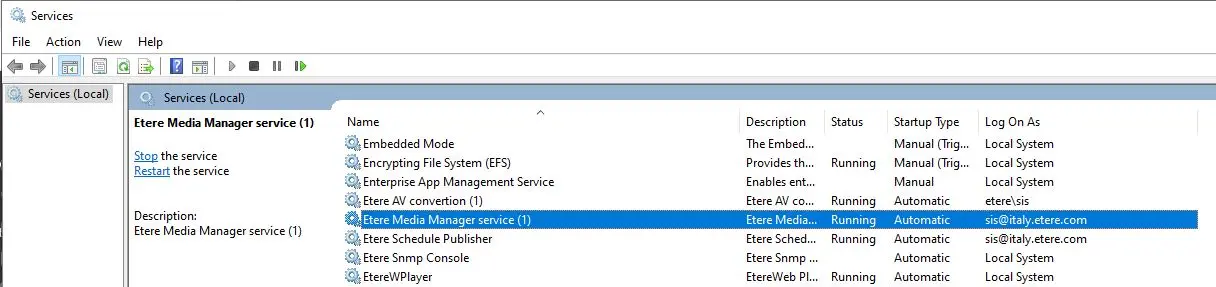 windows_service_run
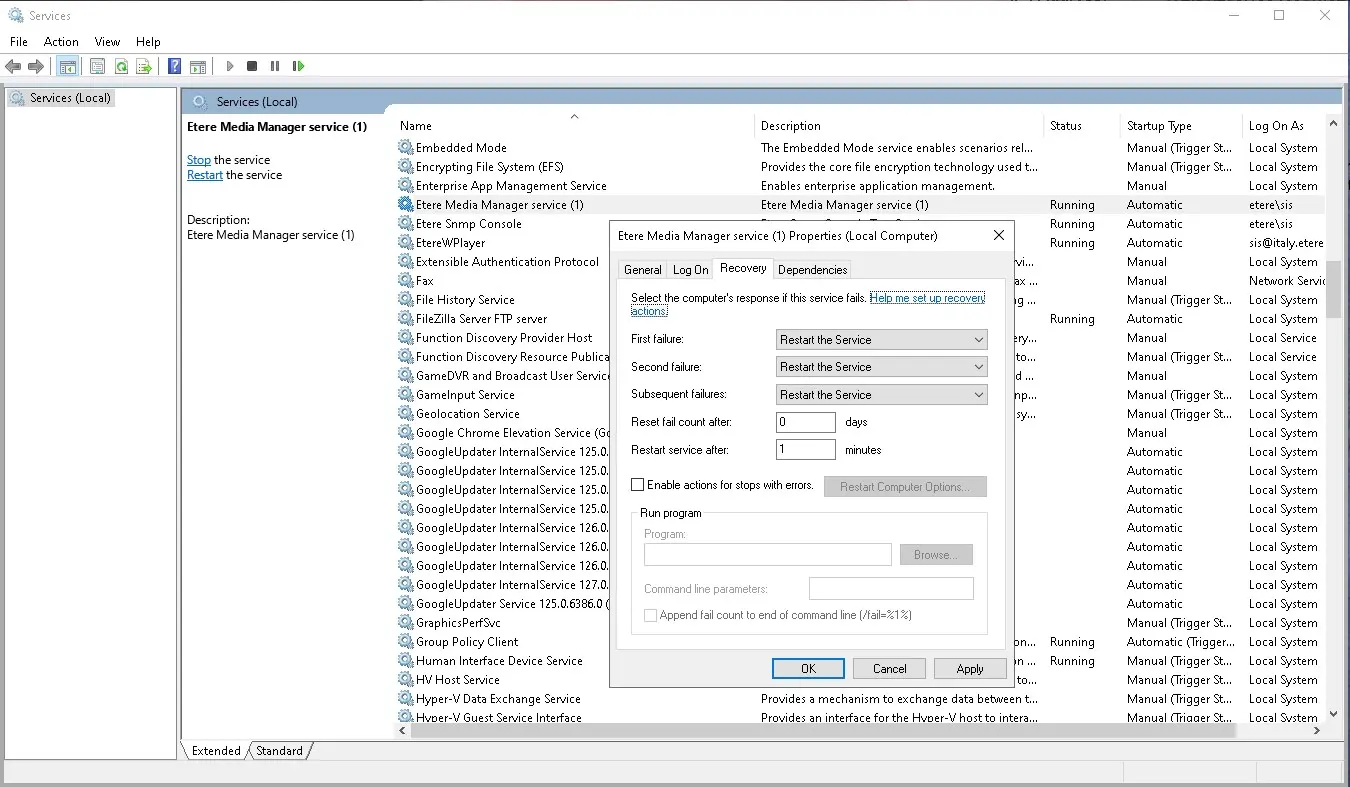 MMS_service_settings