15.5 Types
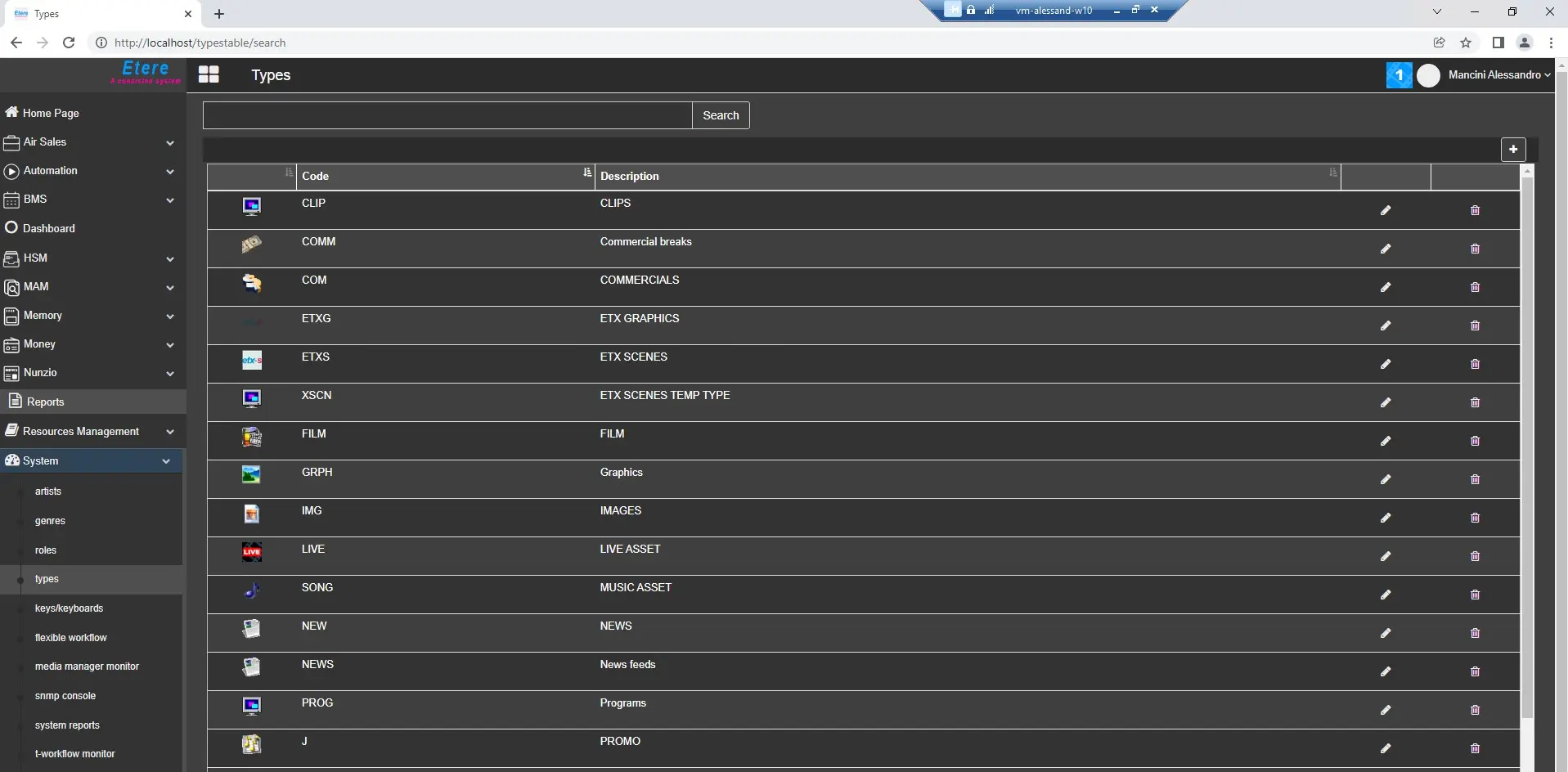
The Types section in Etereweb allows to add new asset types and modify some of the properties or delete the already existing ones.
This section can be accessed from the sidebar menu, inside the System section.
types_web
The types table shows the following information:
- Icon
- Code
- Description
At the top of the page, a search bar allows to find quickly the desired types. It's useful when there are a lot of configured types in the system.
In order to add a new type, click on the [+] button at the top right corner of the table. A new browser tab will be opened, allowing to define the type's Description and Code.
An existing type can be edited clicking on the Edit button on its row in the table. In the new tab that will open, it's possible to modify the type's descritpion and code. In edit mode, Multilanguage information can be added, clicking on [ML] button.
To delete a type, it's enough to click on the trash bin icon placed on the type's row of the table.
 types_web