Playback
79.3.1.1 Show Device Panel
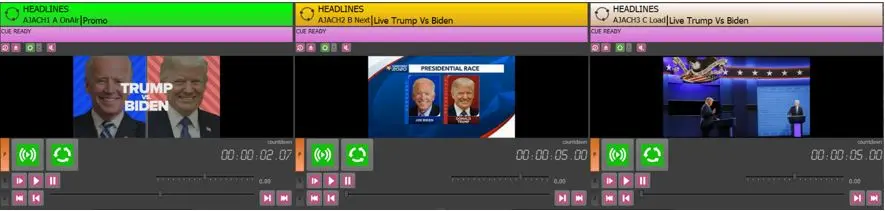
The Show Device Panel function display the preview and remote control functions of previously configured channels.
Show_Device_Panel
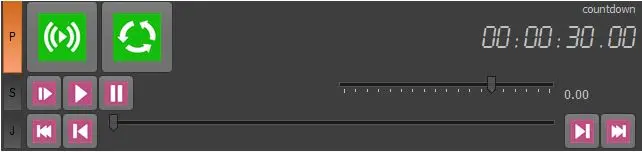
Device_Panel_Channel_Control
Device Panel Channel Control
- Use this button to Play / Stop the video.
- Use this button to loop the video in play.
- Reset the clip off-air
- Play the clip off-air
- Pause the clip in play.
- video countdown is displayed at the top-right corner.
- Jog and Shuttle control
Additional Channel Control
- Reset the playout channel
- Recue the loaded clip.
- Click the arrow-down button to explorer more options:
- View Live video
- View story info.
- View Jog/Shuttle control
- Active (audio) track selection
- Standard buttons
- Large buttons
- Edit player settings
- Counter 2
- Use counter fonts
- Mute/Unmute the audio
 Device_Panel_Channel_Control
 Show_Device_Panel