4.4.2.1 Edit Price List
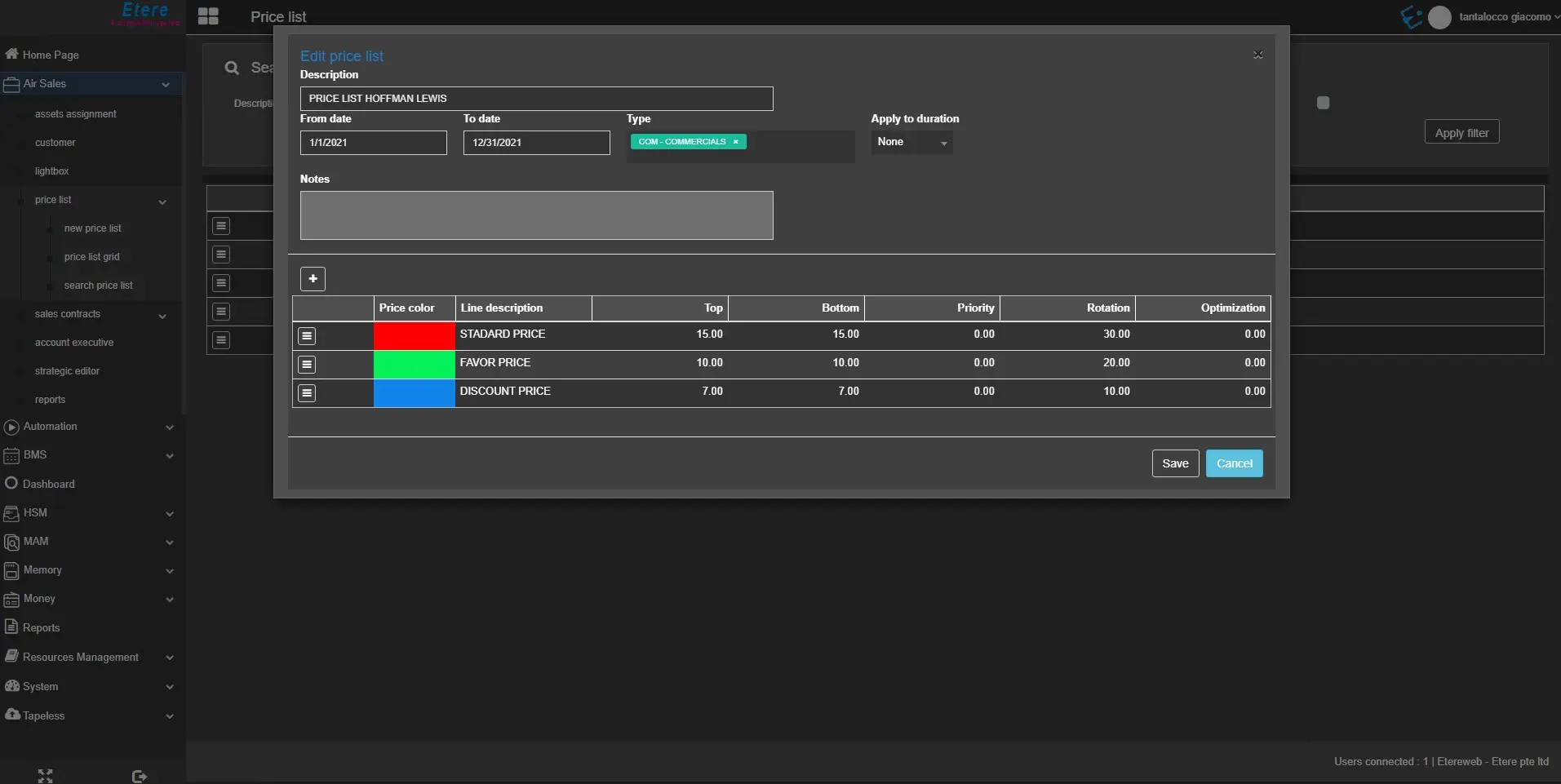
To edit a price list, click the related ☰ button in the search results and choose Edit. The following fields will be available in the displayed form:
edit_pricelist
• Description: Modify the description of the price list.
• From date – To date: Change the validity dates range of the price list.
• Type: Change the event types associated with the price list.
• Apply to the duration: Modify the way the prices specified here are applied to the scheduled events. If set to a specific duration, the price is applied only for those spots which duration is greater than the value set (in seconds). If set to "Use table only", only the price ratios specified in the conversion table will be considered. If set to "None", the system does not consider the spots duration to calculate the price.
Edit price list line details
edit_pricelist_details
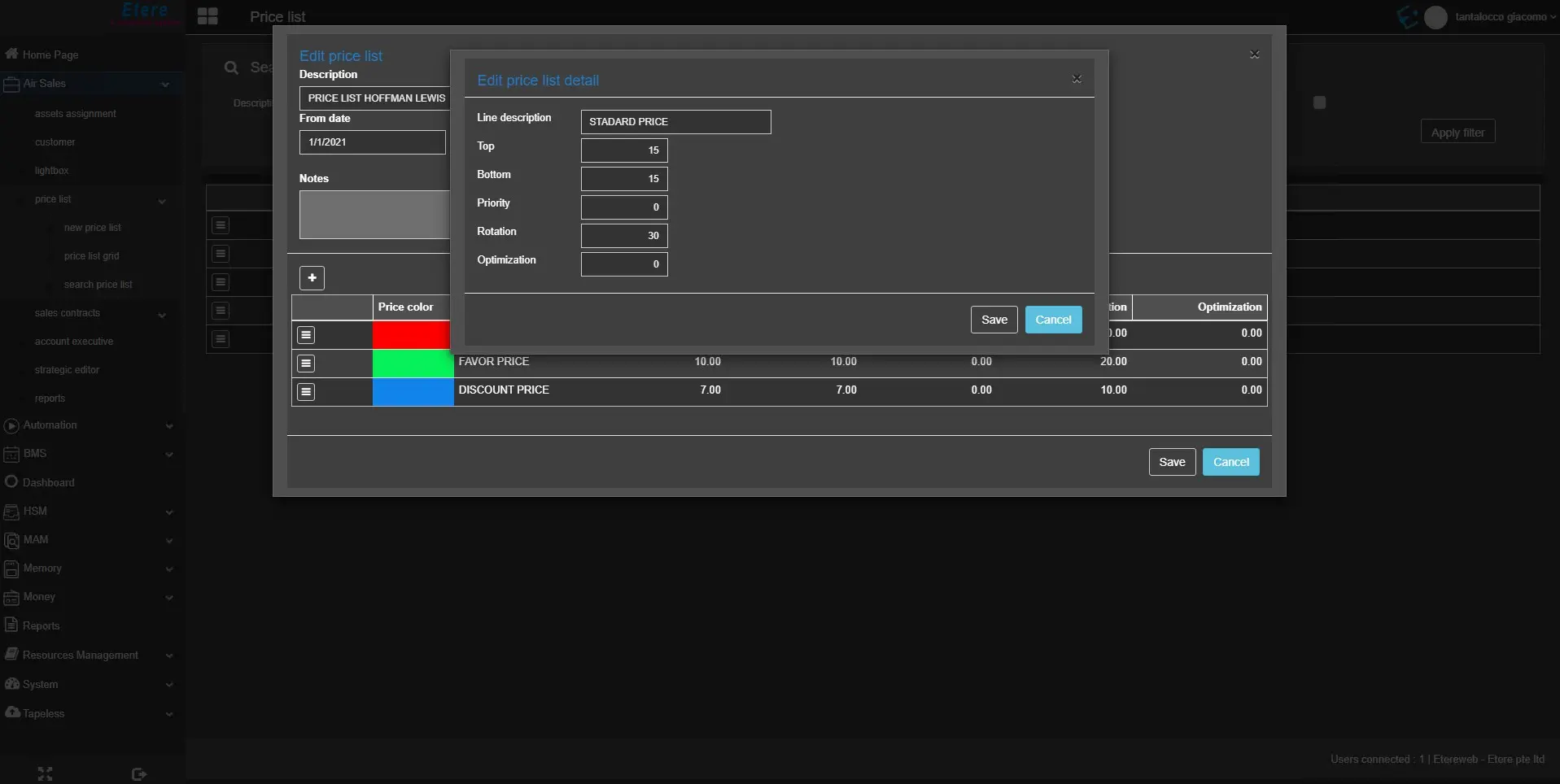
It's possible to change the details of the single price list lines, clicking on the ☰ button > Edit.
• Price color: You can change the default colour for the price list. The first line's color can't be modified.
• Line description: Modify the line description.• Top: Modify the pricing for events scheduled in the top segment of the block.
• Bottom: Modify the pricing for events scheduled in the bottom segment of the block.
• Priority: Modify the pricing for events scheduled by priority.
• Rotation: Modify the pricing for events scheduled across different positions in the block on a rotating basis.
• Optimization: Modify the pricing for events scheduled based on the emptiness of the segment.
 edit_pricelist
 edit_pricelist_details