72.7.6.1 Typing
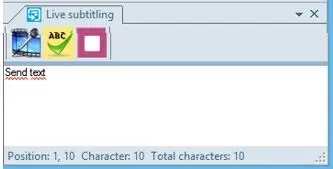
You can enter the subtitles text in the blank space area using the keyboard or a stenography system, it would instantly update the CC Server. The progress of updating the CC Server is displayed at the left panel of the interface.
Live Subtitling
By click on the "Stop" button, it send a clear command to CC Server. In the event where subtitles needs to be corrected and resubmit to CC Server, click the Stop button to remove the previously submitted subtitles and re-enter the subtitles in the blank space area for resubmission to CC Server.
When entering subtitles text manually in Live Subtitling, you must press the <Enter> key in order to submit the subtitles text to Closed Captions inserter. Alternatively, the entered subtitles text would be submitted when it reached the maximum characters allowed in each subtitles line.
While inputting subtitles, activate the Spell Check feature to perform grammar check to ensure high accuracy of the subtitles contents.
 Live_Subtitling