59.2.49.9 Web HSM Work Queue
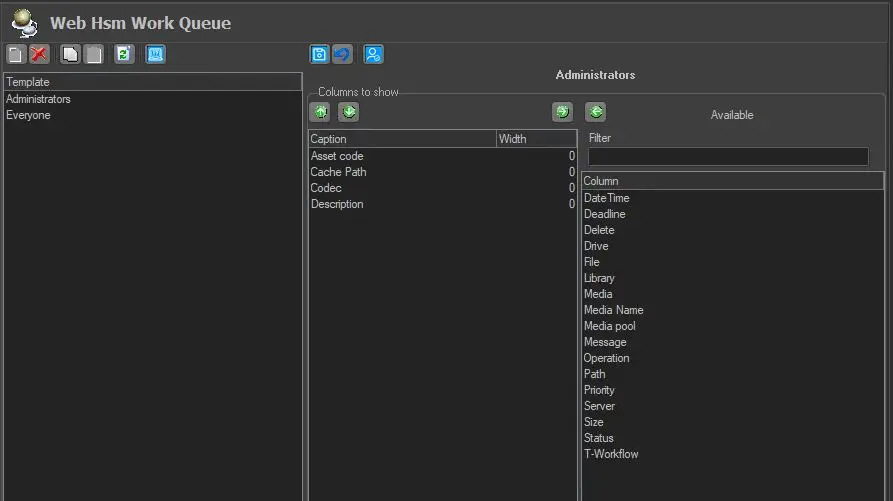
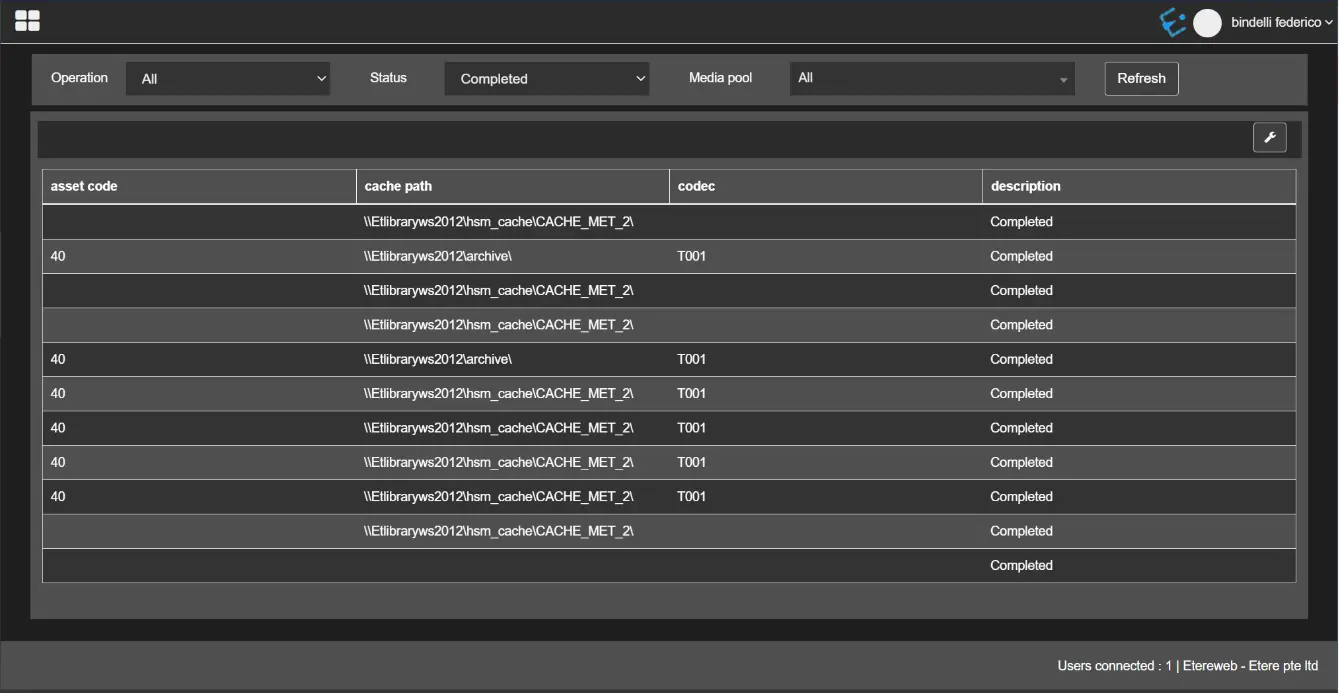
The "Web HSM Work Queue" configuration allows you to customise and display the HSM Work Queue information in the System Monitoring console each time the user login to EtereWeb. On the HSM Work Queue page, if you click on any operation that resulted from the search function, the search result columns are displayed as configured in this section.
Web_HSM_Work_Queue
Under the Web HSM Work Queue configuration settings, a list of user templates is available for selection on the left panel; once a template is selected, a list of available columns for the selected template is displayed on the right panel in the "Caption" window.
You can select desired columns to be displayed in the EtereWeb by adding them to the central panel using the left-green-arrow button or removing them using the right-green-arrow buttons. When more columns are added, you can position them using the up/down green-arrow buttons.
The "Filter" parameter allows filtering the list of the available columns. You can filter a single item or combination of items.
All columns in the HSM Work Queue view can be sorted in ascending and descending orders by clicking on the "Sort" icon at the top right corner of each column.
HSM_Work_Queue
 Web_HSM_Work_Queue
 HSM_Work_Queue