59.3.9.131 Metadata Indexing via OCR reading video file
This action allows one to read text from a video file and create segments in the desired EDL version with the text detected.
To use this action, the License EA1451 must be enabled for the current station.
Preliminary configuration
OCR feature
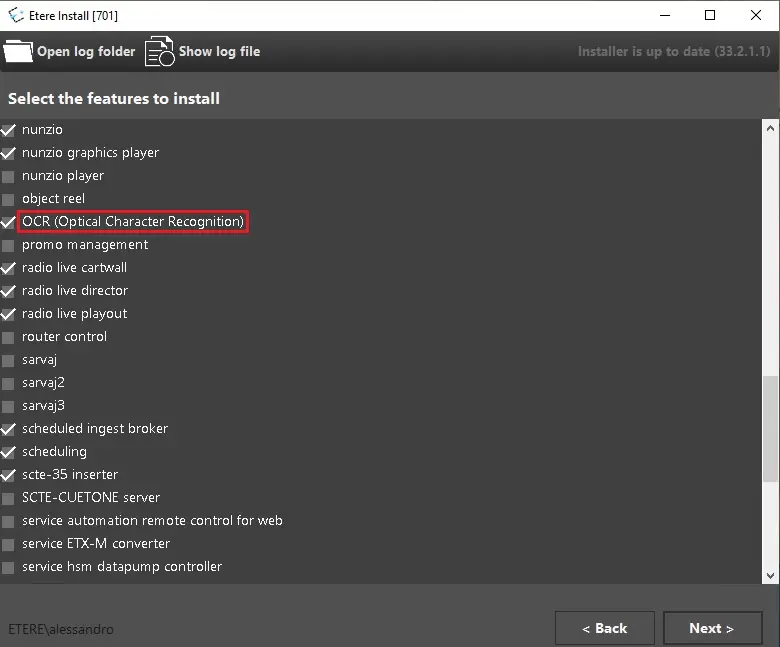
Since Etere Media Manager Service will perform the OCR process, the OCR feature must be installed in the server where the service is running.
ocr_feature
Languages
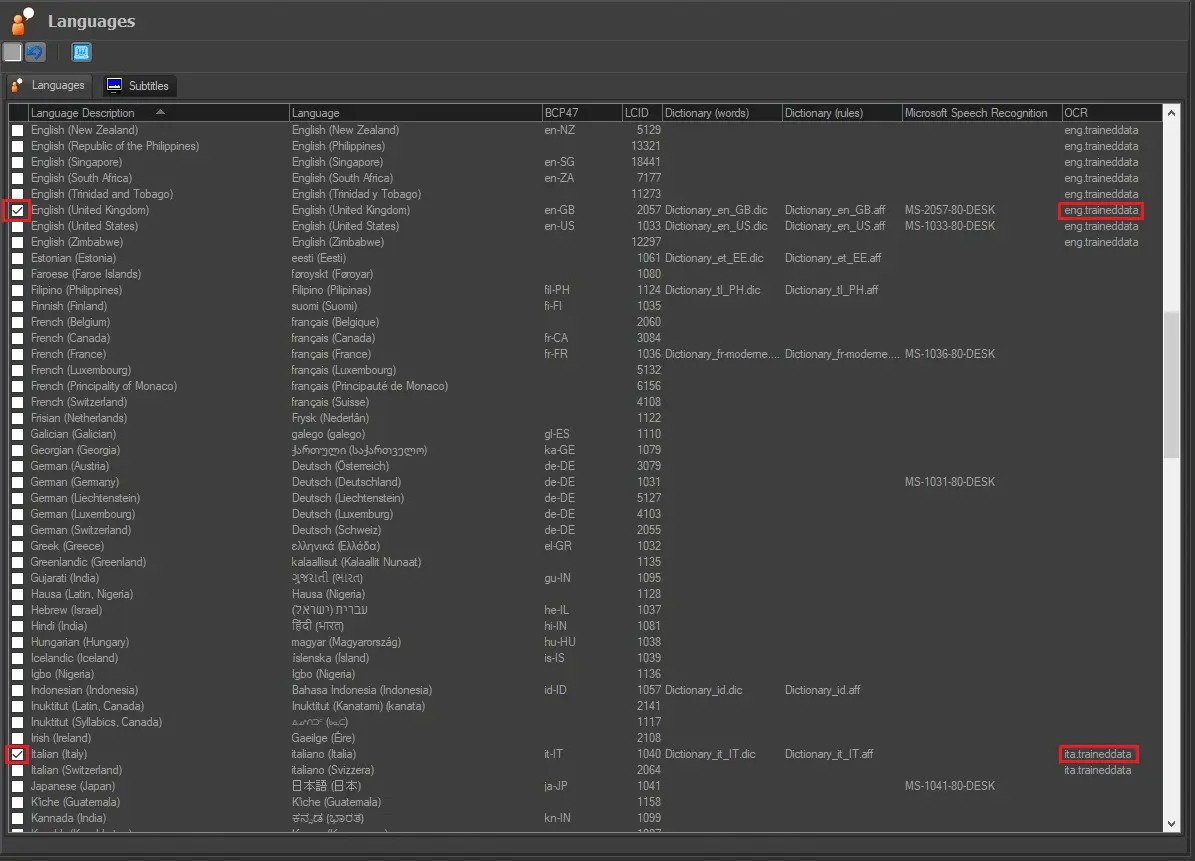
Before setting the action, the language to be read must be set. OCR can be executed only for enabled languages with the OCR column compiled with the assigned related trained model. E.g., eng. Trained data for the English language, ITA. Trained data for the Italian language and so on.
See Chapter 62.2.14.0 Languages for more information.
ocr_column
Resource
The license EA1451 must be assigned to the resource where the service is installed and running. To do so, open the resource properties from Etere Configuration > Resources editor and type the License in the License assigned field.
license_assigned
Action parameters
Language: Select the language to be read. Only enabled languages with the Trained Model assigned are listed.
Sampling step (seconds): Frame reading interval.
EDL version: Select the EDL version where the segments will be inserted. By default, the version n. eight is set.
Search text: specify in which part of the frame the text will be read.
1. In full frame size
2. In a specific area (pixel): specify the region where to carry out the recognition. By default, the whole full HD frame is set:
Left: 0
Top: 0
Width: 1920
Height: 1080
Left and Top fields define the upper-left corner of the region. Width and Height determine the size of the area.
For example, if the action has to detect text in the lower half of the frame, these should be the coordinates:
Left: 0
Top: 540
Width: 1920
Height: 540
Instead, these are the coordinates in case the recognition has to be done on the right half of the frame:
Left: 970
Top: 0
Width: 970
Height: 1080
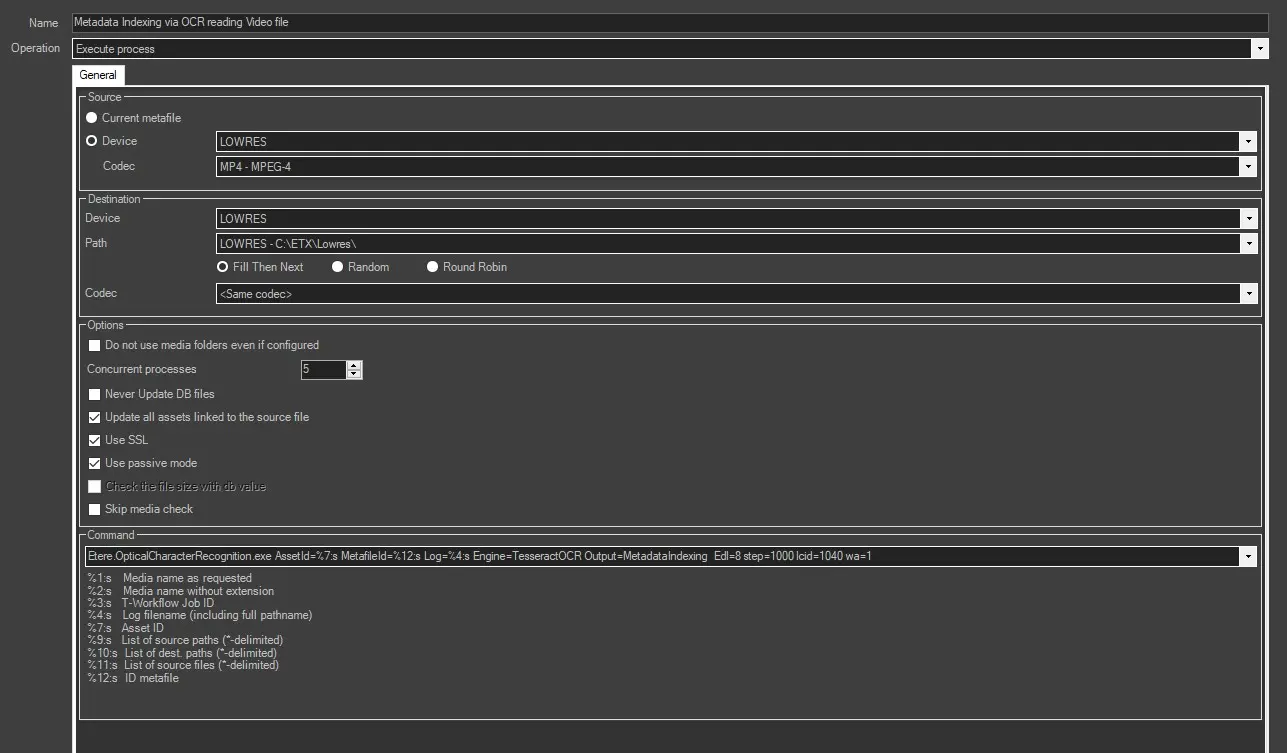
Clicking on the OK button, the Media Manager Service action will be automatically created, and the command line as well.
Now, it's possible to set the device and codec information for the source and destination file and all the other options present in Media Manager Service - Execute process action (see chapter 62.3.9.61 Media Manager Service for more information).
Results
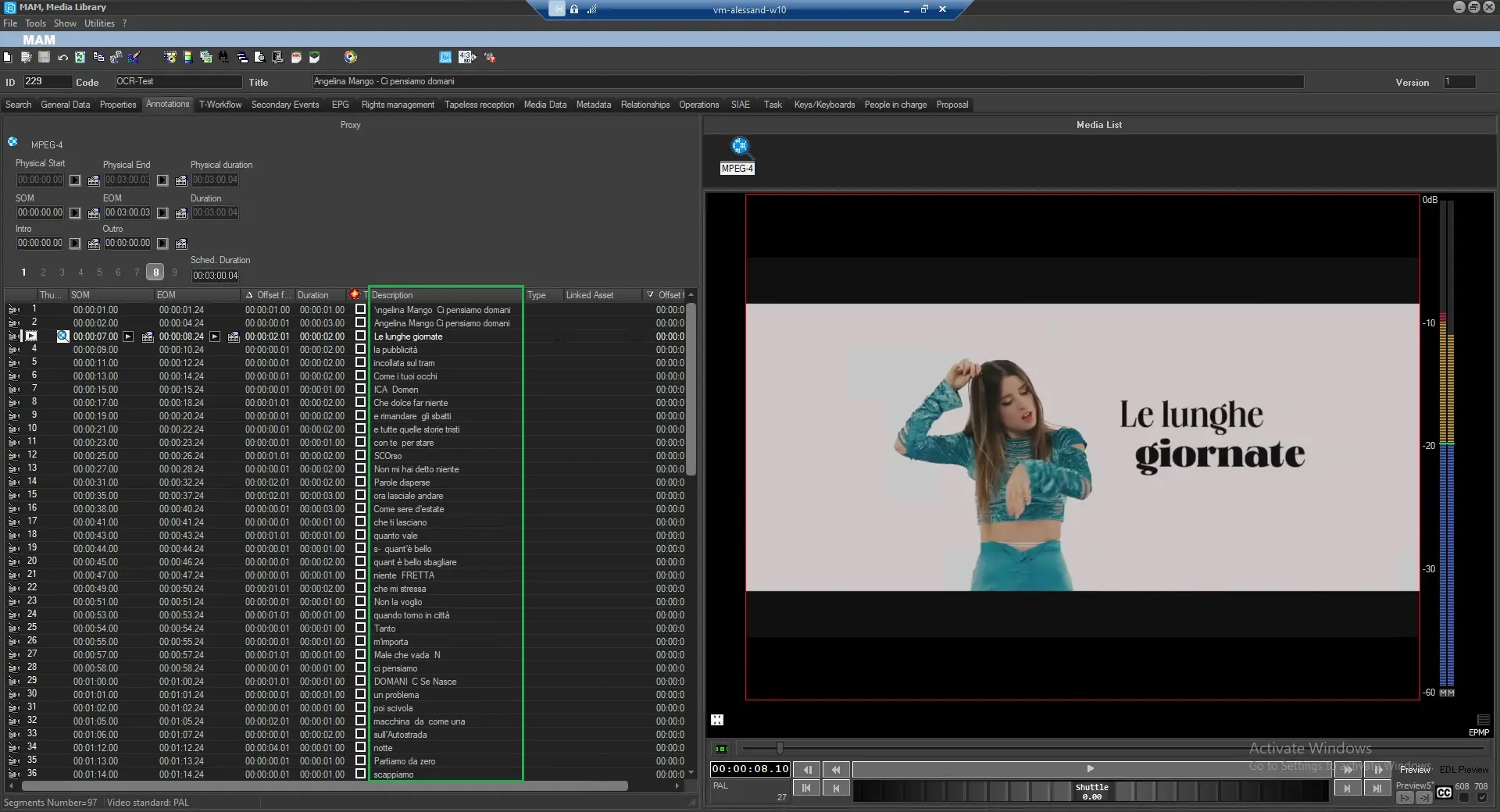
If the optical character recognition is successful, the text will be visible in the chosen EDL in the Description column.
 ocr_feature
 ocr_column
 license_assigned
 smm_action
 result