59.9.3.2 DB Differences
The Differences tool allows for comparing the structure of two databases and exporting all differences. Etere suggests using this tool with a specific frequency, especially after a system maintenance operation, to ensure that no errors are present in the database.
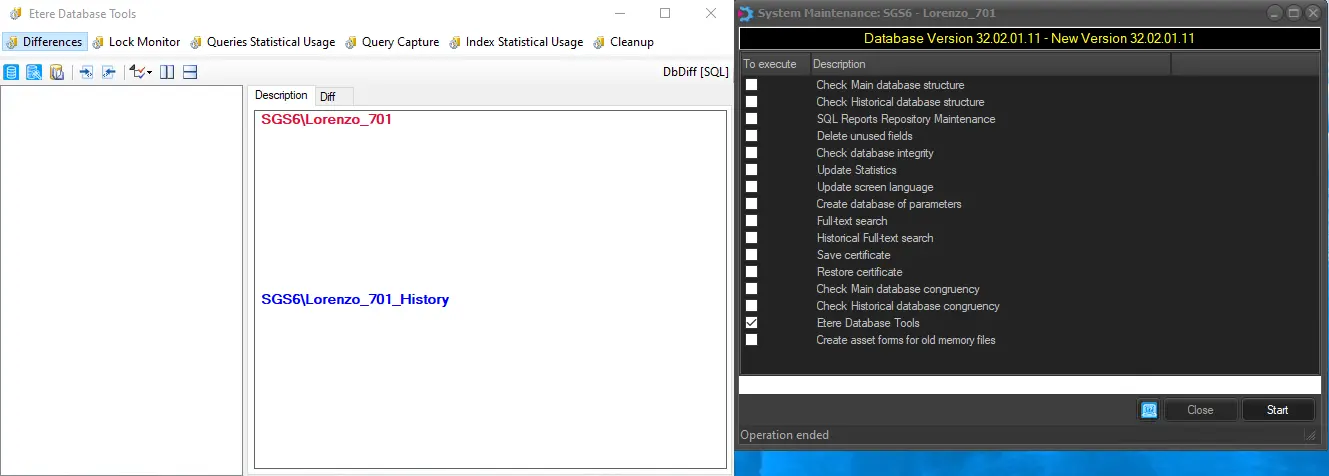
Once Differences is selected, its main window will be displayed, allowing to start comparing databases; the following areas will mainly form the user interface:
Differences
• Differences tree: It lists all differences encountered between the selected databases.
• Descriptions panel: This area displays each difference selected from the differences tree.
• Operations toolbar: The top bar consists of all available operations for comparing databases.
Differences tree
A tree view -located at the left of the window- containing all objects which are different between databases; these objects will be classified by type (e.g. Functions, Stored Procedures, Tables, Views, etc.) and difference type (i.e. difference, missing on db1, missing on db2).
configuration_etere_database_tools
In the tree view, the colours indicate if the tree node contains filtered differences, missing db1 objects or db2 objects.
Descriptions panel
In this area will be detailed each single object difference or missing object is selected from the "Differences tree" by specifying the following information:
• Description: The selected object (e.g. function, table field, etc.) is precisely the same as read from database #1 and database #2.
• Difference: The difference between the structure of the selected object (e.g. function, table field, etc) in the compared databases.
Operations toolbar
Supported operations for comparing databases are available in the top bar of the main window; these operations include:
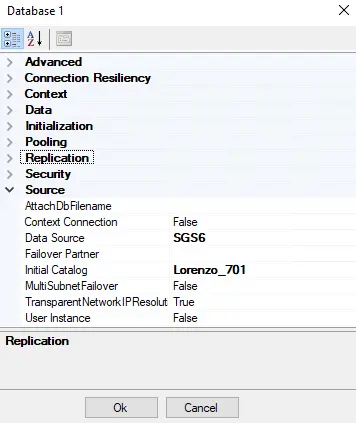
Database #1: Set here the first database to be included in the comparison; the displayed form will allow setting the most important SQL Server connection parameters such as data source (database server) and initial catalogue (database name):
database server
Database #2: As for the first database, this button allows to set the second database to be included in the comparison.
Read differences: Launches the operation that compares the databases and retrieves all differences into the tree view.
By default, once launched, the comparison is performed between the central database and the historical database (if set under the System section).
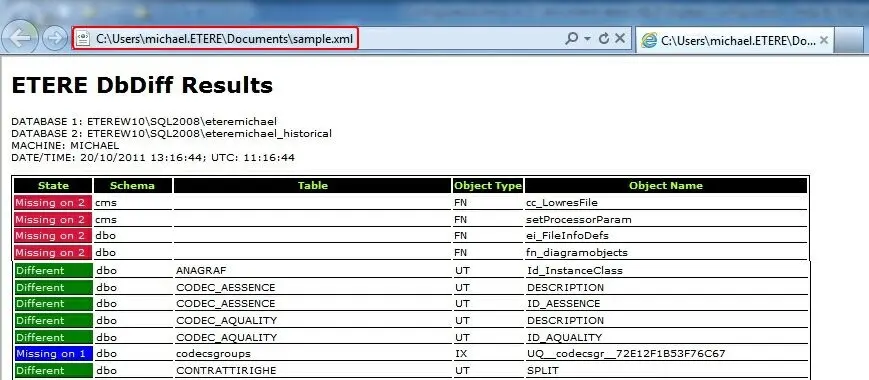
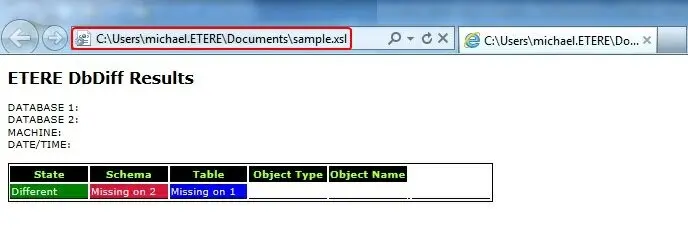
Export results: Generates two files containing the differences between the compared databases.
- XML: An XML format file containing all differences ready to be viewed as a simple HTML page.
- XSL: An XSL file containing the definitions of the Functions and Stored Procedures.
Import file: Use it to import an exported file (e.g. generated from another workstation) to analyse it without accessing the compared databases.
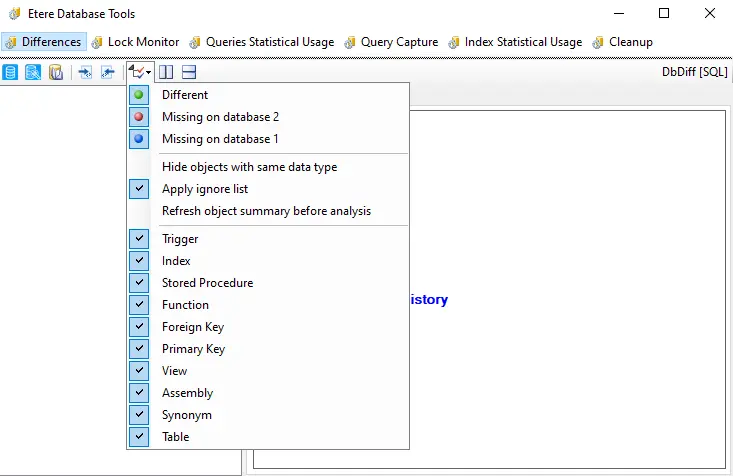
Set filtering options: Select the filters to display objects and differences. Available filters are:
- Include/exclude differences
- Include/exclude missing objects on database #1
- Include/exclude missing objects on database #2
As well as the possibility of:
- Hide objects with the same data type (e.g. int)
- Apply ignore list (i.e. list containing all system normal differences)
- Refresh object summary (i.e. a table containing the summarised structure of the database) before the analysis
And a custom selection of the object types to be displayed (i.e. Trigger, Stored procedure, Function, Foreign key, Primary key, View, Assembly, Synonym and Table).
Arrange panels vertically: As its name suggests, it places the "description panels" of the database#1 and the database#2 vertically.
Arrange panels horizontally: It places the "description panels" of the database#1 and the database#2 side-by-side horizontally.
Example_of_exported_files_1
Example_of_exported_files_2
 Example_of_exported_files_1
 Example_of_exported_files_2
 Differences
 database_server
 configuration_etere_database_tools