87.1.5.2 Container Management
The "Container Management" form provides an array-view for the slots contained within the Racks configured in the system, this section allows, for each rack, to view and also perform the following actions:
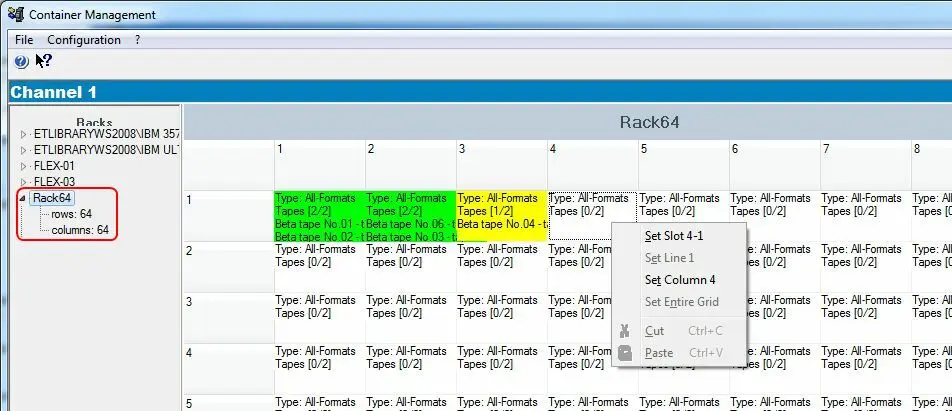
Librarystatus03
Slot space status
The "Configuration" top menu provides the "Configure Grid" form which allows setting properties related to how rack slots should be displayed in the main interface. Parameters available in this form includes the "slot hight size" (default=50), "slot width size" (default=90) and "slot color" (default colors are Empty , Used and Full .
Slot supported formats
Always under the "Configuration" top menu, also the "Slot property" form is available, it allows assigning the "media formats" supported for each rack slot, thus allowing to manage racks according to the formats supported by the devices present on them.
Once set, "Slot properties" can be assigned by making right-click on the rack array and selecting the function intended to be used for the assignment (i.e. single slot, entire line, entire column, entire grid), being also possible to cut and paste "slot properties" between slots.
Creating a new Rack
In order to manually create a new Rack (e.g. for managing offline tapes), it is enough to follow the next procedure:
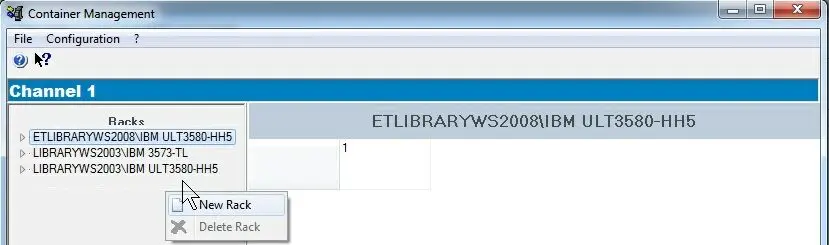
1. Make right-click on the left panel of the window and select the "New Rack" option:
Configuration_rack_newrack_01
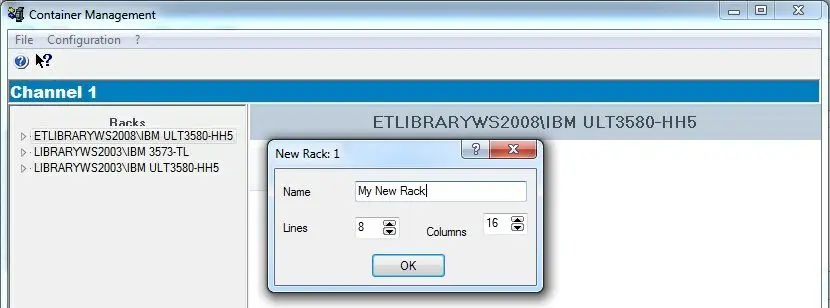
2. Specify the number of racks intended to be created, then, set the following information for each new rack:
Configuration_rack_newrack_02
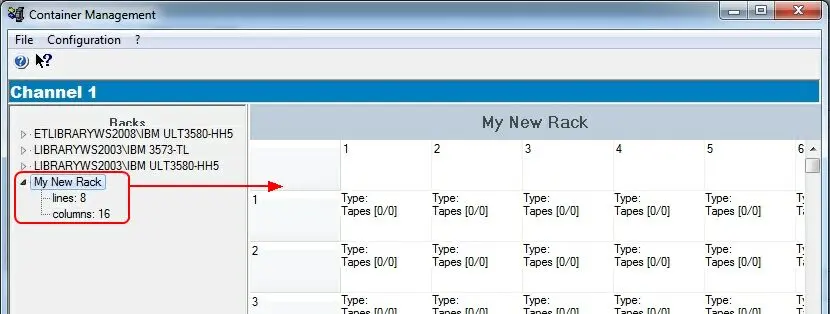
3. Once the [Ok] button is pressed, the new rack will be created based on the previously specified parameters:
Configuration_rack_newrack_03
Removing a Rack
In order to remove either a Library or a Rack from the list just make right-click on it and select the "Delete Rack" option, the selected rack will be deleted from the system but all its contained tapes will remain the system.
 Configuration_rack_newrack_03
 Configuration_rack_newrack_01
 Librarystatus03
 Configuration_rack_newrack_02