59.4.1.1 Etere Advanced QC
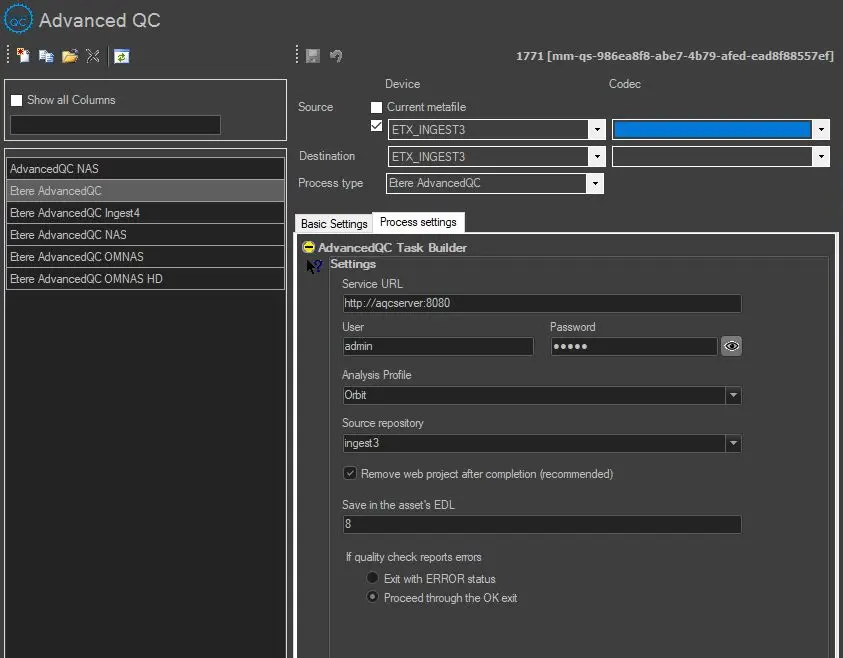
Once you have added an Advanced QC action, provide the required parameters.
Devices and Codecs
Source device & codec: Indicate the metadevice in which files to be transferred are stored, specifying the exact codec (extension) to be processed.
Destination devise & codec: Specify the meta device where the checked file will be transferred, indicating the destination codec.
Process type: Indicates that the current action is Advanced QC for a specific asset.
Process Settings
Data_Mover_Action
Service URL: In this instance, it is the Advanced QC server URL address and port number.
User / Password: User ID and password for accessing the system.
Analysis Profile: Select one of the Advanced QC profiles configured in the template in this instance.
Source Repository: The repository used by Advanced QC. The path must match one of Etere's Media folder entries. If left blank or auto, the Data Mover will search for a repository with the path written exactly as the media folder where the file is to be analysed. Otherwise, the repository will process the file specified in the configuration.
Remove web project after completion (recommended): After the end of the process, choose if the project has to be removed or kept.
Save in the asset's EDL: Choose in which EDL the segments containing the video faults should be saved.
If the quality check reports errors: Select if, in case of error, the action should exit on "error" output or go through "OK" output. This option lets you choose how the workflow will behave if the Advanced QC reports any error during its execution.
Advanced QC - Runtime
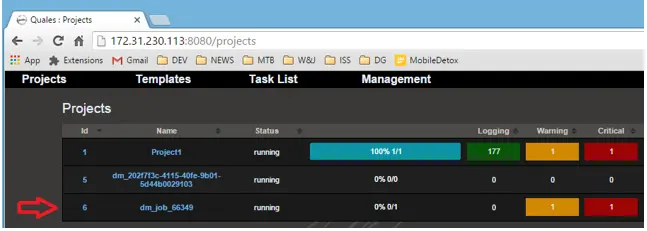
The configured Advanced QC job is launched and viewed in the Data Mover window.
The DM job is a new "dm_job_[jobID]" project in the Web interface.
DM_job
Upon completion, the job will be removed from the project list.
removed_from_the_project_list
NB: When selecting an asset for Advanced QC, the asset duration must not exceed 4 hours.
Advanced QC - Results
The Advanced QC will detect any event with a severity level marked as "Critical" and present in the EDL window. The breakdown of the events includes their start time, end time of the critical event, and duration.
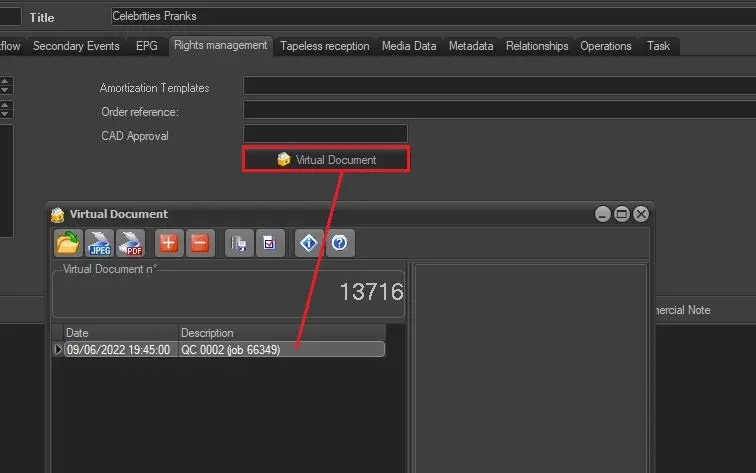
The QC result is extracted into PDF format and inserted in the asset's virtual document section.
Advanced_QC_-_Results
 Data_Mover_Action
 DM_job
 removed_from_the_project_list
 Advanced_QC_-_Results