79.10 Etere Nunzio Social Media Service
From Etere version 35.1, the post of the stories and media content can be performed by a dedicated service, called Etere Nunzio Social Media Service.
INSTALLATION
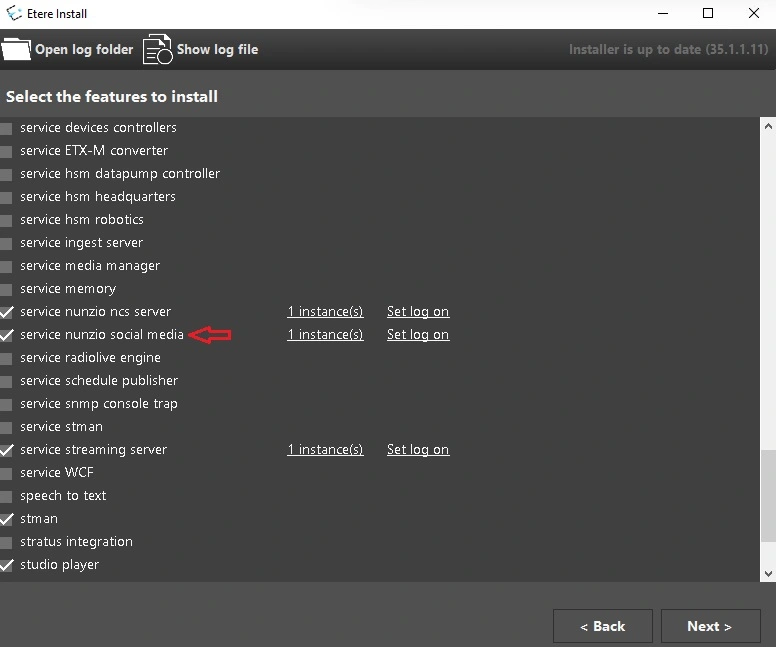
To install the service, simply select the feature Service Nunzio Social Media in Etere Update, then set the Log On credentials to be used by the service.
Note: It's possible to install only one instance of the service per PC.
nunzio_social_media_service_install
WARNING: to use the service, need to have the "EA1455 - Etere Social Media Connector" license. This will have to be set inside the resource (from Resource Editor) and on License assigned in which the service will be installed (Setting_license)
PRELIMINARY STEPS
• Metafile filters
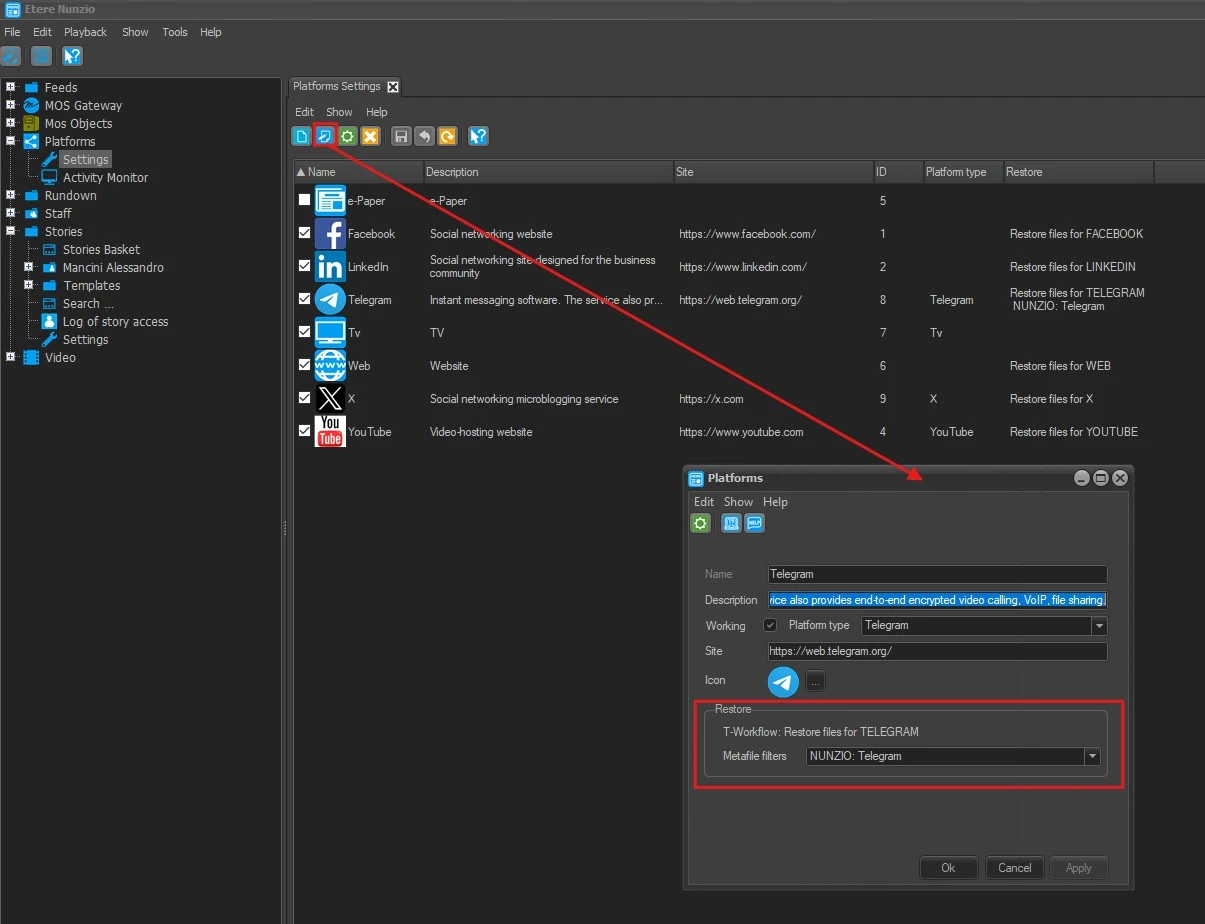
In case the files to be posted are missing, it's possible to restore them by workflow. In Etereweb section System > Metafile filters (see chapter 15.14.0.0 Metafile filters) the user can create a new profile or select an existing one for each of the enabled platforms, specifying the codecs and the cloud-devices the system should use to retrieve the files.
The selected profile have to be assigned to the related platform in Etere Nunzio application, through the Edit form.
platforms_restore_metafile_filters
Note: The profiles are created only for the station in use on Etereweb. So access to Etereweb with the same station used by Etere Nunzio before creating or selecting a profile, otherwise they won't be visible in Nunzio.
• Default workflows for restore
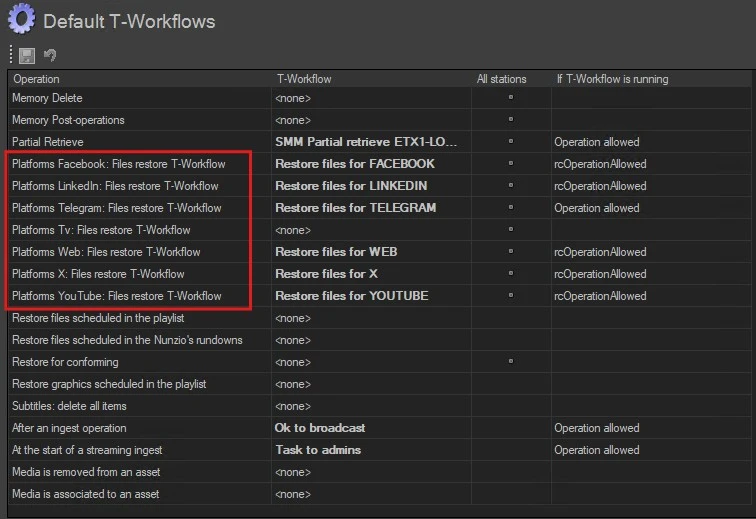
Choose the workflow that will be launched to restore/transcode the files for each platform enabled.
default_wfs_restore
The workflows set here, will be displayed also in the Edit form of the related platform in Nunzio.
• Platforms configuration
Before posting stories and media content on social media, it's mandatory to configure the needed platforms properly. See chapter 79.4.5.0 Platforms for information about how to configure them.
PUBLISH ON PLATFORMS
Once the above steps have been done and the service is running, it's possible to start posting stories and media.
The publish can be launched either from the story editor or from the rundown.
• Story editor
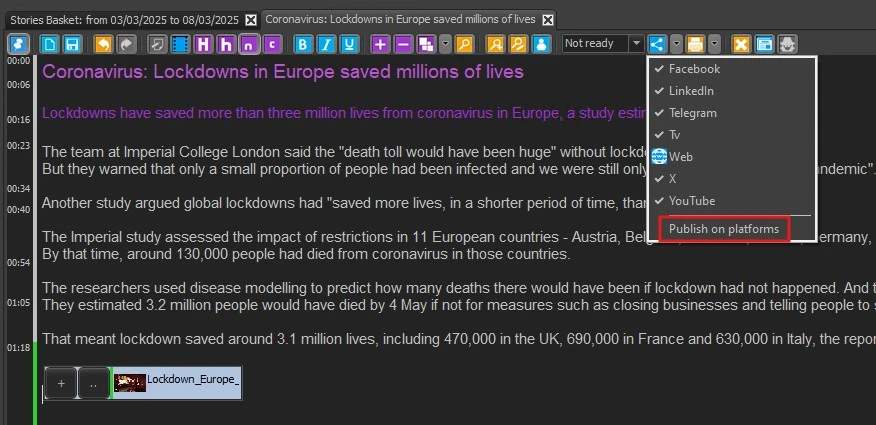
To publish a story from the editor, simply open the Platforms drop-down menu on the toolbar and select Publish on platforms.
publish_story_editor
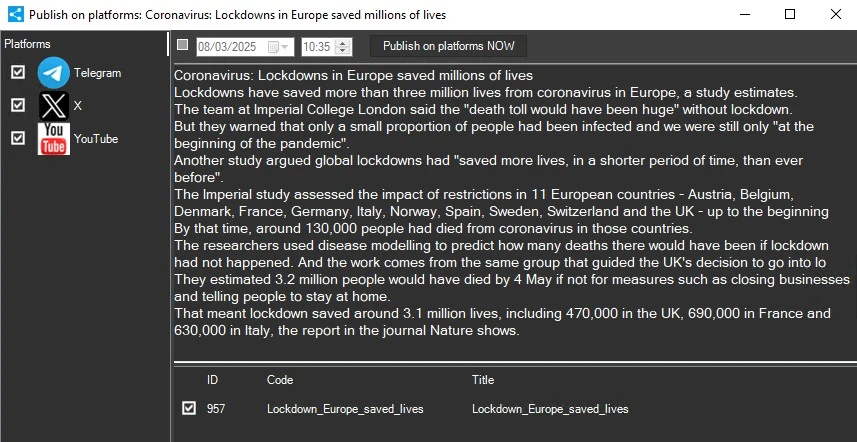
The following form will be opened:
publish_form
On the left panel, it's possible to choose the platforms where the story will be posted.
At the top, it allows to schedule the sending of the post at a specific time and day, or to post it immediately, with the button [Publish on platforms NOW].
The central panel, allows to review and modify the story text.
At the bottom, it's possible to choose the files to post.
Once the publish is launched and the form is closed, the user is redirected immediately to the Platforms Activity monitor, to check the publishing process.
• Rundown
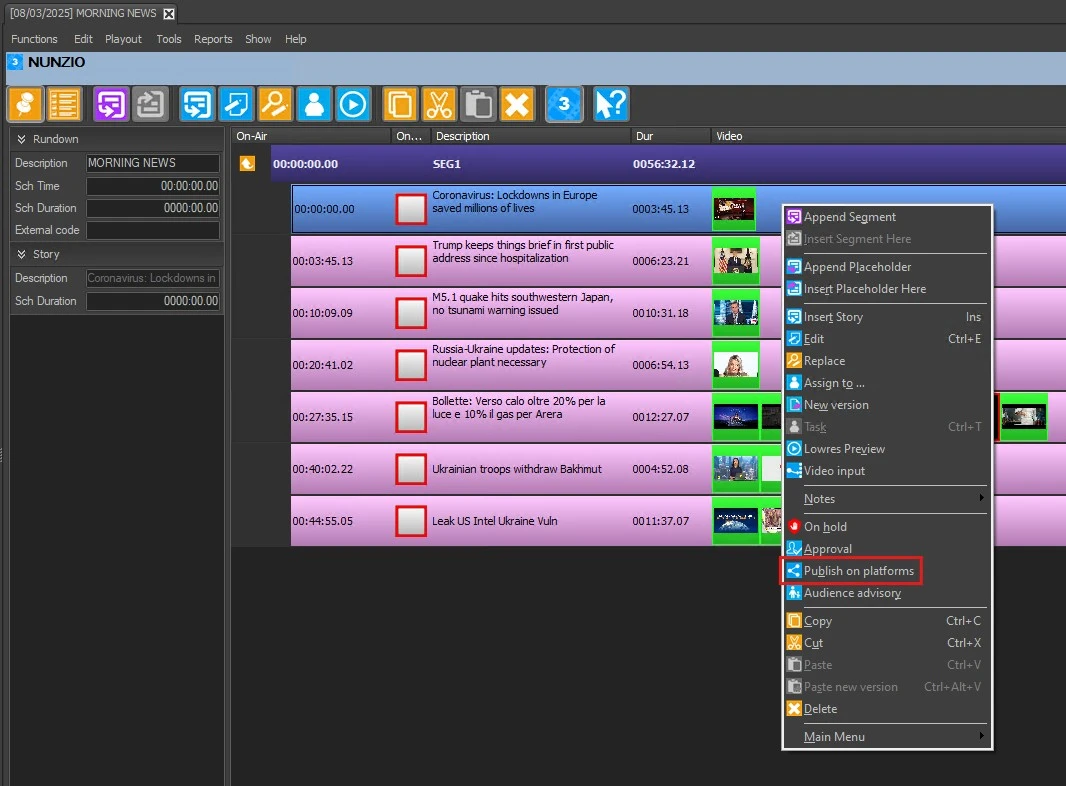
To publish a story from the rundown, right-click on it and select Publish on platforms from the contextual menu.
publish_rundown
The same form will be opened, as described above.
PLATFORMS ACTIVITY MONITOR
Here it's possible to search and see the publishing status of the stories. See chapter 79.4.5.1 Platforms activity monitor for more detailed information.
platforms_activity_monitor
 nunzio_social_media_service_install
 Setting_license
 platforms_restore_metafile_filters
 default_wfs_restore
 publish_story_editor
 publish_rundown
 publish_form
 platforms_activity_monitor