Etere ETX-G Graphic Management
66.1 ETX-G Prerequisites
The following configuration settings must be in place in order to use ETX-G Graphics Editor.
- In Etere Configuration > Settings > Types Editor > Types, an asset type property “ETX Graphics” and "ETX Scenes" must be present in the "Type" properties.
Configuration_settings_types - In Etere Configuration > Settings > Devices Settings > Codecs, a default codec “ETXG” and "ETXS" with property ETX Graphics and ETX Scene must be defined in "Codecs" settings respectively, in order to save the graphics assets and scene projects. You can add more types for scenes and graphics to the list.
Configuration_settings_codec - In Etere Configuration > Settings > Executive Editor > Schedule Parameters, in Global tab, a path must be defined for graphics and scenes objects repository.
Etere_Configuration
- In Etere Configuration > Configuration Editor > T-Workflow > Default T-Workflow, a proper T-WF must be associated to the "Restore graphics scheduled in the playlist" operation.
Default_restore_graphic
 Configuration_settings_types
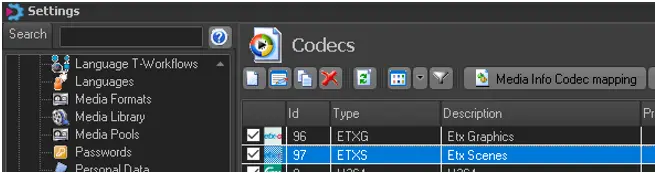 Configuration_settings_codec
 Etere_Configuration
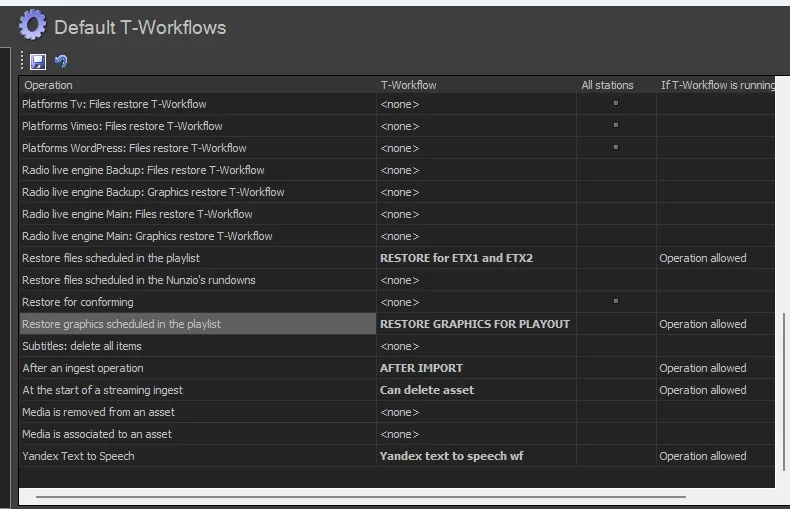 Default_restore_graphic