How to
59.3.14.2 Stop/Reset a T-workflow?
Once a T-workflow is created and assigned to a particular asset(s), the user may need to stop or restart an already running T-workflow(s). To do this, just open the asset form of the required asset; after that, go to the Workflow tab and select either 'Abort Workflow' (will immediately stop the selected workflow) or 'Reset Workflow' (will stop the T-workflow and let it ready for be relaunched):
Reset_Workflow
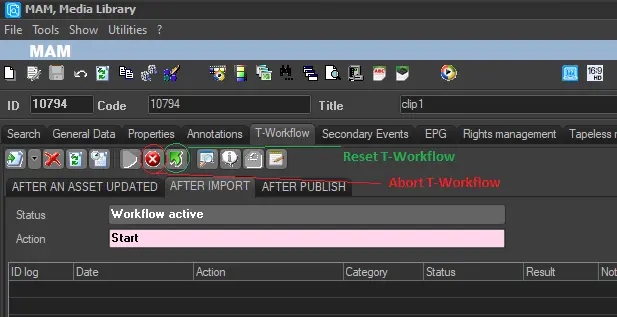 Reset_Workflow