59.2.40.24 Air Sales
The Air Sales tab allows to set some parameters to ensure proper management of commercial events from the Executive Editor module, providing a solid integration between Etere Scheduling and Etere Air Sales.
air_sales_tab
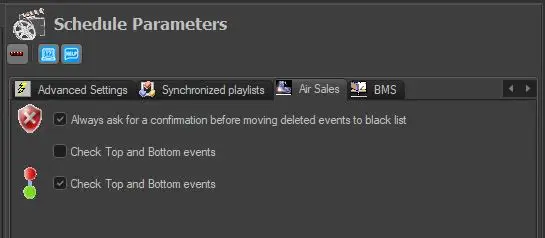
• Always ask for a confirmation before moving deleted events to black list: If enabled, a confirmation is required each time the user attempts to delete an event from the schedule that Etere Air Sales has scheduled.
• Check Top and Bottom events: If enabled, Etere will check if the two events that form the top & bottom detail of a schedule are selected when attempting to perform a delete operation, move action or commercial structure association action. These operations can be performed ONLY if the top and bottom events are selected, otherwise (i.e. if only one event is set) user would be prompted a message to cancel the requested operation or select the top and bottom events to proceed with the operation.
 air_sales_tab