Using the HSM Robotics Control
70.3.7.3 Setting a robotics server
In order to set up a Tape Library to be used by Etere HSM, it is required to perform the following steps in Etere HSM - Robotics Control:
1.Configure the name, make and model linked to the system as there could be more than one library,
2.Select from the combobox (Library) the library to control. In the panel below the characteristics of the library device will be displayed,
3.Specify the number of the port (Port) through which Robotics Control will receive the requests:
Robotics Control
4.Click on the apply button and the main window will be opened.
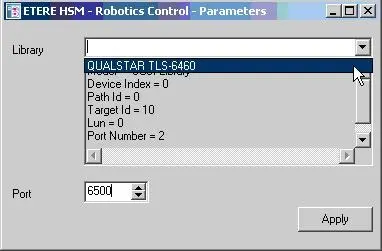 Robotics_Control