69.1.1.18 XML ASSET
Export Scope
The F90 - XML ASSET export would export all previously selected assets and its most relevant properties.
Export Parameters
This export needs the following parameters to be configured in order to be active:
Export - Standard - XML ASSET
Filename - The name of the exported file would comply with the format Etere_Asset_xxx.xml, where 'xxx' is the code of the contained asset.
Export Path (leave it blank to not export it) - This parameter is required only if you intend to save the exported file to a computer in your network.
This path must coincide with the path set in Etere Scheduling > Import/Export.
Data for the file transfer via FTP - Click on the Configure button and define the FTP parameters as described in Configure Data File Transfer via FTP chapter.
Export Data - Click on <Configure> to open the Configure Export window to specify the days to be exported and the frequency for the export.
Scheduling related export
Remember to set the same parameters in the Etere Scheduling > Import/Export module, and APPLY the changes once done.
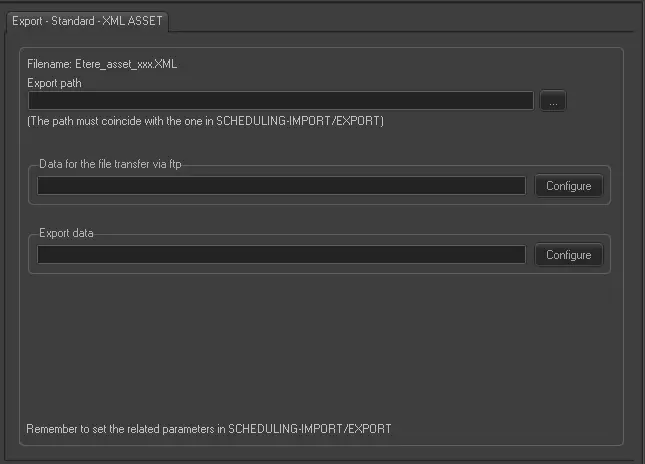 Export_-_Standard_-_XML_ASSET