4.4.2 Search Price List
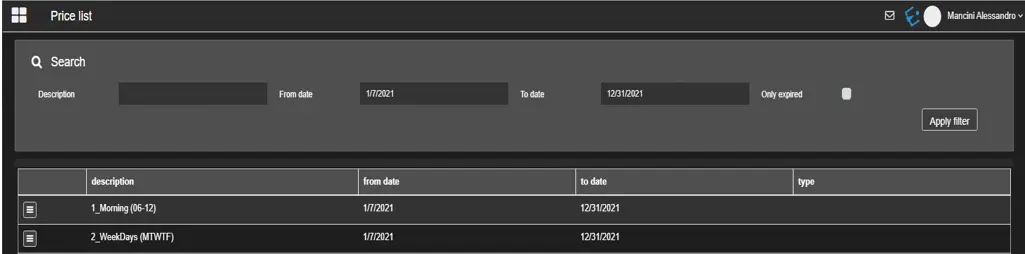
In this section, you can search for a user-defined price list in the system.
etereweb_airsales_search_price_list
Filters
• Description: Search by the description of the desired price list.• From data – To date: Indicate the date range in which the validity of the price list falls.
• Only expired: Enable this option to filter only the expired price lists.
Click the Apply Filter button to start the search.
Actions
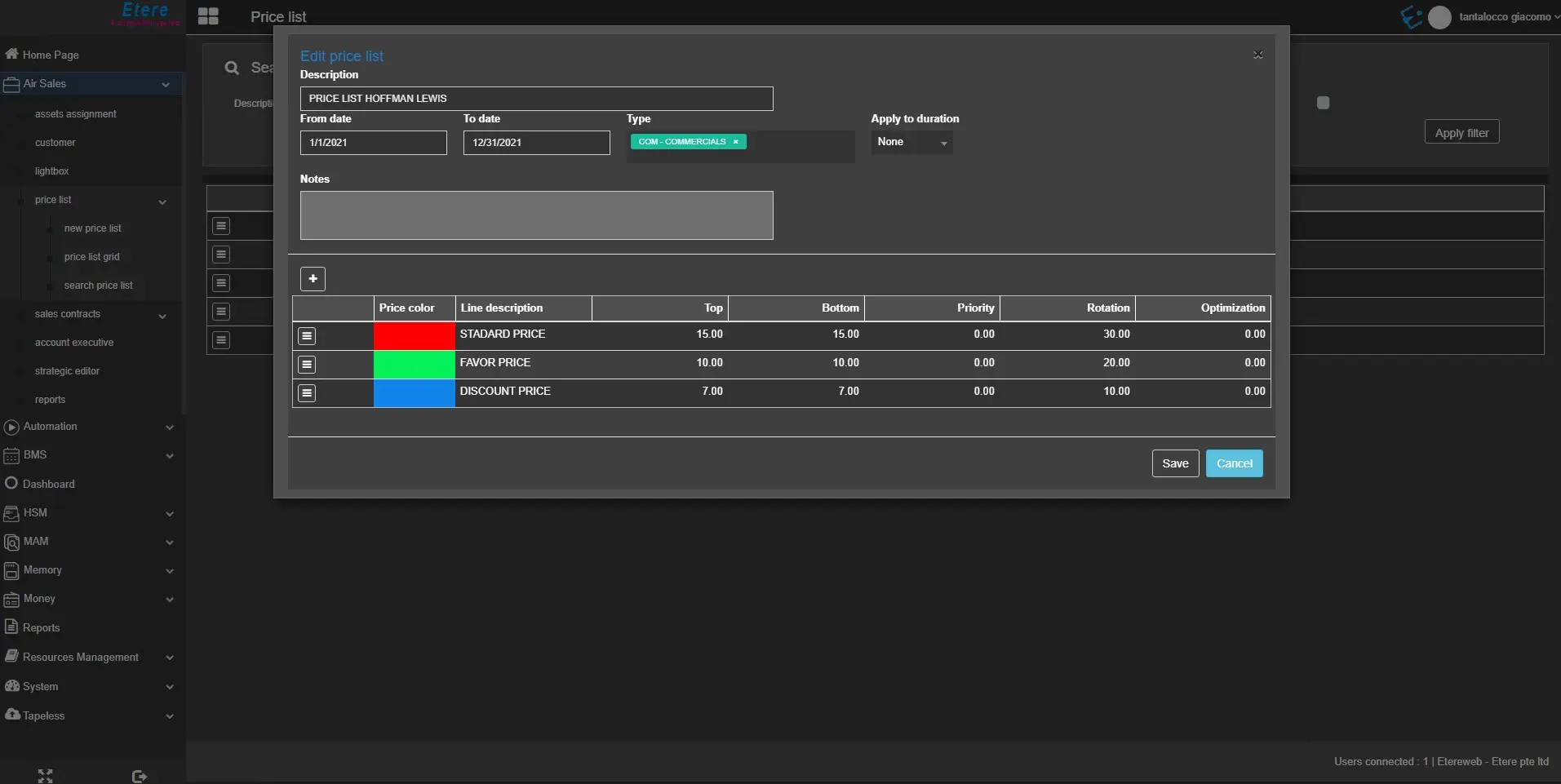
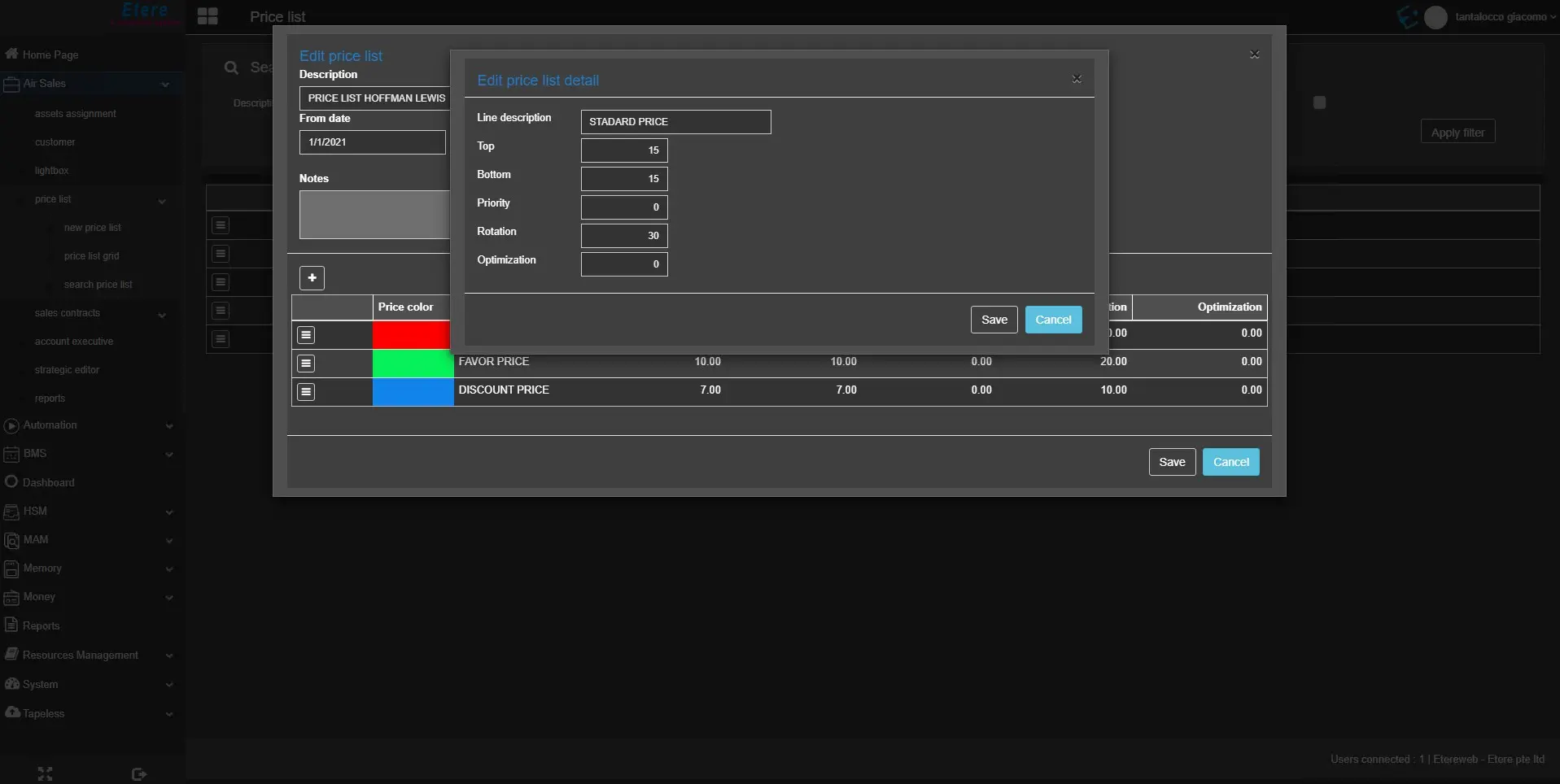
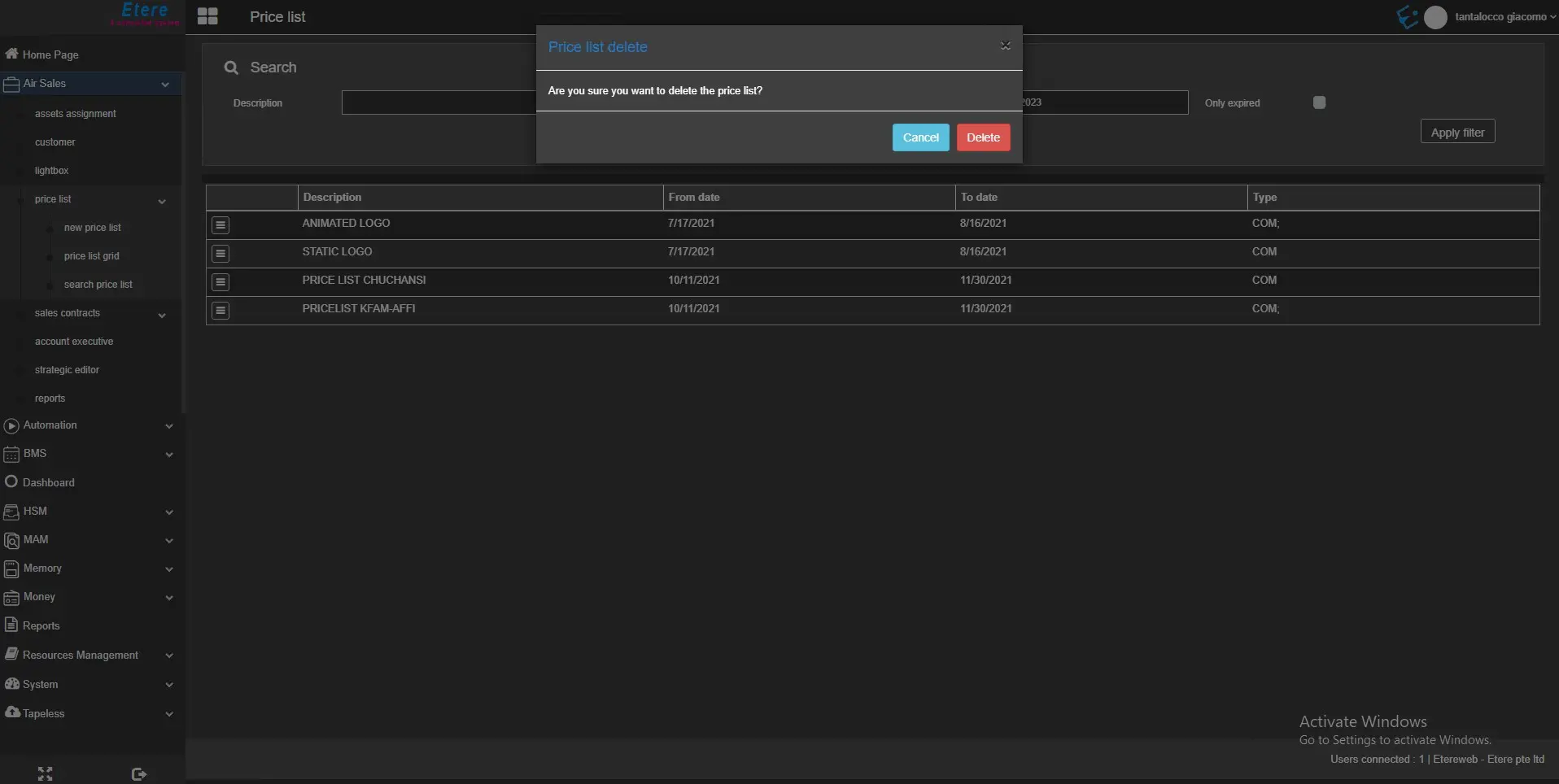
By clicking on the ☰ button, the user can edit, delete the price list and set them as expired, as well as define for each one the conversion table.
• Edit: Modify an existing price list.edit_pricelist
edit_pricelist_details
delete_pricelist
• Set expired/Set available: Set the selected price list as expired, if it is available, or viceversa. In this case, no message appears to confirm the operation.
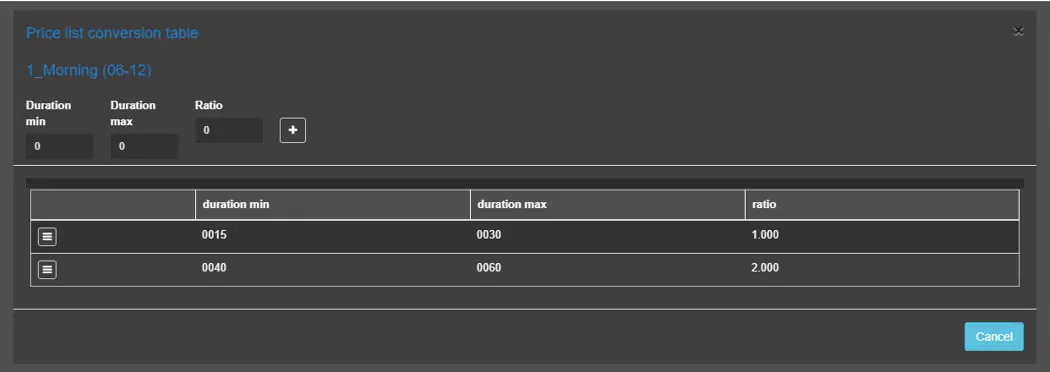
Price List conversion table
The conversion table allows to define the "price ratios" to be applied for specific duration intervals by the table shown below:
etereweb_airsales_price_list_conversion_table
Using the table above and a price list rate of 250€, a spot between 15 and 30 seconds will cost 250 * 1.000 = 250€ (the ratio is displayed in the table with 3 decimal digits). Instead, a spot lasting between 40 and 60 seconds will cost 250 * 2.000 = 500€.
A new price ratio can be added by filling the fields above the table and pressing the [+] button.
Note: The duration ranges should not overlap when adding a price ratio. For example, in the table above, the user should not insert a different price ratio for spots with a duration between 25 and 35 seconds, or it will overlap with the first price ratio, and the system will return an error.
Users can edit or delete a price ratio from the ☰ button.
 etereweb_airsales_search_price_list
 edit_pricelist
 edit_pricelist_details
 delete_pricelist
 etereweb_airsales_price_list_conversion_table