59.2.11 Holidays
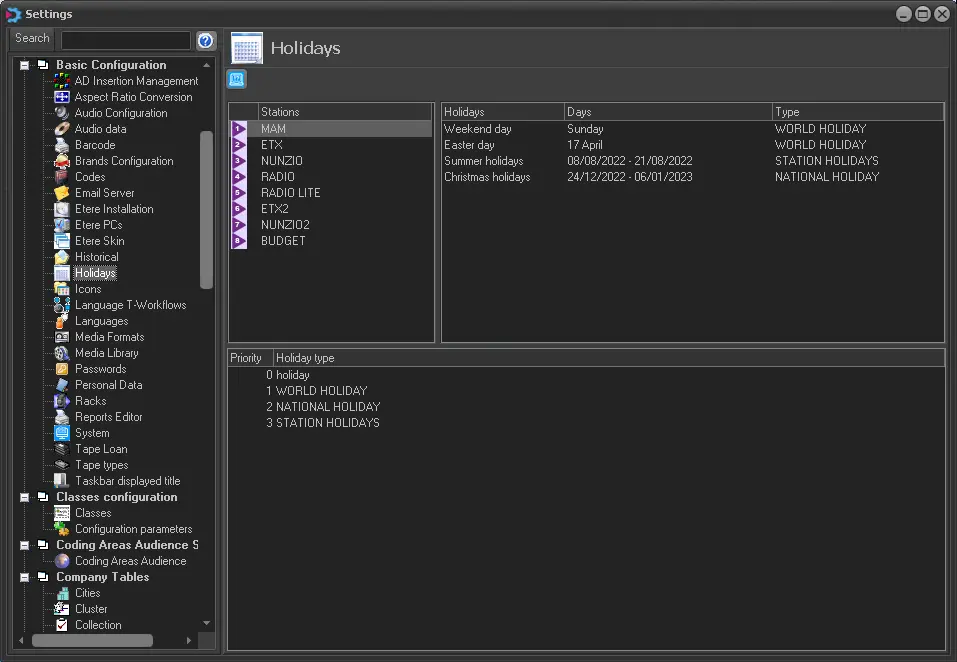
The Holidays section allows setting, for each station, specific dates as holidays to manage a 'holidays calendar', such as applying different time slots for Parental Guidance (Executive Editor | Parental Guidance) depending on whether the day is a working day or a holiday.
Holidays
Holidays Types
The bottom part defines different types of holidays (e.g. world holidays, national holidays, local holidays, station holidays, etc.), each holiday type will have a number and description.
By classifying holidays, it is possible to assign specific holidays to specific time slots, thus allowing a custom level of protection.
Holidays Insertion
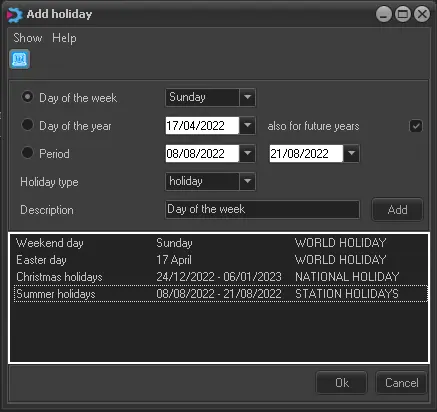
To add a new holiday, right-click on the holiday's list and select the 'add' option; the following form will be displayed:
Holidays_Insertion
•Day of the week: Select a generic day as a holiday (e.g. all Sundays).
•Day of the year: Indicate a single day as a holiday (e.g. the international labour day) and enable it (optionally) for future years.
•Date range: Specify a date range.
•Holiday type: Select the type of holiday (e.g. world holidays, national holidays, local holidays, etc.), among the ones previously defined.
•Description: Enter a short description to describe the holiday.
Once defined, press the 'Add' button to insert the holiday into the list; more holidays can be inserted at once from the insertion form. Once completed, press the 'Ok' button to save it into the holiday list.
Holidays Multi-Insertion
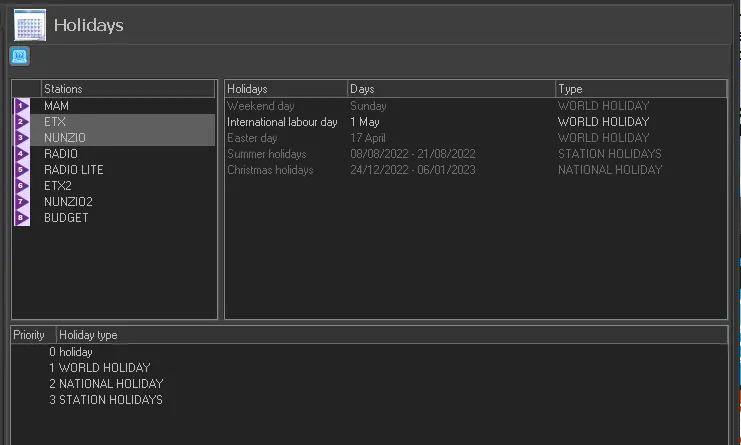
By default, holidays are specific for each station, but it's possible to contemporaneously select various stations to create holidays on all selected stations:
Holidays_Multi-Insertion
- Grayed holiday: Specific for a certain station.
- White holiday: Common for all selected stations.
 Holidays
 Holidays_Insertion
 Holidays_Multi-Insertion