59.2.49.3 Web Artist
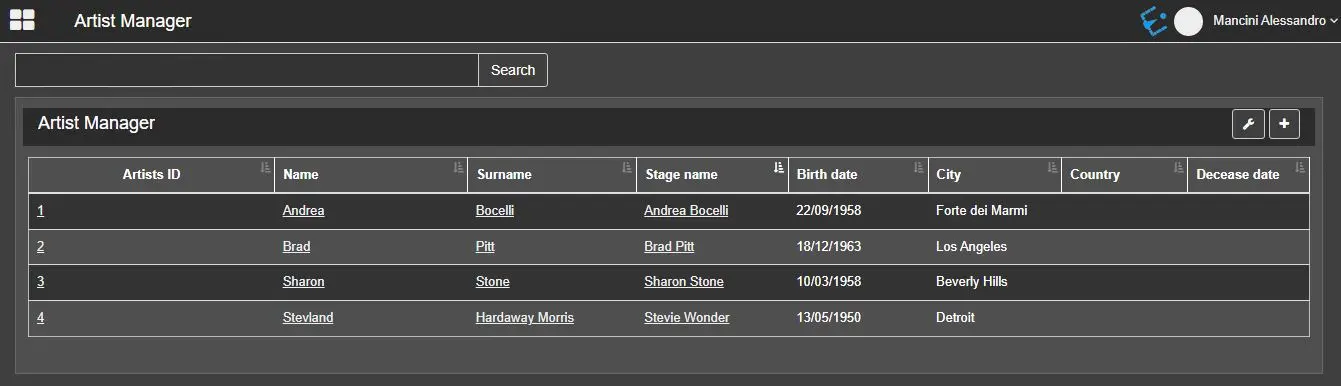
Use the Web Artist section to customise the desired information displayed under the Web Artist section each time EtereWeb is launched.
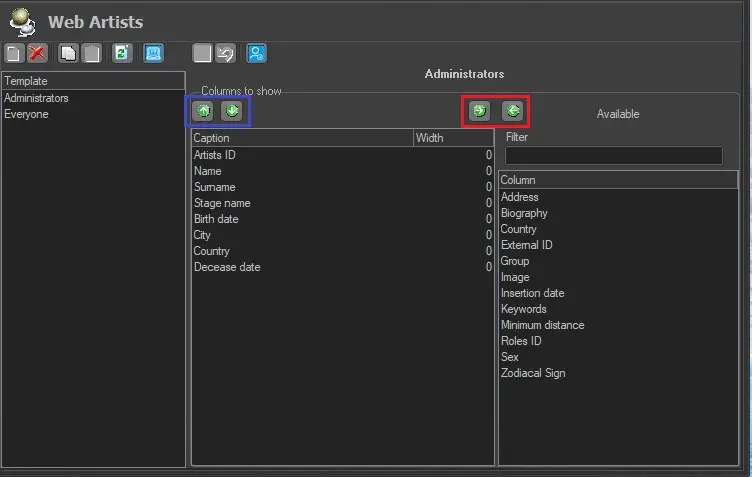
In the Web Artist configuration settings, the list of templates is available in the left panel; once the template is selected, a list of available columns is displayed on the right panel, user can select desired columns to be displayed in EtereWeb by adding or removing them using the green-arrow buttons (outlined in red). Once columns are added to the centre panel (Column to show), position the columns using the green-arrow buttons (outlined in blue).
Web_Artist
In the <Column to show> panel, the width of the column can be customised once the column is added to the panel. The default width size is 0; click on the width value to customise the column width to suit your needs. Upon completion, click the <Apply> button to save and apply the configuration settings.
Etereweb_Artist
 Web_Artist
 Etereweb_Artist