10.6 Webcutting
Etere Web Cutting is a web application that allows you to pick up media from Etere storages, manage them into an editing timeline, cut them and create a new unique file.
Installation and Configuration
The leading service is automatically installed with EtereWeb but also needs the "Media Web Service" installed from Etere Update.
Media_web_service
To open the installer, click the MEDIA WEB SERVICE button on the Etere Update form. It will be possible to download the latest service available and install it: the user can choose to assign a hostname to the web instance that is being installed. If the hostname has been left empty (default), the installer will assign the server name where the instance is installed.
Media_web_service_installer
The URL of the media web service must now be set into the "Web Services URL for media" field on EtereWeb, in:
User Preferences > General setting section
Web_services_url
In:
User Preferences > Web Cutting Settings
Section, it must be defined which is the codec associated with the media that the web cutting application will manage (Codec files field) and the type that will be assigned to the asset that will be created to link the resulting media (Type for export field)
Web_cutting_settings
The web application is now ready to be used.
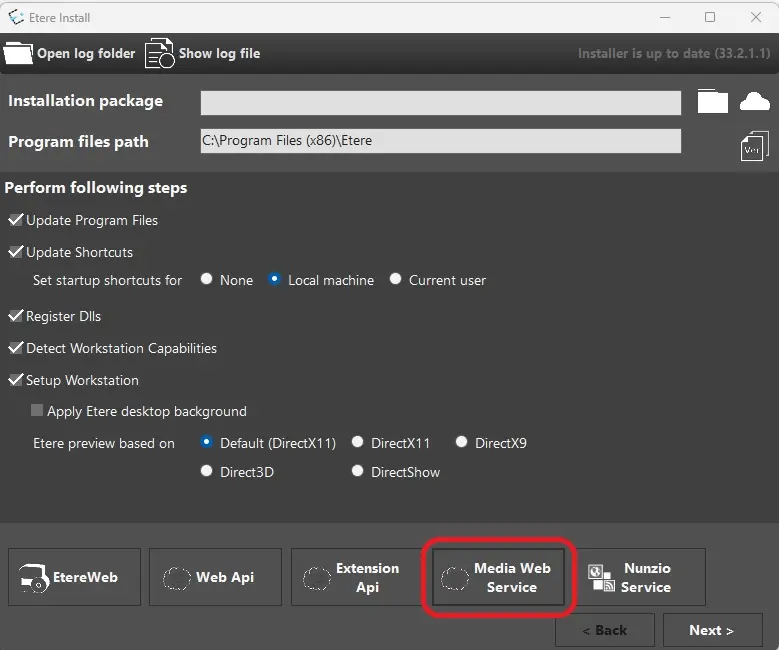 media_web_service
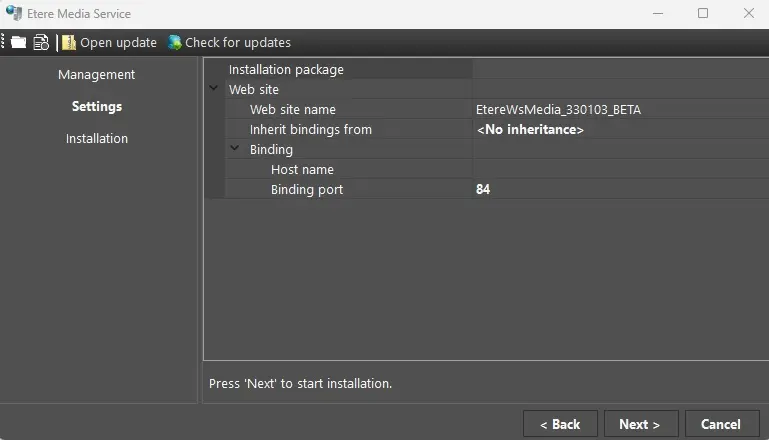 media_web_service_installer
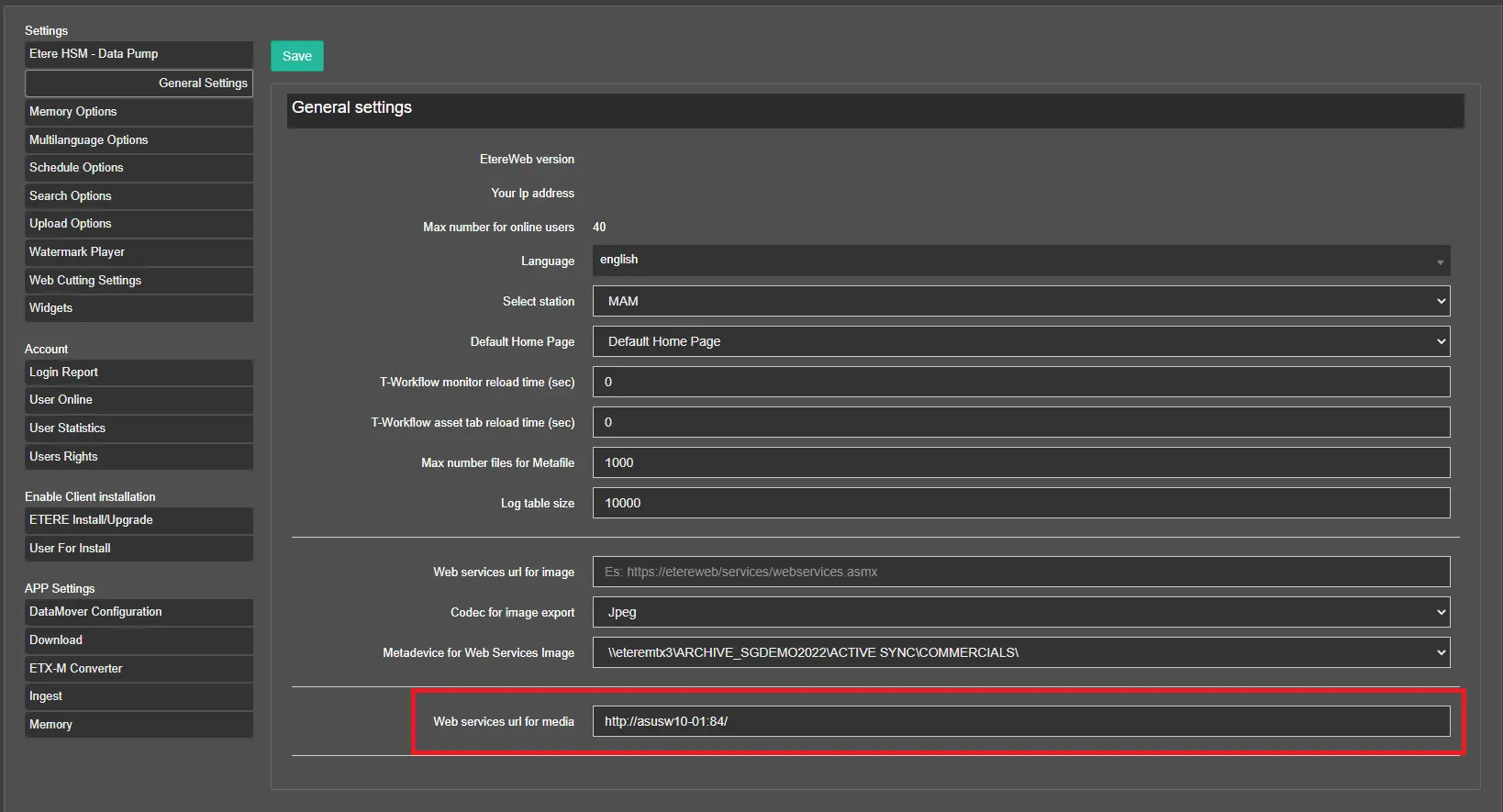 Web_services_url
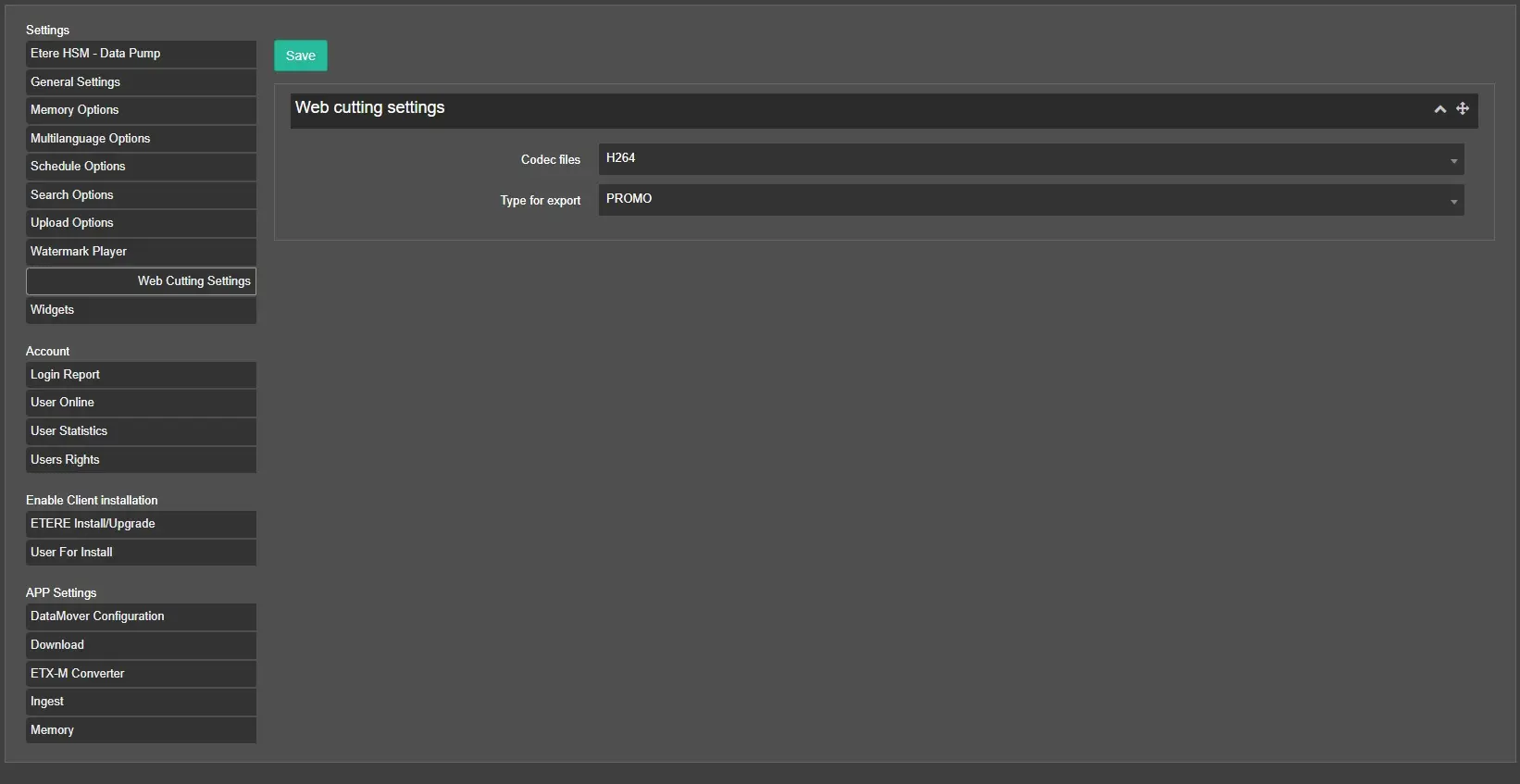 Web_cutting_settings