56.1.7.2 SCTE Triggers
Description
Particular SCTE-104/SCTE-35 triggers can fire automation commands by detecting them on the processed video.
This feature is similar to automation commands fired by GPI in input to Etere Automation.
Configuration
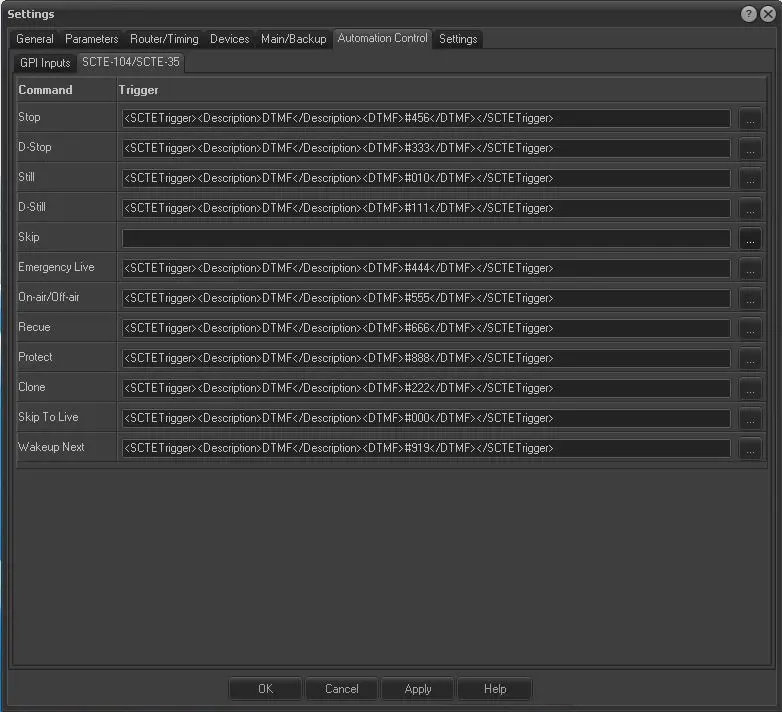
SCTE-104/SCTE-35 triggers to be detected and associated with automation commands such as, for instance, SKIP, SKIP to LIVE, STOP and can be configured in:
Etere Automation > Settings > Automation Control Tab > SCTE-104/SCTE-35
scte_triggers
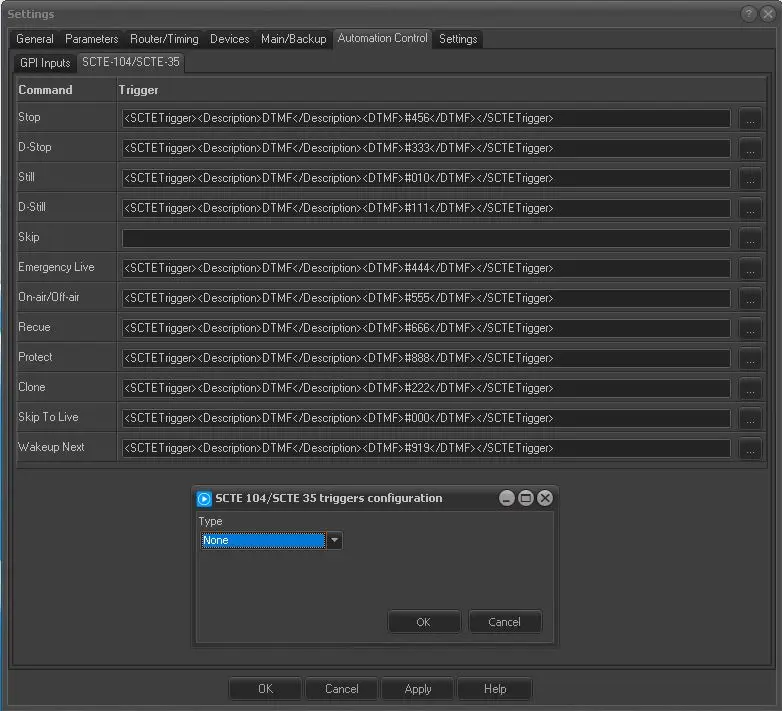
To start assigning SCTE Triggers to any related command, click the far right button:
insert_trigger
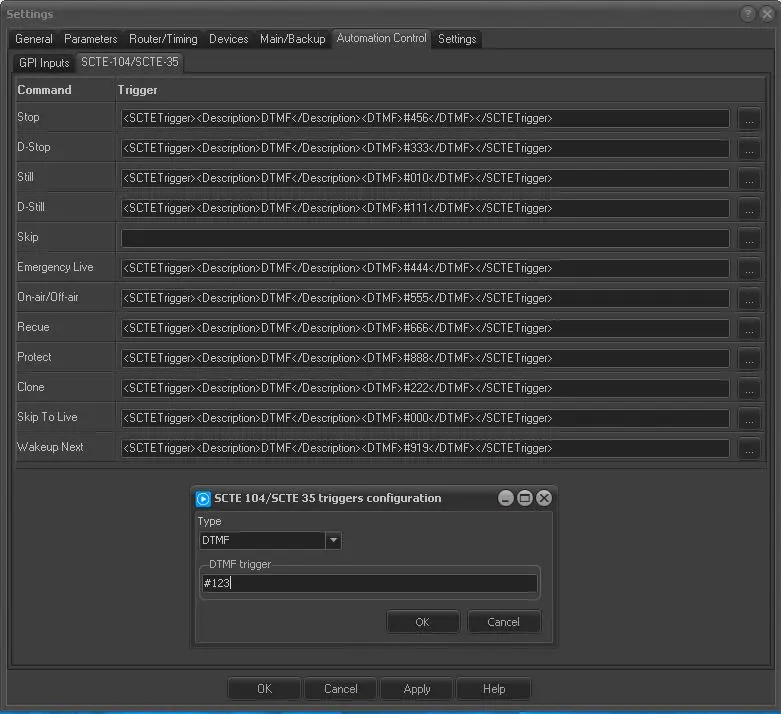
assign the command type and the DTMF trigger :
insert_trigger_dtmf
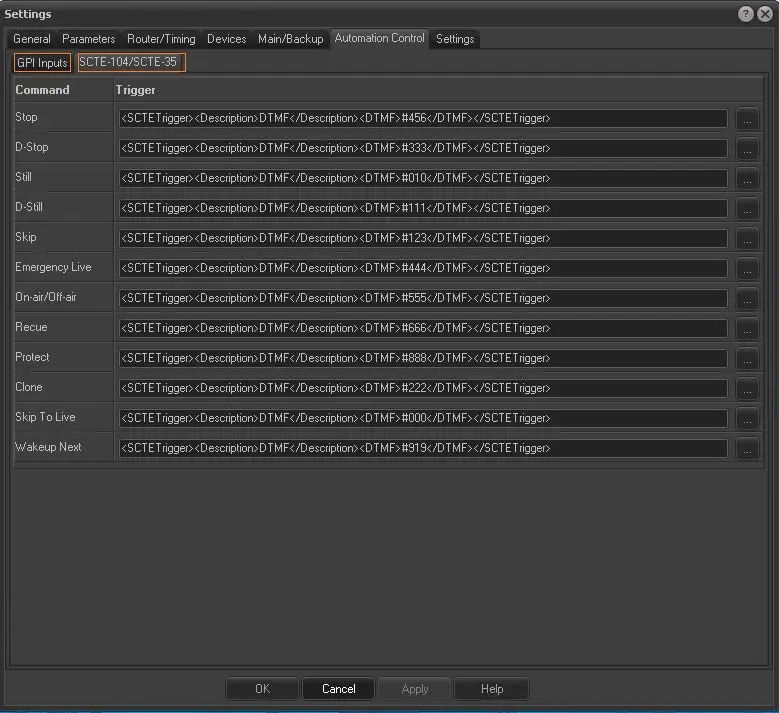
and press OK to apply the given configuration.
config_done
After that, it is possible to start using SCTE triggers to perform multiple Playout functions. Etere Automation will detect any DTMF Tone sent through SCTE-104 or SCTE-35, and whenever the ones configured in the Automation settings are detected, Etere Automation will trigger the appropriate function.
In the above case, for instance, whenever the #123 DTMF Tone sent through the SCTE command would be inserted by any SCTE-Inserter to the video source, Etere Automation would perform the Event Skip.
AVAILABLE TRIGGERS
Following is a brief description of every available SCTE trigger:
- STOP: Stop Etere Automation;
- D-STOP: Delayed Stop of Etere Automation;
- STILL: Pause Etere Automation;
- D_STILL: Delayed Pause of Etere Automation;
- SKIP: Skip to the next event scheduled on the Etere Playlist;
- EMERGENCY LIVE: Activate the Emergency Live Channel;
- ON-AIR/OFF-AIR: Writes the "off-air" status in the Etere Automation Playlist;
- RECUE: Perform the Recue of the on-air event;
- PROTECT: Force the On-Air on the Automation Clone Server;
- CLONE: Perform the Switch to CLONE mode;
- SKIP TO LIVE: Perform the Skip to the next scheduled Live Event;
- WAKEUP NEXT: If the next event is linked to a tape, this command puts the automation VTR in stand-by mode, engaging its headers.
 scte_triggers_last
 insert_trigger_dtmf_last
 insert_trigger_last
 automation_control_tab_scte