56.2.1.2 A/B Switch
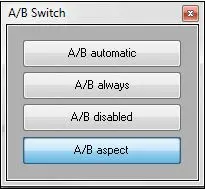
The 'A/B Switch' allows operators to manually control the master control and the router during the on-air. Switching modes available in this section include the following ones:
ab_switch
A/B automatic /B automatic pitch will be performed only for video transactions, short clip lengths and audio changes.
A/B always - The A/B switch will be performed at each clip change.
A/B disabled - The A/B switch won't be performed during the playout. In this case, the master control and video router should be manually controlled.
A/B aspect - The A/B switch will be performed according to the aspect ratio of the transmitted asset, playing events with a specific aspect ratio on preselected decoders.
NB: The default "A/B switch" mode is set under the automation's "Parameters" section.
WHEN TO USE IT
The A/B Switch feature can be used, for example, in the following cases:
- If the transition requires a switch between resources,
- If one decoder fails, the A/B is stopped automatically,
- if the clip needs to be transmitted for a shorter duration than its scheduled duration.
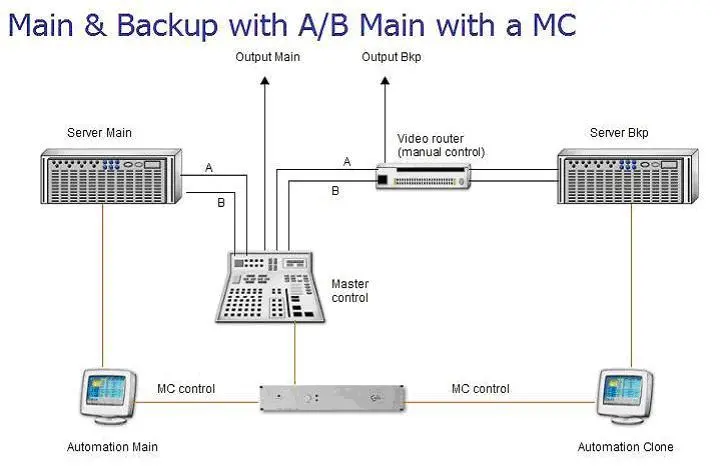
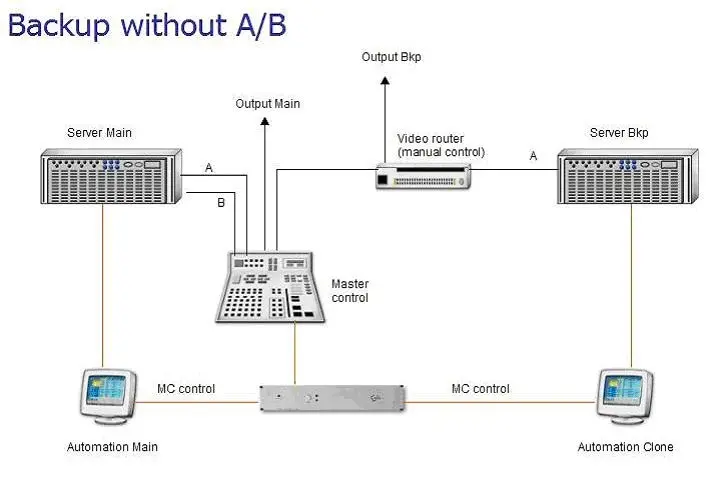
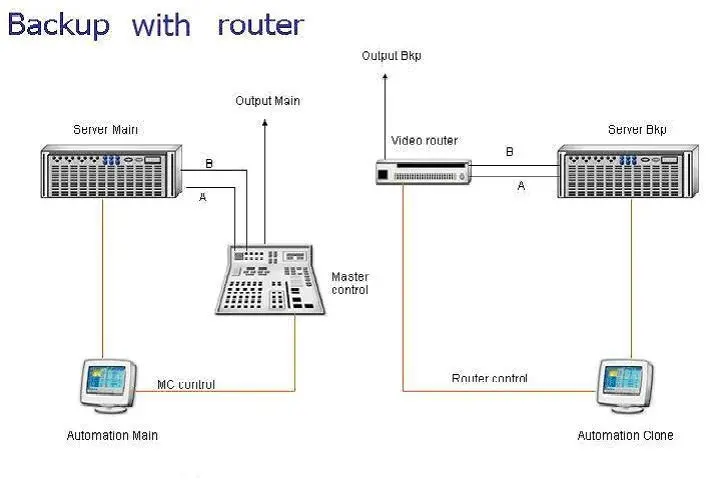
The A/B switch can be used in any of the following main backup automation scenarios to improve fault tolerance:
•Main and Backup automations, both with A/B and a common router (MC):
mainbackup_with_AB_main_with_a_mc
•Main and Backup automations, only Main with A/B and a common router(MC):
backup_without_AB
•Main and Backup automations, both with A/B and independent routers:
backup_with_router
•Main and Backup automations, only A with A/B and independent routers:
backup_with_router_noAB
 ab_switch
 mainbackup_with_AB_main_with_a_mc
 backup_without_AB
 backup_with_router
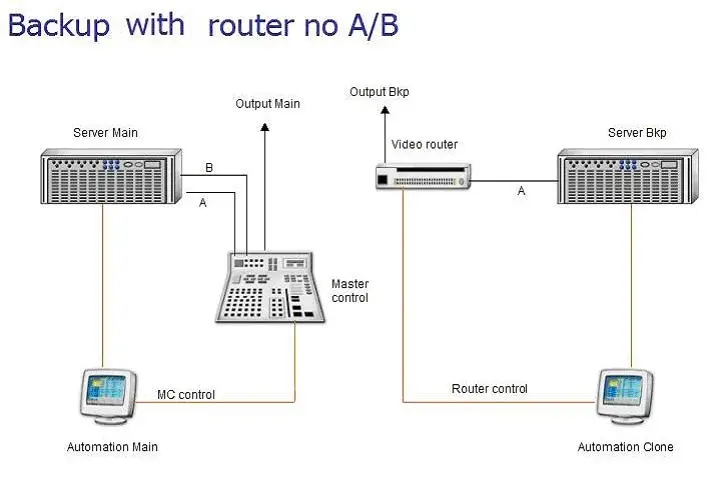 backup_with_router_noAB