59.8.2 Monitoring tools
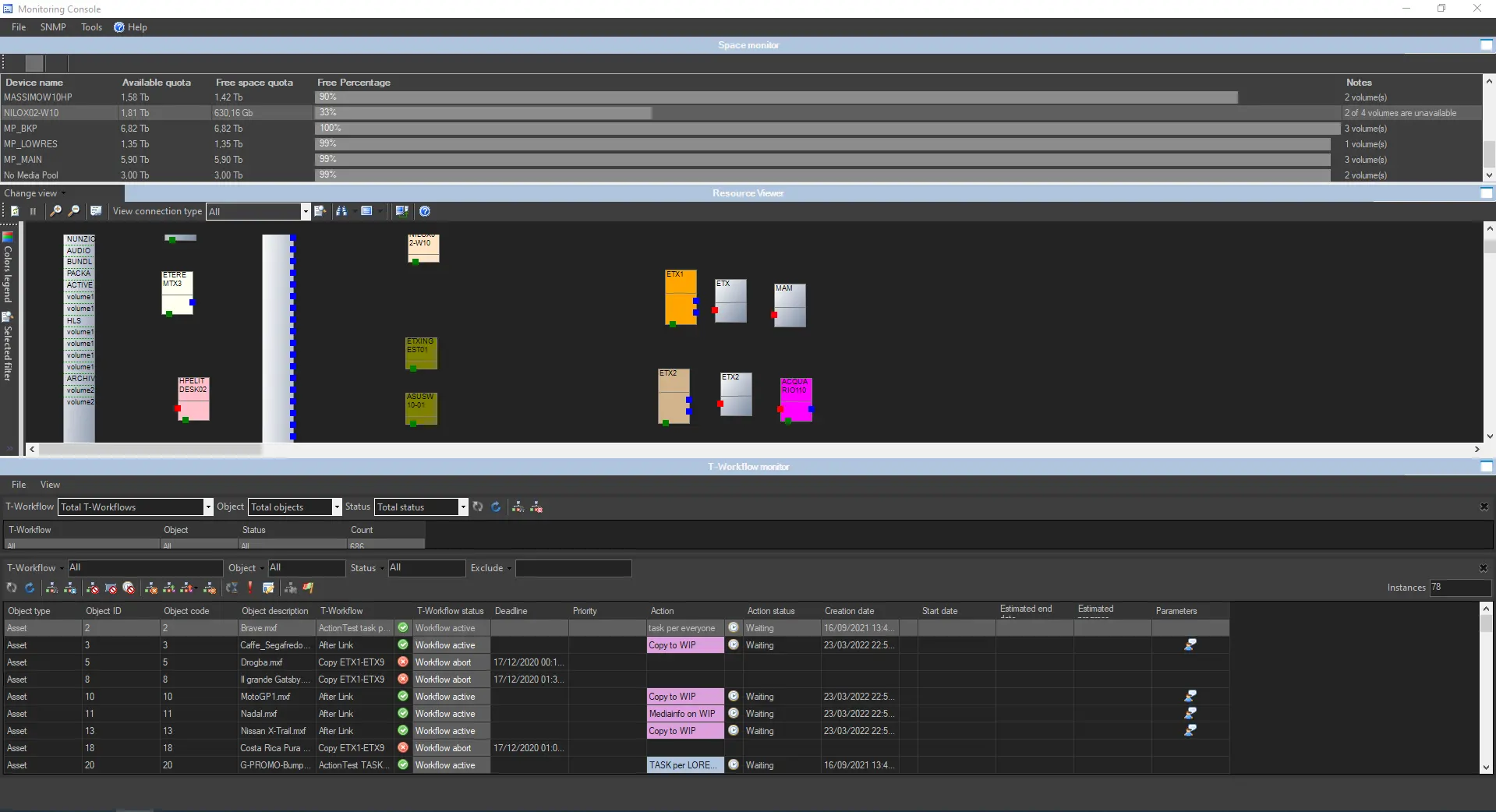
The Monitoring Console is smartly divided across different panels to allow quick monitoring of specific functions. Tools included in this module are listed below:
Monitoring Console
SPACE MONITOR
Visualize the storage space of all devices for which cloud devices are defined (e.g. video servers, workstations, servers, etc).
RESOURCE MAP
View and allocate resources (e.g. workstations) across the system, thus allowing us to indicate the rack position of the workstation on which an error has occurred.
RESOURCE VIEWER
Show a map of all resources configured in the system, showing their real-time connection status and SNMP messages.
NB: Resource map and Resource viewer can be switched using the Change view button on the left.
WORKFLOW MONITOR
Consult all T-workflows (transfers, checks, requests, and much more) executed on the system, allowing you to view and manage each.
STATUS BAR
Display the real-time status of monitoring background tasks such as "SNMP real-time checking", "Processes monitor", "Check pingable devices from this console", "Collect and check PC counters", and "GPI signals".
NB: The refresh frequency of the Monitoring Console is managed by the "Update every (sec.)" option in SNMP Parameters settings.
 Monitoring_Console