59.3.8.5 Using XSLT on Export/Import
Export
Etere's T-workflow actions allow transforming data (metadata and flexi-metadata) from the Etere standard schema to any required output schema by specifying an XSL transformation to be performed against exported data before writing it on the output file in a given meta device.
Export
Here below are listed the DataMover T-workflow actions that currently support XSLT Transformations on export operations:
XSLT-enabled T-workflow actions
Asset Data Export
Asset_Data_Export
Export documents transformed with XSLT
Multistep copy
Multistep_copy
Export documents transformed with XSLT along with other media files
XML Assets Full for XSLT
XML_Assets_Full_for_XSLT
Export documents transformed with an XSLT style sheet (for multiple assets)
XML Assets Full for XSLT
XML_Assets_Full_for_XSLT
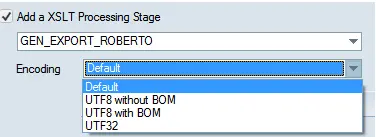
Export XSLT file encoded in UTF8
Select XSLT encoding:
-Default (used for backward compatibility or if no option is selected)
-UTF8 without BOM
-UTF8 with BOM
-UTF32
It's worth mentioning that the "XML Assets Full for XSLT" export function allows transforming XML data before their export based on an XSL style sheet (.XSL file).
Import
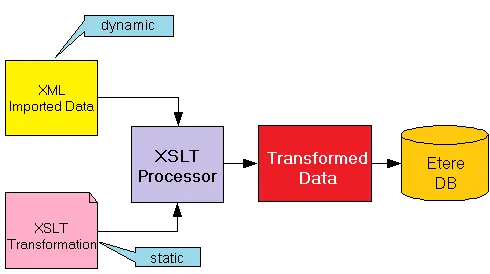
Etere's T-workflow actions allow transforming data (metadata and flexi-metadata) from any incoming schema to the Etere standard schema by specifying an XSL transformation against imported data before writing it in the database.
3731_ce_xslt_icons_import
Here below are listed the DataMover T-workflow actions that currently support XSLT Transformations on export operations:
XML Assets Full for XSLT
Import_XML_Assets_Full_for_XSLT
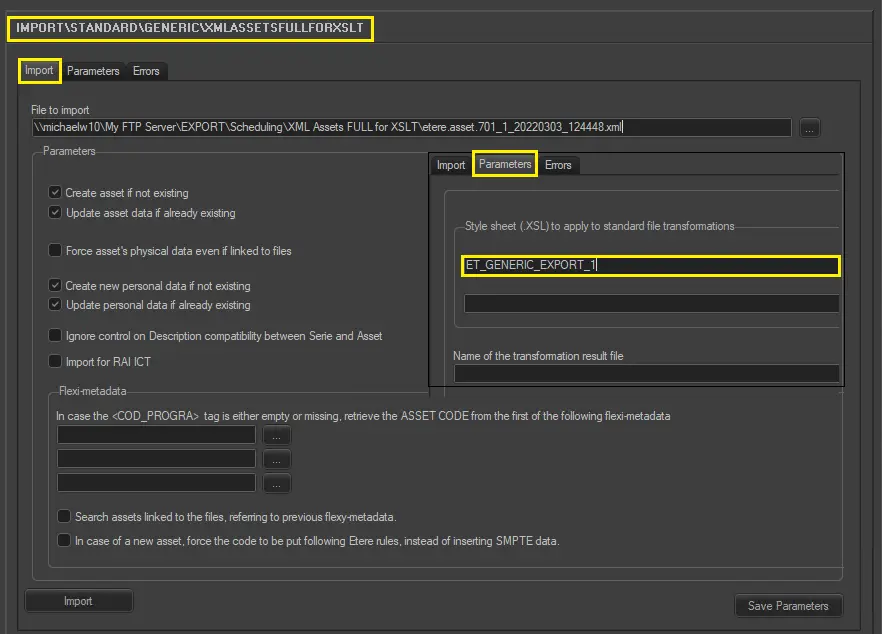
Import documents transformed with an XSLT style sheet
Note: it's possible to set XSL transformations for particular cloud devices (paths) from which data is imported into the Etere system.
Import XSLT with Active Sync
There's a constraint to use the metafile insertion with Asset:
•The metafile tag must have the same codec and path of the AS path to be scanned.
•The option "Create New Asset" must be a tick
•The option "Process the File Only if the Descriptive File(.xml) Exist" must be ticked (this means you have to use a dedicated path for this configuration; it cannot be mixed with the actual one).
Import XSLT
The import uses a file .xml with the structure of the EXPORT_STANDARD_GENERIC_XMLASSETSFULLFORXSLT.
Each XML file manages one Asset.
Parameters
Import XSLT
"Create a new asset if it does not exist."
"Update metadata if the asset exists."
"Update asset PHYSICAL DATA even if metafiles exist."
Below are the fields\tag for physical data:
FILMATI.POS_INI
FILMATI.POS_FIN
FILMATI.DURATA
FILMATI.INF_DIGIT
FILMATI.DUR_FISICA
all EDLs
"Create Personal Data form does not exist."
"Update Personal Data Form exists."
"In case the tag <COD_PROGRA> is empty or not present in the file, use the Asset
code from the first available flexy metadata Item,"
The import manages most of the asset data, such as:
•FILMATI
•FSERIE
•ANAGRAF
•SMPTEMETADATA
•SMPTEDICTIONARY
•FEDLDESCRIPTION
•FINTERRUZIONI
•ARTISTI
•GENERI
•TIPOGENERI
•FS_METAFILE
•FS_PATH
•FS_FILE
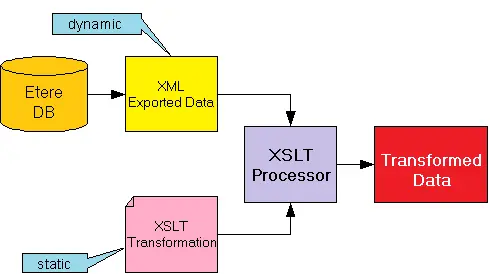 Export
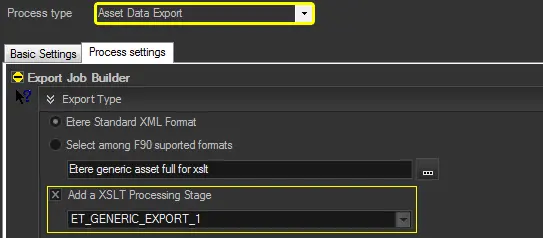 Asset_Data_Export
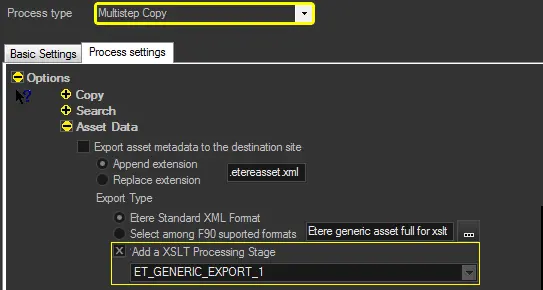 Multistep_copy
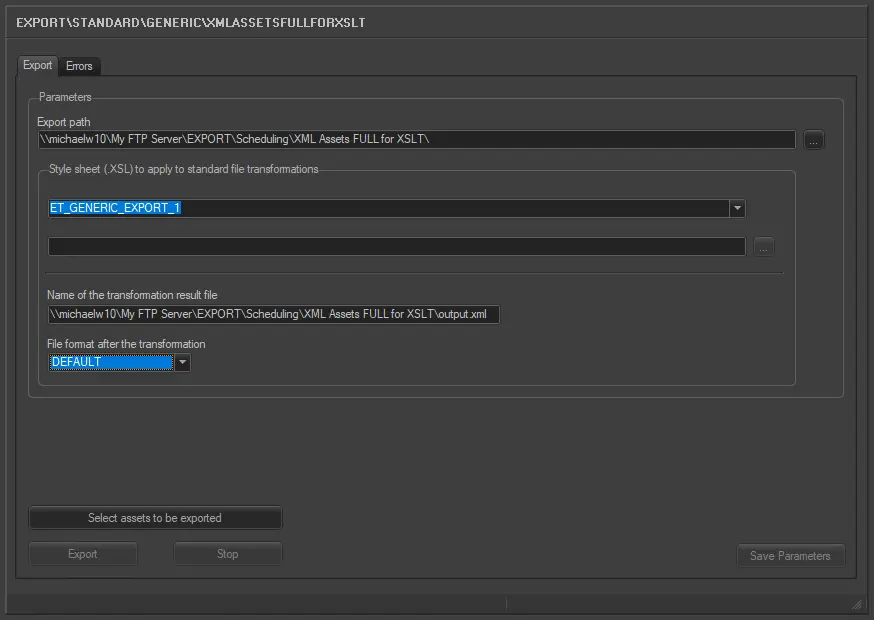 XML_Assets_Full_for_XSLT
 XML_Assets_Full_for_XSLT.
 Import_XML_Assets_Full_for_XSLT
 ce_xslt_icons_import