Enabler Service
85.2.6.1 Configuration
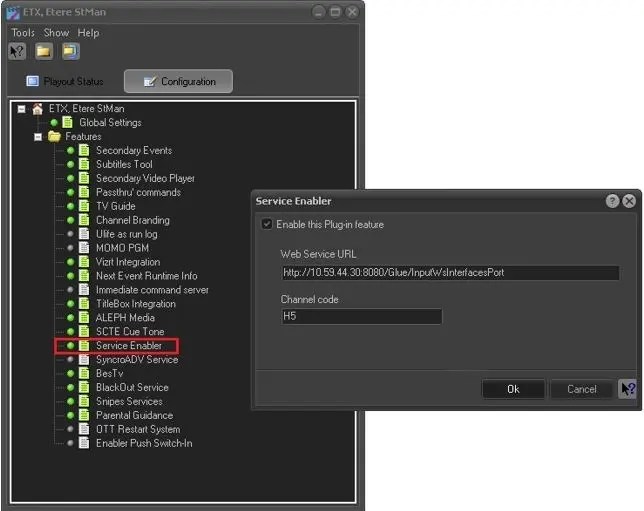
To enable the Plugin feature, launch the STMan module, access the “Configuration” section in the main interface and double click on “Enabler Service” to configure the enabler service.
Service Enabler
The parameters required to start the service are:
Parameter - Enable this plugin feature
Description : Tick the checkbox to enable this feature on Etere STMan.
Parameter - Web Service URL
Description : Enter the URL address of the station that the “Enabler Service” is currently running.
Maximum of 3 attempts is allowed when establishing connection to Web Service.
Parameter - Channel Code
Description : Enter the 2 characters ID (e.g. H5) used by the Web server to identify the station.
 5173_Service_Enabler