6.3.7 Launch T-workflow for VOD Contract
When a new VOD contract is created and linked to an asset, you can start the T-workflow configured in the Platforms Template to process the new contract, where all the mandatory data has been configured.
Launch_the_T-workflow_for_the_order
Click on the Launch the T-workflow for the order icon to start the T-workflow for the new contract.
The T-workflow would verify all the mandatory data in the contract and process the contract accordingly.
Upon processing, the contract status would be updated in the Status column in a Delivery tab, where the green icon indicates the contract is Ready and the red icon indicates it is Not ready.
Delivery
Moreover, you can view all the active contract lines in the VOD Active List or the delivery status of all contract lines in Delivery Status.
WARNING: Artists on the series/season/episode linked with ROLE = PRESENTER will be exported accordingly on the metadata structure.
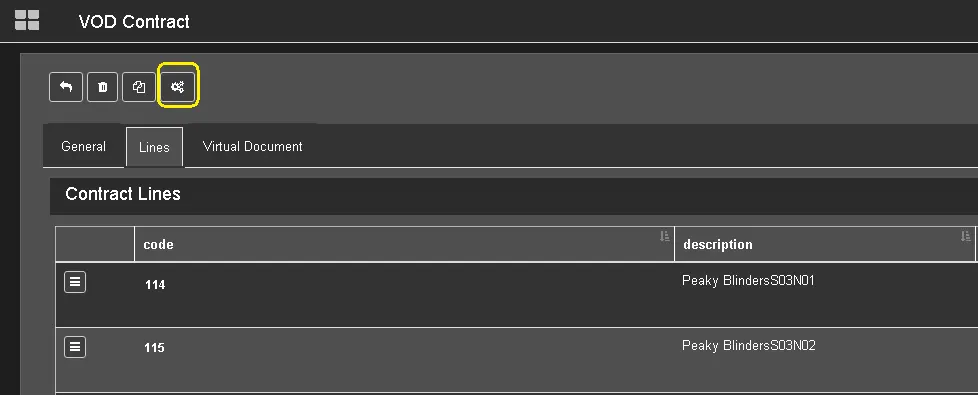 Launch_the_T-workflow_for_the_order
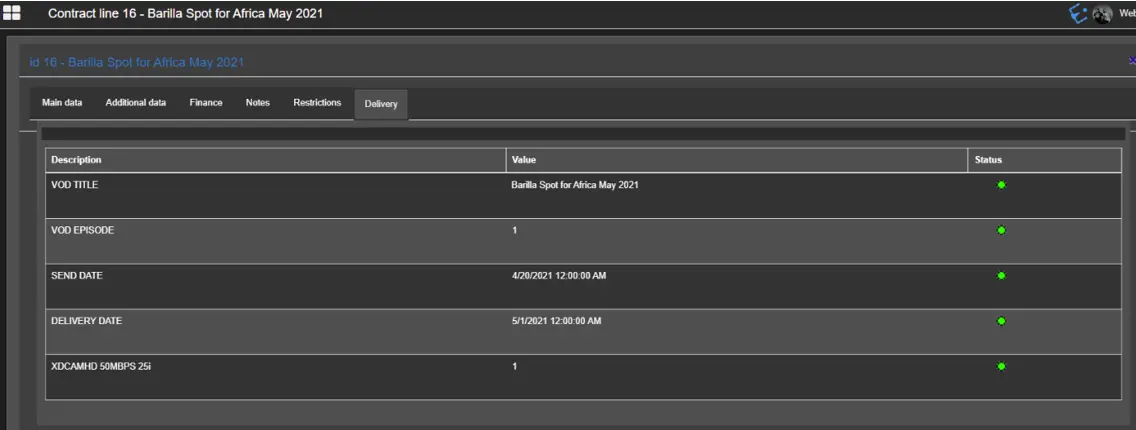 Delivery