59.2.42.1 Banks
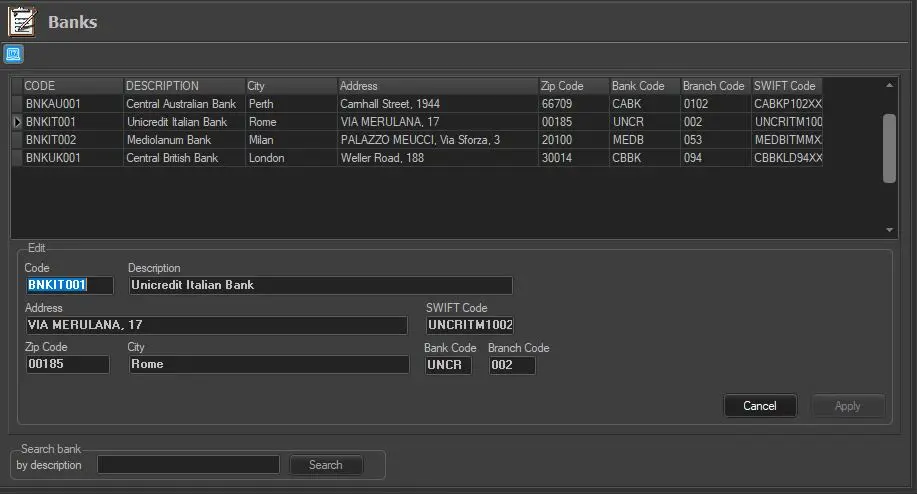
The list of the banks associated with agencies, media centres, stations etc., must be configured in this section. Right-click to create a new entry and insert all relevant bank details (code, description, address, zip code, city, SWIFT code, Bank Identification number and 2nd Bank code).
Banks
•Code: Indicate the code to identify the bank in the system.
•Description: Enter a brief description of the bank.
•Address, Zip Code and City: Enter the general information regarding the bank's physical location.
•Bank Code: Specify the registered code of the Bank.
•Branch Code: Specify the Branch Code registered with the bank.
•SWIFT Code: Insert the BIC (Bank Identifier Code) that identifies the bank univocally. It must be 8 or 11 characters long, otherwise a warning would be prompted.
Banks can be searched by description using the box at the bottom of the window.
 Banks
Banks