79.8.6 Graphics Fill and Key
Nunzio ETX Playout supports internal and external keying for graphics. With internal keying, the graphics are superimposed over the video signal; with external keying, Etere does not embed the graphics in the program output renderer but sends them to the device selected for keying, so that program output and graphics output are split in 2 different signals.
SDI External keying
For SDI external keying, it's necessary to make a setup on both video card side and on Nunzio ETX Playout side.
Video card connectors mapping
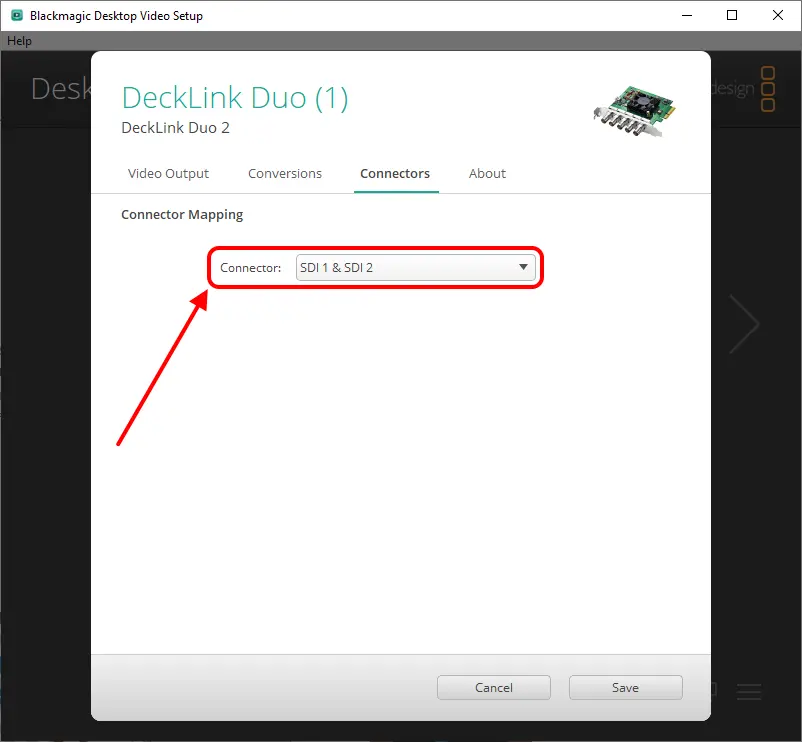
In order to send 1 Fill output and 1 Key output, the device's connectors must be mapped as shown in the following image:
BMD_connectors_mapping
We showed the configuration of a Blackmagic Decklink Duo 2, but other devices support this feature, like AJA Corvid 88 or Bluefish Epoch 4K Supernova S+.
Nunzio ETX Playout settings
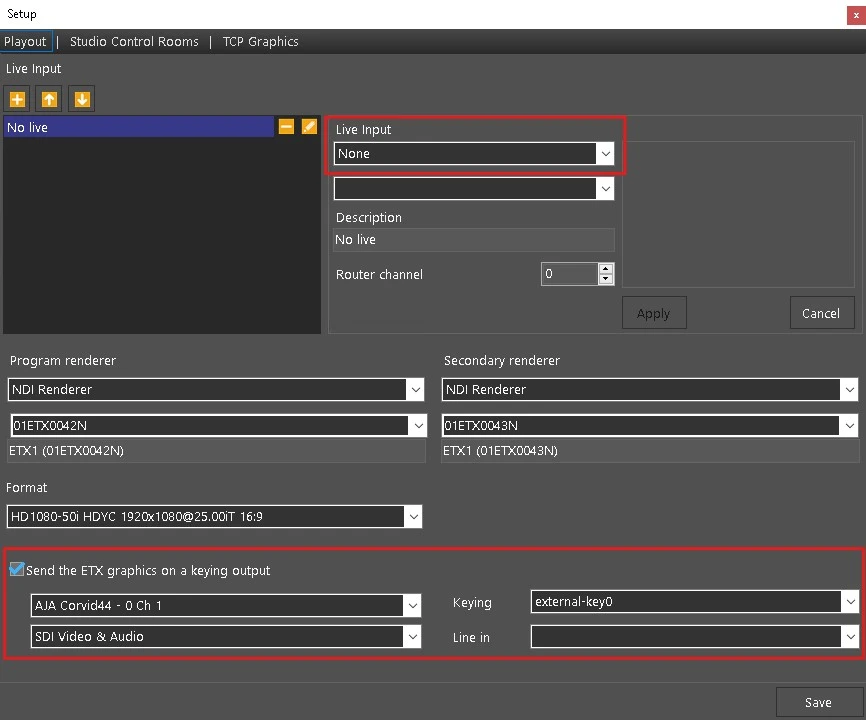
From Configuration menu > Setup, configure the module as follows:
1. Add an empty live input. Click on the [+] button, then set Live input=None.
2. Enable the option Send the ETX graphics on a keying output (modifying this option requires the restart of the module to apply the change).
3. Select the SDI device where the Fill & Key will be sent and set the keying mode to External.
nunzioetxplayout_keying_settings
NDI External keying
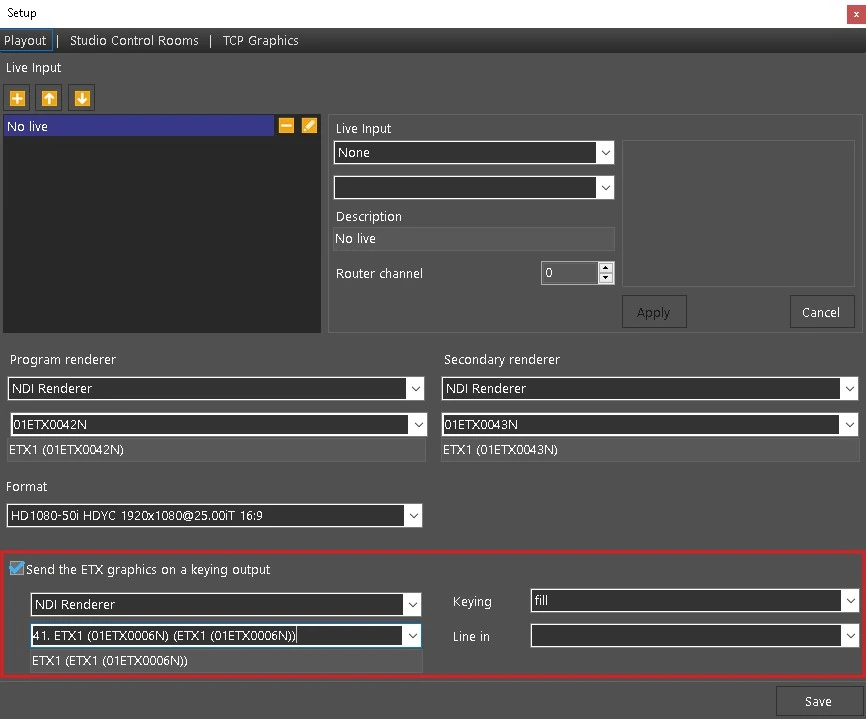
It's also possible to setup an NDI external keying. The configuration is even simplier, as it does not require to map any connector, of course.
1. Select NDI Renderer, instead of the SDI device
2. Choose the channel where the graphics will be sent through, among the ones set in Etere Configuration > Settings > Video routers, or type a custom channel using the notation ZZETXCCCCN, where "ZZ" represents the ID number of the configured router and "CCCC" the number of the router channel (e.g.: 01ETX0015N).
3. Set the keying mode to Fill or Key.
nunzioetxplayout_keying_settings_ndi
 BMD_connectors_mapping
 nunzioetxplayout_keying_settings
 nunzioetxplayout_keying_settings_ndi