69.1.2.13 OMROEP ASRUN
Export Scope
The F90 - OMROEP ASRUN export allows to create a TXT file containing certain schedules transmitted on a specific day.
Export Parameters
This export needs the following parameters to be configured:
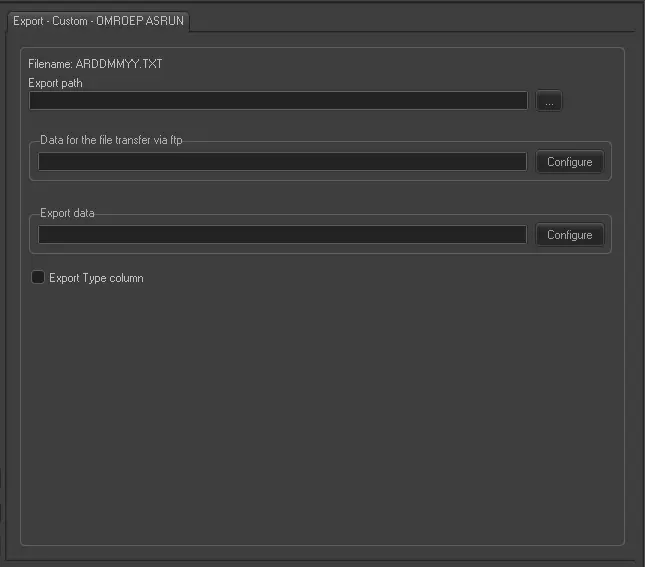
Export - Custom - OMROEP ASRUN
Filename - The name of the exported file would have the format ARDDMMYY.TXT, where 'AR' is the name of the station.
Export Path - Indicate the path where the exported file would be placed.
Data for the file transfer via FTP - Click on the Configure button and define the FTP parameters as described in Configure Data File Transfer via FTP chapter.
Export data - Opens the Configure Export window to specify the days and the frequency to be exported.
Export type column - Tick off this option if you want to also export the "type" field.
The fields which are exported with this function are DATE, TIME, DURATION, DESCRIPTION, CODE, SPLIT, BLOCKCODE and BOOKINGCOUNTER.
Scheduling related export
This export doesn't require any configuration under the Etere Scheduling module.
 Export_-_Custom_-__OMROEP_ASRUN