91.4.7 Asset Search tab
Radio live playout gives the user the possibility to insert events on the fly or by scheduling them through the use of the Asset Search function, the function in question can be reached through the asset search tab located under the Radio section.
-The search for assets can be done via full-text or by filtering the results using templates
Full text Search
This function perform a google-like full-text search for whole word (i.e. Telecommunication) or part of word (i.e. Telecom) across all database tables storing the asset information
Search by using templates
the search function via templates allows the user to search for assets based on certain filters inserted within the templates, the templates are based on rules that are established by the user before creating the template only from Web platform.
Rules and Templates
-Rules these are the parameters that then filter the assets being searched for, you can manage them from rules section on EtereWeb going to Radio->Music manager->Rules.
Now if we want create new rule we need to click on the "+" symbol on the right side of the page and a new page will open, where it will be possible to enter the Description we want to give to the rule and the Type (Distance or Value).
Once we have chosen the typology Value, the page will expand giving us the possibility to enter the metadata to be taken as a reference, the logical operator to be used to search and finally the value for which to search
if we choose the type "Distance" the fields to be filled there will be the same without the logical operator filed and with the "Distance" field.
-Templates, once the rules has been created we must create the template to which we will assign the rules we have created.
we can create a template going to Radio->Music manager->Templates and click on the "+" symbol on the right side of the page that will openit will allow us to give the template a name, enter a description and flag the rules we want to insert within the latter.
when the template has been created just select it from the templates menu in Radio Live Plyout and press search so we will have the desired results.
NB. it is possible to insert multiple rules within a single template
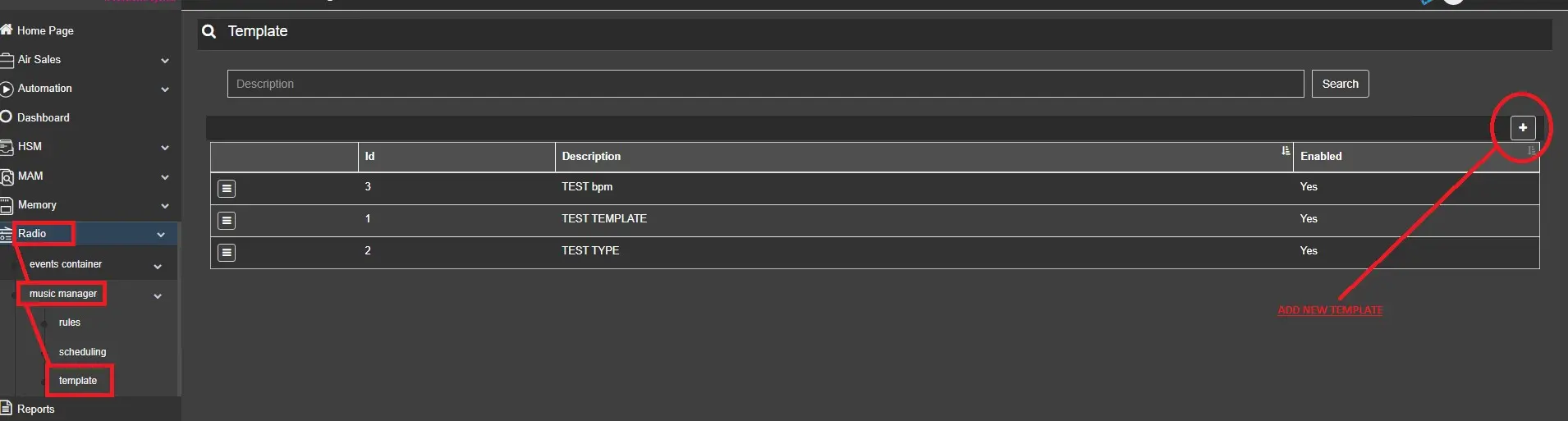 Template
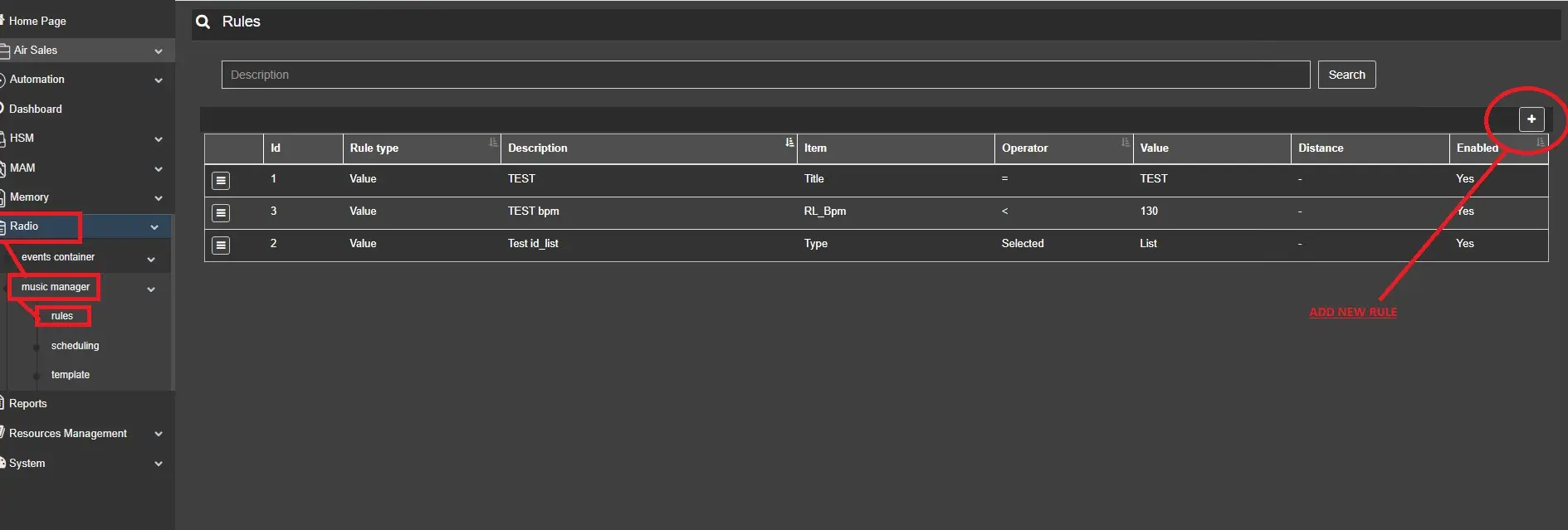 RULE
RULE