Using the HSM Disk Library
70.3.9.4 Sync to HSM Headquarters
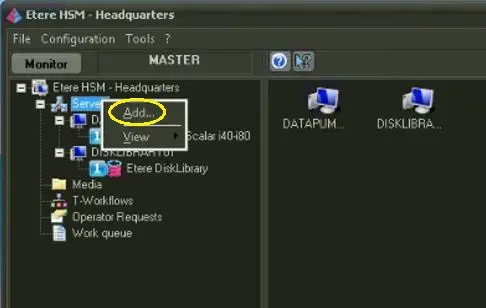
From the workstation where HSM Headquarters is installed, right-click on Server and select "Add" function to establish connection to the newly configured HSM Disk Library.
HSM Headquarters 1
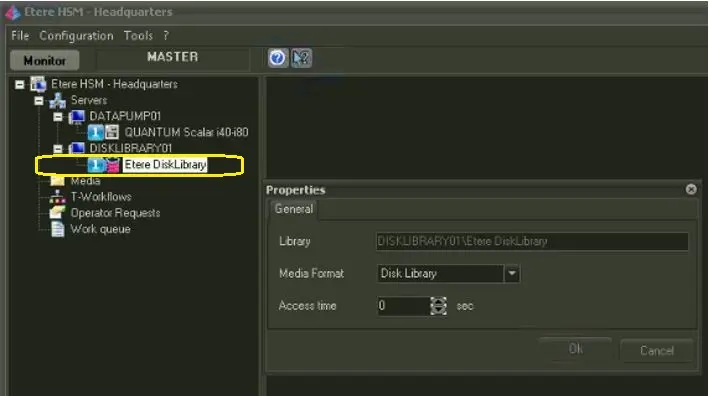
Next, right-click on HSM Disk Library and view its Properties settings.
HSM Headquarters 2
•Library: Indicate the name of HSM Disk Library.
•Media Format: Set media format as "Disk Library". You must first enabled the Disk Library settings in Configuration > Settings > Media Formats.
•Asset time: Specify the access time in seconds.
Upon complete, click <OK> to confirm the settings.
 HSM_Headquarters_1
 HSM_Headquarters_2