81.1.1 User Interface
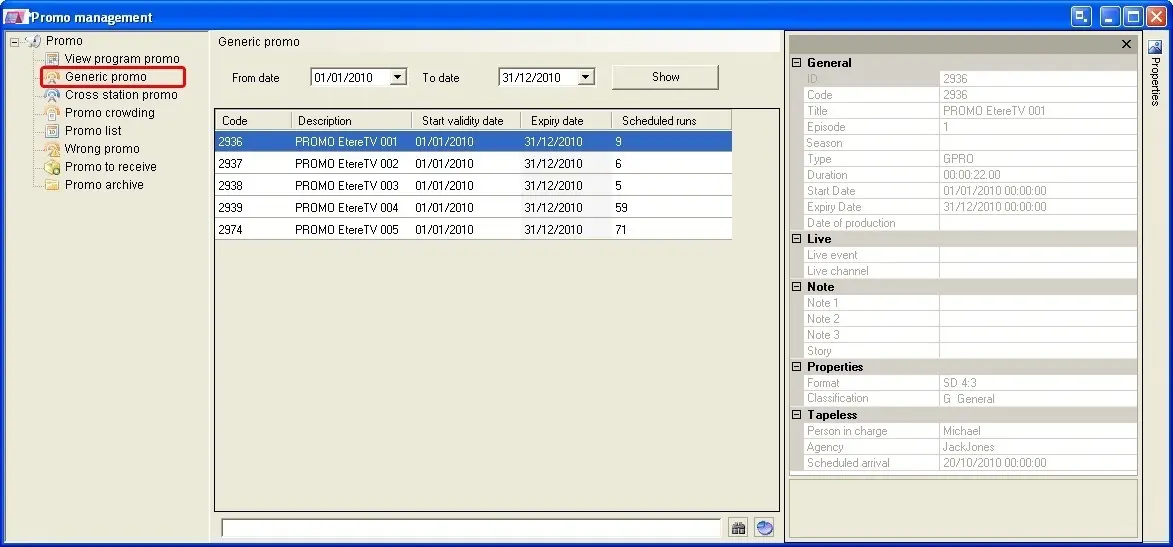
The Promo Manager tool brings a detail and multiple view of all trailers managed by the station, its interface has been divided across eight sections to allows a more accurate and organized visualization of trailers:
• View Program Promo,
• Generic Promo,
• Cross Station Promo,
• Promo Crowding,
• Promo List,
• Wrong Promo,
• Promo to receive,
• Promo archive,
NB: Please note that each time the "Promo Manager" module is open from a playlist editor (e.g. Strategic Editor, Executive Editor), by default, it starts showing those trailers available for future days (i.e. tomorrow onwards).
Quick Search Bar
All Promo Manager sections counts in the bottom part with a quick search bar that permits to:
4821_Promo_Management
• Filter into the list only those items matching the inserted string.
• Position over the first item of the list that matches the inserted string.
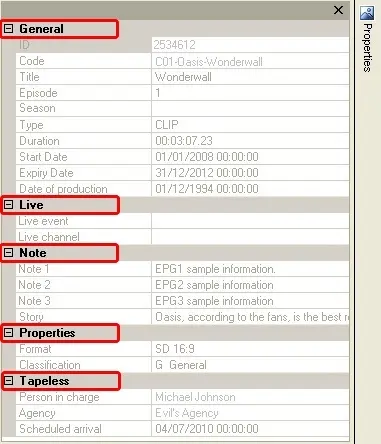
Side Properties bar
All trailers present across the different Promo Manager sections are complemented with a side bar that details all their relevant properties including:
4822_Promo_Manager
 Promo_Management
 Promo_Manager