Tape Loan
87.1.3.5 Tape Management
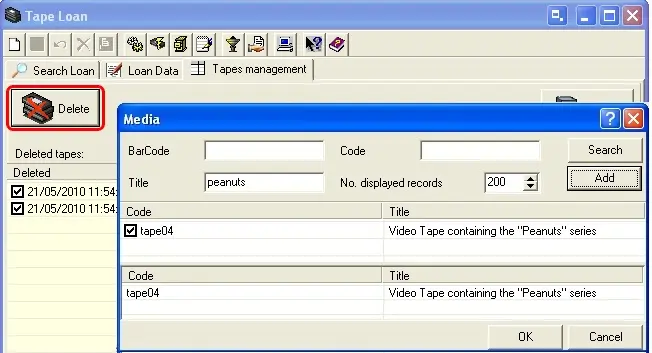
Under the the "Tape Management" section it is possible to [Delete] (i.e. set as expired) a certain tape(s) such in a way that it won't be available for loan requests (i.e. it will be hidden):
Delete
Loan_25
1. Search for the tapes to be excluded from all loan operations,
2. Select and press the 'add' button,
3. Make click on the 'ok' button.
NB: In order to be 'deleted', tapes must not be linked to any asset nor currently loaned.
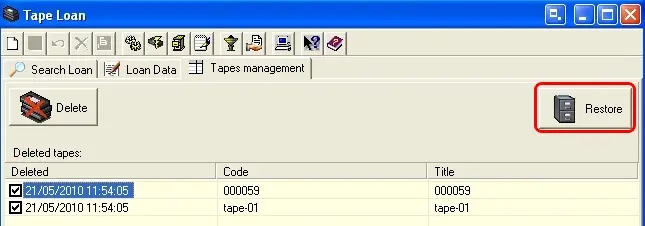
Restore
Loan_26
1.Select the tapes to be restored (i.e.: set as not-expired) from the bottom list,
2.Make click on the 'restore' button and all select assets will be removed from the 'Deleted tapes' list.
 Loan_25
 Loan_26